 |
 |
| A Player operated & managed Website dedicated to all who love "The Game" and to EA Sports Tiger Woods 2003 PC Golf |
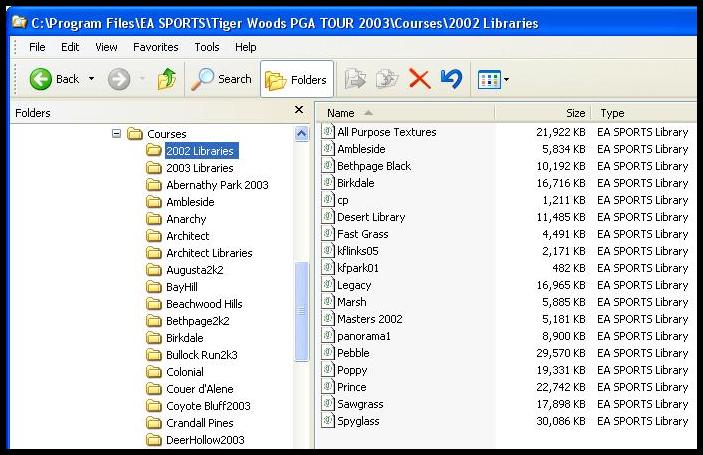
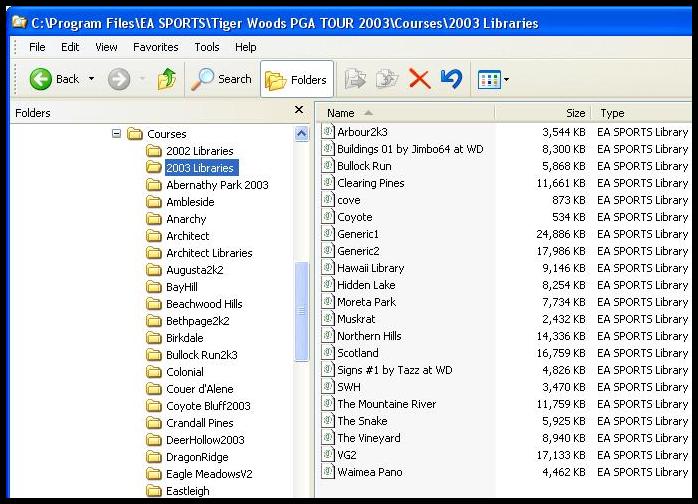
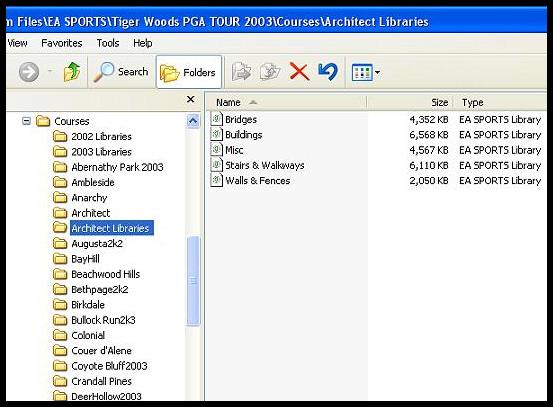
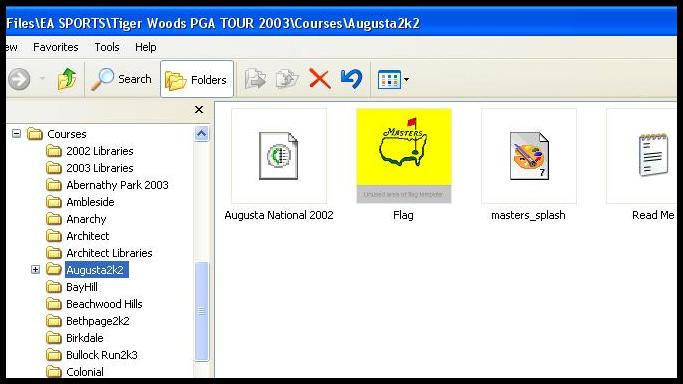
| Night Vision Golf's Folders for TW2003 One major thing EA forgot to include in the release version of TW2003 was the TW2002 libraries that are required to run TW2002 Architect designed courses. EA quickly took care of this issue by making them all available for download at EA Sports. The fact they overlooked this issue makes course installs a little more difficult than it should have been. The 6 original TW2002 course libraries have the same name as the same 6 courses that were designed for TW2003 and this was a mistake because they are different in their design. Birkdale.tcl, Poppy.tcl, Prince.tcl, Pebble.tcl, Sawgrass.tcl, and Spyglass.tcl are the course files that cause most of the install problems. Once you understand this, some of the problems can be prevented. Since most of the TW2002 courses utilize some of these 6 libraries from 2002, we need to make sure we have them installed and that they don't overwrite the ones in TW2003. You need only install them once and the procedure is listed at EA and on Night Vision Golf's main page. This page was set up to show that the use of folders for TW2003 is really rather simple and can be done a number of ways. I have 4 jpg's that show how I utilize folders. My filenames for the courses could have been better but I'll fix that in TW2004 maybe. Installation The Simple Way The Copyright Club has a real simple procedure for installing courses. First thing to do is: Install the (6) TW2002 libraries into their own folder as EA suggests at their downloads site or they can be installed into the Architect libraries folder with the Architect Libraries. Options are numerous. Once the (6) TW2002 TCL files are installed, you can simply install everything directly into the TW2003 course folder. This is simple, but it does not allow the use of a different flag for each course and it also looks like a mess and some text files will be overwritten...especially the ones that say "readme". There may be other issues that come up and I for one prefer the use of folders as shown below. Mine are done that way and they all work very well and it's simple once you understand the Course Utilities. If you don't know how to make a folder on your hard drive you defintely will have problems. The exact procedures for installing directly to your courses folder can be found at the Copyright Club and the link is on the main page. Below is how my courses are installed. I use seperate folders for 2002 Libraries and 2003 Libraries and that was just my personal preference. Notice the Architect Libraries folder only has the original files in it. In my 2002 Libraries folder I have the 6 original TW2002 EA Libraries and other TW2002 user created libraries that are used in some of my installed courses. The one course folder I show is my favorite 2002 user created course Augusta National 2002. I did make a spash screen for it from the flag Ken provided. If you utilize folders there are numerous things you can change or use; custom flags being number one. --RDAllen2k2 |
 |
 |
 |
 |