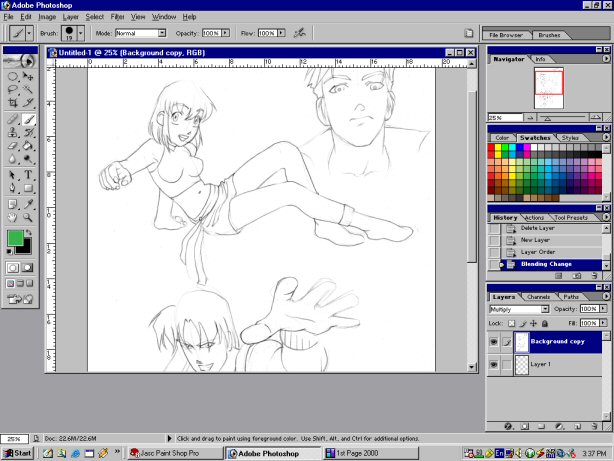
hehehe...ok, here we go. to start off with we have our picture in photoshop.
we have a background layer, and an outline layer, on which the picture
that we intent to color is.
now we want to creat a new layer to start coloring.
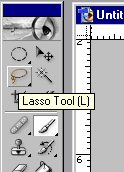
this will be under the outline layer. use the lasso tool to
select the area to be colored with solid color.
then fill it in with the paint bucket.


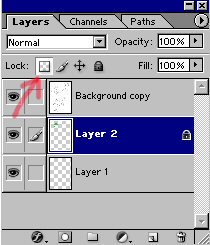
now deselect and lock the layer transperency.
so you can scribble all over it and it will only effect the
colored area.
now we start shading.
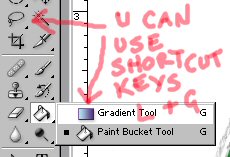
what you do is use the lasso and gradient tool.
make sure that you set the gradient options right.
so then you make a selection and then burn or dodge, depending
on how you set the gradient.


results:


now there's the technique that is most commonly used in
american comic books. you can experiment, mix and match to get different results.
it's all up to the artist.
just continue to color and shade/highlight the image.
most professionals first choose the darkest color to start from,
and then they continue to add in the light where it falls.
this can be very effective, and looks best when more than one light source
is affecting the picture...
e.g.

this tutorial is dedicated to claire, aka, misery mirror. becuase she wanted
me to make it...
always experiment. use different color gradients on top of a color to get the effect of a colored light, etc...i'm sure you can think of things yourself. it's fun and easy. it even looks good.
seeya :), tobin.