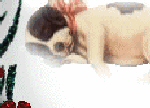
This was a very interesting lesson for me.
I have often wondered why it looked
like some graphics on a webpage seemed
to be loading in little square sections.
Well now I know!!

It is called Image Slicing and
it is so very easy to do.
You just create your graphic and
Export it to the Image Slicer in
your graphics program. I use PSP 8.
You decide how many "slices"
you want it to be and
Voila it's done!!
If you like you can "link up"
a "slice" of your image to a website
you want people to visit.
If you click on my center "slice"
of my image, you will be
taken back to my Home Page!!
To show you what my "slices" look like
I have added a border to each one.
So click on the link below
to check it out!
Click Here
 ©B'sBeauties
|