 .
.
.
SurView
.
.
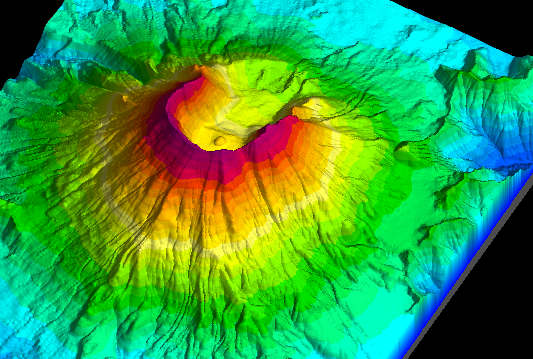
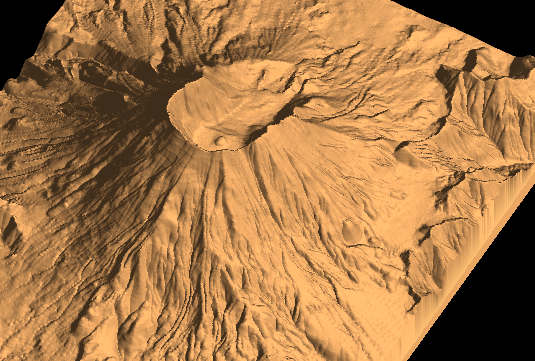
SurView is a stand alone OpenGL utility displaying SurGe grids as surfaces in 3D view. Remember that the OpenGL applications require a fast graphic card and a large memory.
Main features of SurView are:
- display of shadowed surface with optional change of light height
position and light intensity
- move, zoom, rotation and Z-scaling using shortcut keys or by dragging
the mouse
- parallel (orthogonal) or perspective projection
- switch between color + shadow / only shadow / only color
display modes
- switch between wireframe and filled surface
SurView can be run from SurGe using the shortcut key
Shift+D and it is controlled by the following
shortcut keys and/or mouse buttons:
| Key | Mouse move (+ key or button) | Function |
| +/- | Ctrl+Shift or mouse wheel | Zoom |
| z/Z | Ctrl or right button + mouse wheel | Change of the Z-scale |
| a/A | Left mouse button | Horizontal rotation |
| b/B | Left mouse button | Vertical rotation |
| arrow keys | Right mouse button | Moving around the screen |
| i/I | Shift | Change of light source height |
| d/D | - | Change of diffuse light (something like contrast) |
| e/E | - | Change of ambient light (something like brightness) |
| 1-5 | - | Step of the above changes |
| s/S | - | Decrease / increase color levels |
| w | - | Switch between wireframe / filled surface |
| l | - | Switch light on / off |
| c | - | Switch colors on / off |
| r | - | Try to find the best light parameters |
| R | - | Switch background between black / white |
| p | - | Parallel (orthogonal) / perspective projection |
| m | - | Map view (vertical angle is 90') |
| h | - | Short help |
| F1 | - | This documentation |
| q | - | Quit |