Come make some homemade blinkies!
A great website that I use is called Kute Kitten
Although her instructions are confusing, she has good graphics.
Another Fabulous website I use is called Triessie.
She has a website that has at least 30 different Blinkie Makers.
She also has a very wide variety of button makers, dollmakers and so on.
Basically, NO DIRECT LINKING!!
Don't take these as your own.
Email me at [email protected]
for any Questions or Requests.

Blinkie A)
To make Blinkie A you will need:
Blinkie Maker w/ letters
Paint Program
Trial Version of Jasc Animation Studio
Instuctions:
First things first, download the Trial Version of Jasc Animations Studio by clicking this link: Jasc
After clicking this link click downloads and hen trial software and then choose Animation Shop Three and Download it.
After downloading the software, open it. Then open two Paint Programs.
After doing that, creat a Blinkie!
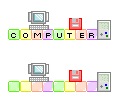
To create a Blinkie, open your Blinkie Maker and align the squres, or bubbles in a row. Add little pictures if you like. Press the print screen button in the top right cornor of your keyboard right next to Scroll Lock.
Open one of the paint programs and press the dashed-line box in the toolbar. Then go to Edit and Press Paste. The snapshot of the internet should appear in the paint program. CLick the dashed line box again and draw a box around your BLinkie and press control x.
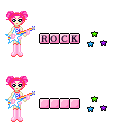
Then open up the other paint program and click the dashed line once. Then press Control v. Your BLinkie should appear in the paint program. Drag it to the middle. Then go back to your Blinkie Maker and add the letters of the word you're making and but them on your blinkie. Then repeat the steps above until you drag you 2nd blinkie under your 1st Blinkie. Click off the dashed line. The draw a box around your blinkie, the size you want the blinkie to be. Then before you let go to finish trhe box, read what by what size it is in the lower right cornor of the Paint Program, as 125x55 or something. Remember that number. Then let go, and you have the box around your blinkie. Then Press Control c.
After that, open the Jasc Animation Studio. Press the white paper for new. It wil say what are the dimensions. Type in the numbers that were on the paint program.
Animals






Hobbies


Names


Food


Music


Miscallaneous




A great website that I use is called Kute Kitten
Although her instructions are confusing, she has good graphics.
Another Fabulous website I use is called Triessie.
She has a website that has at least 30 different Blinkie Makers.
She also has a very wide variety of button makers, dollmakers and so on.
Basically, NO DIRECT LINKING!!
Don't take these as your own.
Email me at [email protected]
for any Questions or Requests.