


|
|
|
|
|
|
|
|
|
|
|
|
|
| Colorizing an image | ||||||||||||
| 1. Colorizing an image in Paint shop pro 8 is made easy! Paste your picture into psp. Ill use this following picture | ||||||||||||
|
||||||||||||
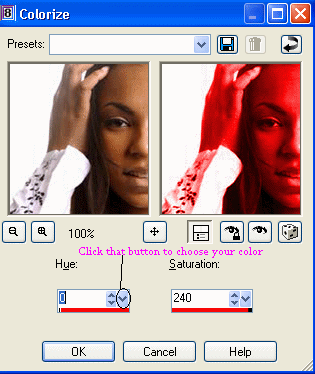
| 2. Go to Adjust>> Hue and saturation>> colorize. Push the button thingy circled below, then choose your color. | ||||||||||||
|
||||||||||||
| Click ok! Your picture should look something like below, only the color you chose! :) | ||||||||||||
|
||||||||||||