

|
|
|
|
|
|
|
|
|
|
|
|
|
|
|
| How To make a picture look painted | ||||||||||||||
| 1. Paste your picture into PSP 8. I'll use this picture | ||||||||||||||
|
||||||||||||||
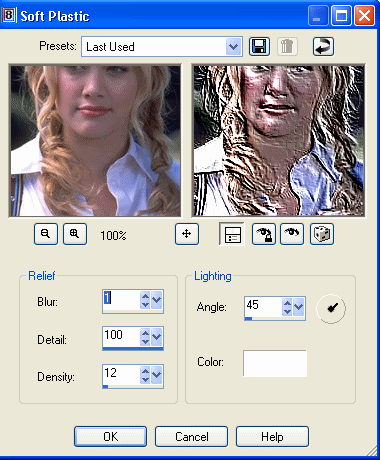
| 2. Now, go to effects>> texture effects>> Soft plastic. Make your setting the same as the ones below, or fiddle around on your own. | ||||||||||||||
|
||||||||||||||
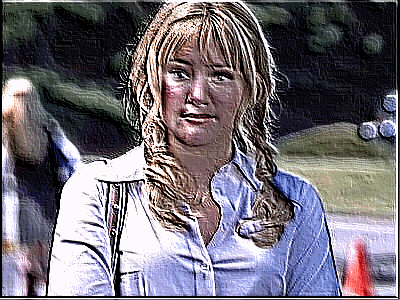
| If you did it right, it should look something like below. | ||||||||||||||
|
||||||||||||||