
A NOTE BEFORE WE EVEN BEGIN: I CANNOT BE HELD
RESPONSIBLE FOR
WHAT YOU READ IN THIS TUTORIAL, AND ANY DAMAGE IT MAY CAUSE YOUR
PHONE. BACKUP YOUR FILES BEFORE YOU BEGIN, AND IF YOU'RE UNSURE
OF WHETHER OR NOT YOU WANT TO TRY THIS, DON'T.
Also, you will see screenshots I have taken off my phone.
The colors will look shitty. It's just the webcam.
There will be several screenshots with a separate picture
of the top of the screen, this is because the backlights
for the LCD make the top too bright to see when you have
the whole screen in frame. The operator hides are done on
a Cingular phone, so your operator logo ain't guaranteed
to be hidden, but it should be.
+++++++++++++++++++++++++++++++++++++++++++++++++++++++++
Want an XP skin on your v220? Read on.
+++++++++++++++++++++++++++++++++++++++++++++++++++++++++
FIRST THINGS FIRST, you need to activate custom color styles.
The following involves SEEM editing, if you don't know
what that is, please visit
http://www.xlr8.us/hofo/. That's where I learned.
Open seem 0032_0001, activate bit #6 at offset 53.
You'll now have custom color styles available in the
menu Settings > Personalize > Color Style
++++++++++++++++++++++++++++++++++++++++++++++
This skin is a file in the /a/system/ folder named spcolor.sch
I have a pre-edited one below, and this color style will allow us to
hide the Operator logo on our first skin that we'll be installing...
it will also give our menus a nice blue and green WinXP feel.
DOWNLOAD SPCOLOR.SCH (.zip file)
***Note For Those Who Like To Tinker With Things***
You can edit this spcolor file in a program called p2kstyle.
You can also use p2kstyle to read the spcolor.sch from the phone
or to write the spcolor.sch file to the phone, allowing you to skip
the next step.
++++++++++++++++++++++++++++++++++++++++++++++
Okay, now you need to put spcolor.sch on the phone. In p2kedit, just
connect to your phone, update file list... browse to the folder /a/system/
*GRAPHIC*
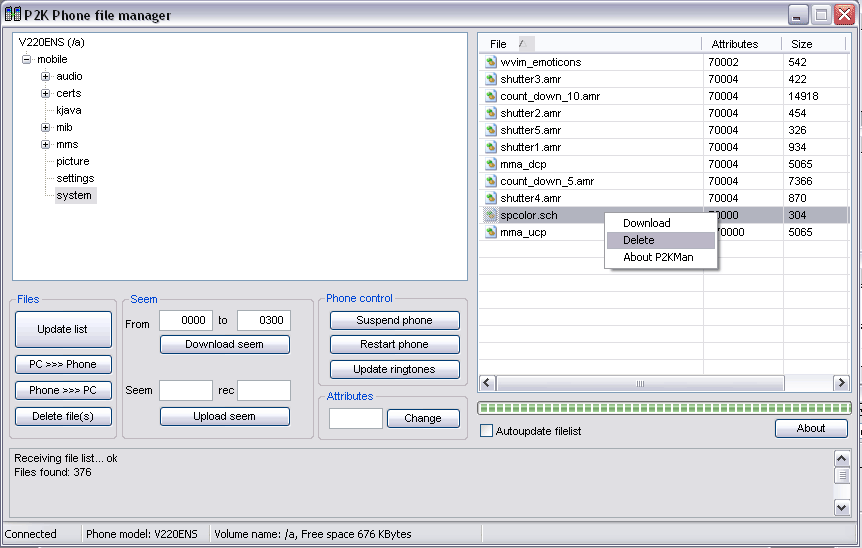
Okay, my phone already has the file spcolor.sch
So, I delete it.
If your phone DOESN'T have this file, it's cool. You just skip that step.
Now make sure you're still browsed to the /a/system/ folder...
Click the 'PC >>> Phone' button... browse to the spcolor.sch file you
downloaded above.
Restart your phone. On your phone, go to
Settings > Personalize > Color Style
and browse to the bottom color style (WinXP) and activate it.
Your screen should look screwy, sorta like this:
*GRAPHIC*
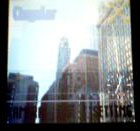
Let's fix that. You need wallpaper.
Right Click and Save this:
*GRAPHIC*
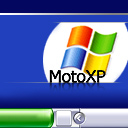
Put it on your phone with the program of your choice, or hell, e-mail it
to your phone... just get it on your phone. Then apply it as your wallpaper.
TADA!
*GRAPHIC*
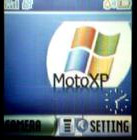
You should now have an XP skin on your phone... just make sure to turn your
analog clock on and put the screen on Left Justification so your carrier logo
doesn't get in the way... both of these are in Settings > Personalize > Home Screen
++++++++++++++++++++++++++++++++++++++++++++++
BUT YT, I CAN'T SEE MY CARRIER LOGO!
I WON'T KNOW IF I'M ROAMING! AGHHHHHH!!!
Okay, okay, calm down. There's a whole other section left.
- - - - - - - - - - - - - - - - - - - - - - -
Not everyone wants to get rid of their carrier logo
and, let's face it, your wallpapers can only be SO
cool if you have to put big blobs of the same color
to hide your carrier (operator) logo... this thing, if you don't know
*GRAPHIC*
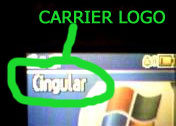
Now, we didn't get rid of the operator logo before, we just hid it... the
spcolor.sch file had the op logo's color and outline color set to the same
color as the wallpaper is in that location... simple 'nuff.
So, here's an spcolor.sch file that has white letters with black outline,
which is the default if I'm not mistaken.
DOWNLOAD SPCOLOR.SCH (.zip file)
Follow the same instructions as above to put the file on your phone.
Restart your phone and you're good to go! Also, try setting the clock
back to digital, but it's up to you and what you like.
*GRAPHIC*
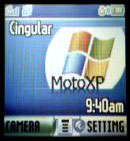
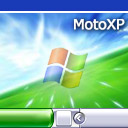
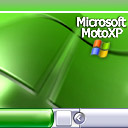
And now you can add more backgrounds... like these
*GRAPHIC*
*GRAPHIC*
*GRAPHIC*
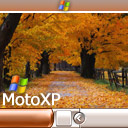
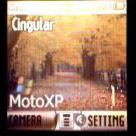
Here are some screenshots of the above backgrounds on my phone.
*GRAPHIC*
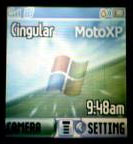
*GRAPHIC*
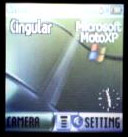
*GRAPHIC*
*GRAPHIC*
*GRAPHIC*
 *GRAPHIC*
++++++++++++++++++++++++++++++++++++++
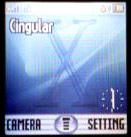
MAC OS X SKIN!!! Work-in-Progress
--------------------------------------
>
*GRAPHIC*
*GRAPHIC*
So here's what you need to install it...
First, your wallpaper:
*GRAPHIC*

(here it is with a border, jus so you can see it better :)
*GRAPHIC*
then the color style, still got modifications left to do on this.
basically, i just removed a lot of the color.
DOWNLOAD SPCOLOR.SCH (.zip file)
I desperately need someone with OS X to help me obtain some screenshots
of logon and shutdown so i can make animations... and fill me in on the default
OSX screensaver.... holler at me via e-mail if you can help
leeroyparnell at gmail dot com
+_+_+_+_+_+_+_+_+_+_+_+_+_+_+
BONUS STUFF
+_+_+_+_+_+_+_+_+_+_+_+_+_+_+
Zip File containing Windows XP startup/shutdown sounds and
ringers/message notification .mp3's...
*use MotoKit (google it) to change start-up/shutdown sounds
WindowsXP Ringtones
Zip file containing several 128x128 windows startup/shutdown screens
and screensaver...
WindowsXP Graphics
Zip file containing a Photoshop .PSD file with a bit-per-bit map
of the LCD on a Motorola v220...
v220 LCD Map
+++++++++++++++++++++++++++++++++++++++++++++++++++++++++++++++++++++
EVEN THOUGH I'M PROBABLY NOT THE ONE TO ASK (I LEARNED FROM XLR8'S SITE)
IF YOU HAVE ANY QUESTIONS, POST THEM ON www.howardforums.com in the Motorola
Modding section please. If you try to get in touch with me any other
way, you probably won't have much luck... and there are plenty on howardforums
who know 1000x what I do... THANKS!