First open up PSP(PaintShop Pro).
Have the image ready you want to image map say you want to image map a word on a layout have the layout all done compelty.
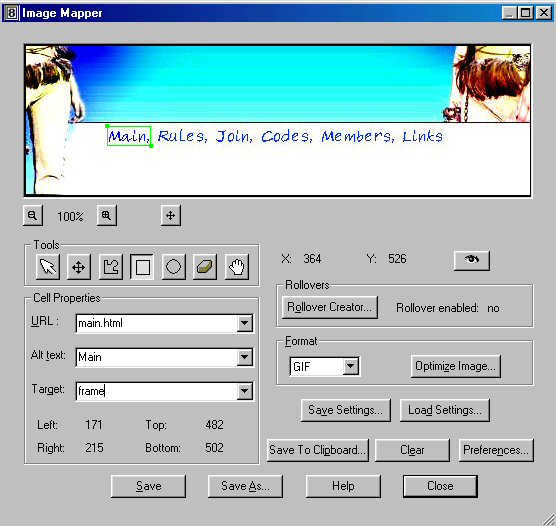
Then once your done go to File>>Export>>Image Mapper
In URL:type the url of the page u want the part u selected to go to.
In ALT:type what u want it to say when u hover it. This is optional.
In target:type where you want to target the window to go like new window same window. This is optional
Then when your done click save and save the files.
Then close PSP and whereever you saved it to open the whatever.html and view the source and copy it all and paste it onto the page and upload it with the image.
Hope that helped!
 Image Mapping In PSP