For Tutorial in a new window click here
In 3dsmax click on the shapes menu on the right side.
Next drag your mouse on the perspective area and make a teapot.
Now go to the modify tab and from the menu pick Noise. Or to get nosie follow this:
Put your Speed at 0, your Scale at 1.0, x,y,z can be any number you think looks good. For mine I put 60x 90y and 60 z.
To change the colours click your materials button or press m on your keyboard.
For the materials options just play around with the settings to get the desired effect.
To finsh it press this button and if you don't see it hover over the menu and when you see the hand drag it to the left.
Then when its done rendering press thesave button and there ya go.
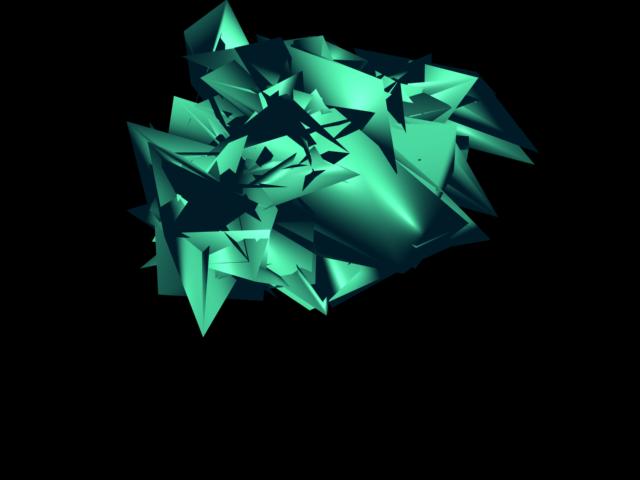
Here is my result:
 Exploded Teapot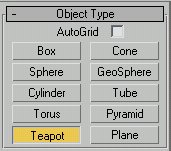
 and from the menu pick Noise.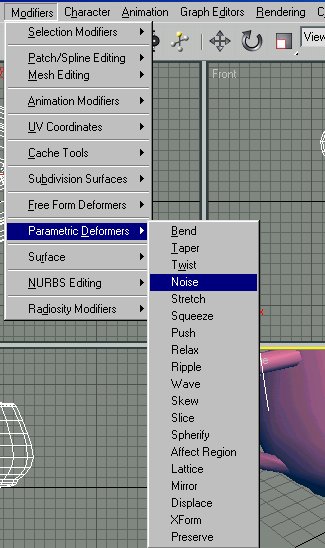
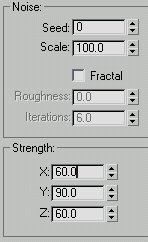
 and if you don't see it hover over the menu and when you see the hand drag it to the left.