

|
Hacking Tutorial. |
|
Animations: Kick Switch Lava Lamp |
|
Tools: The Sims Transmogrifier (called TMOG for the purpose of this tutorial) Hex Workshop (v3.01, is used for this tutorial) |
|
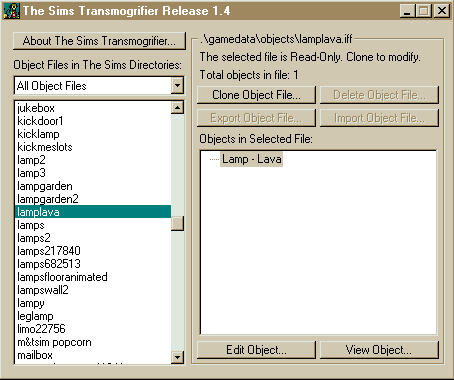
1. Open TMOG and clone the file you wish to hack, for this tutorial I will clone the lava lamp. Highlight the object called lamplava, (pic.1) and click on clone object. Now rename the File to something you can remember and enter you magic cookie if you have one, now click OK. A load of writing will appear but you don't need to worry about that. |
|
(Pic.1) Click for larger image. |
|
|
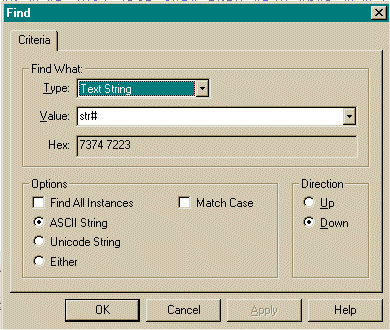
| 2. Now open Hex Workshop and open the cloned ".iff" file, now you need to find the string called STR#, do a search for this by using the torch icon (see pic.2 to see how your screen should look.) |
|
(Pic.2) Click for larger image. |
|
|
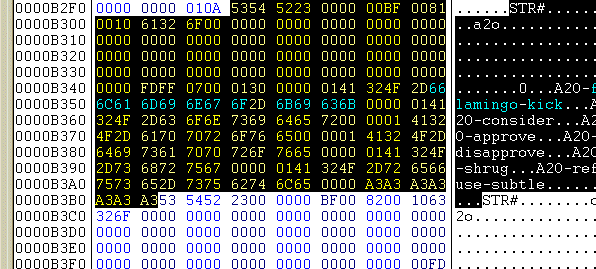
| 3. Once you have found "str#", you will need to switch the animations so that the sim will kick the Lamp. Copy this "A2O-flamingo-kick" & paste it over the top of "A2O-lavalamp-turnon". This has changed the animation so they will kick it. Your screen should look something like this (Pic.3). |
|
(Pic.3) Before |
|
|
|
(Pic.4) After |
|
|
| 4. Now you have to find out how many bytes the "str#" is, to do that go to the the first "str#"(pic.5) and highlight to just before the "S" in the last one. The byte size is the numbers and letters in the status bar(pic.6)(the highlighted part) |
|
(pic.5) Click for larger image. |
|
|
|
(pic.6) Str# byte size |
|
|
| 5. Now you need to convert what is in the part of the status bar into a hex short, All you have to do is add zeros onto the beginning of the code, (e.g. the size of mine is 0xbd, but for it to be a hex short it has to have 4 digits, so I need to get rid of the "x" and add a zero in it's place, to change it to 00bd). |
| 6. Now you've got to put that code into the 7th & 8th, the 7th & 8th bytes are the 3rd & 4th dot after the first str#.(pic.7)&(pic.8) |
|
(pic.7) Before |
|
|
|
(pic.8) After |
|
|
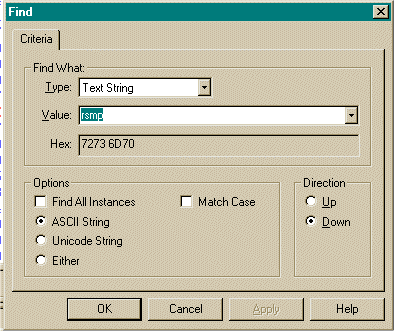
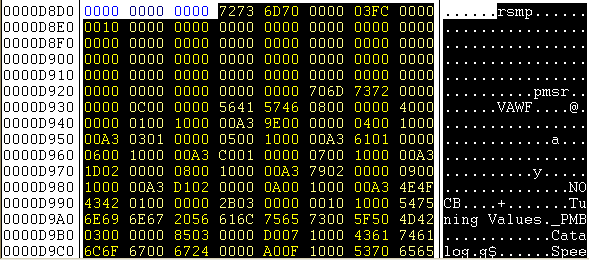
| 7. After you have done that you have to search for a text string called "rsmp" (pic.9) NOTE: not all objects contain the string "RSMP". |
|
(pic.9) Click for larger image |
|
|
| 8. Once you have found it you have to highlight from the "R" all the way to the bottom.(pic.10) and delete. NOTE: not all objects contain the string "RSMP". |
|
(pic.10) Click for larger image. |
|
|
| 9. Now save it. |
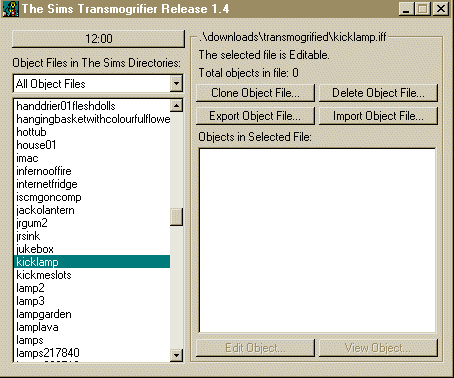
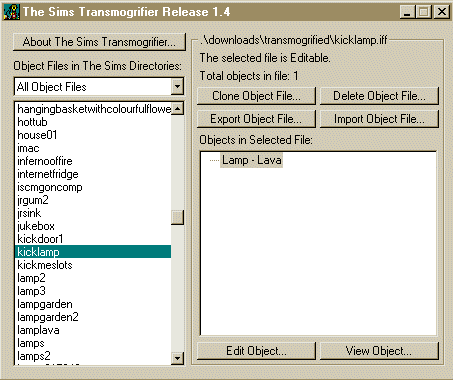
| 10. Open TMOG and search for the File you have just hacked, once you have found it, clone it, and delete the original. If you cannot clone it you have done something wrong and may have to start over again. If it hasn't worked this is what TMOG will look like. (pic.11), but if you have done it right it should look like this, (pic.12) |
|
(pic.11) Click for larger image. |
|
|
|
(Pic.12) Click for larger image. |
|
|
| 11. Now is the moment of truth. Test the object in the game, If it worked Congrats, but if not Better luck next time. |
|
Good Luck. And if you have any problems go to our forums and ask for help, or you can Email me @ [email protected] |
|
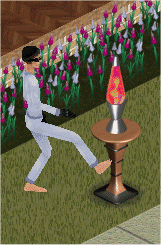
This should be the result. |
|
|





Copyright © 2001 Mega Sims
