|
|
What Computers Are All About
A preparatory guide for rookies, Written by Baalendu Dadhich
(Part 1)
Computers? What?
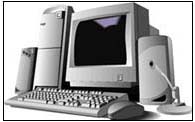
This is probably the most appropriate question we can begin our journey from. The word 'computer' comes from 'compute' which simply means 'to calculate.' Thus, a computer, in the simplest of language, can be described to be a machine that can perform arithmetic operations at a speed unthinkable for humans. It is also a device that produces useful output by storage, communication and processing of information. Since the role of computers is to carry out automatic and logical operations based on the handling of information; the technology of computers is called Information Technology.
In the field of computers however, most people generally use the word 'Data' rather than 'Information' ("Please see the data in this floppy", "Oh dear! The data you sent us was of great help"; "The system is down.. It seems we lost a great amount of important data" etc etc.). It is generally taken as substitute to the word 'Information.' But there is a little difference between the two. Data consists of raw facts relating to entities (persons, things, places etc.) or events (transactions, happenings etc). This data can be processed further to derive meaningful answers to specific queries and arriving at pertinent decisions. Such processed data is called 'Information.'
Information Technology industry is called the 'Sunrise Industry.' This makes sense considering the amazing scope at which computers are being used now. Defense installations, airports, railway stations, banks, industrial units, communication, shops, study centers, homes…. Computers are playing a significant role everywhere. This has undoubtedly a long long journey for computers to reach the place where they are now.
Your PC has come a long way baby!
Relax- you can skip this section if you hate reading chronological details. It has only archival value! But you might miss these things in future as you could be asked such basic questions during interviews. So keep them handy.

 The figure of Zero (0) was invented in India thousands of years ago. Without this it was impossible for computers and for that matter science to come this far.
Earliest recognized calculating machine was Abacus, developed by the Chinese in 3500. It was made of beads, which could move between wires.
French mathematician Blaise Pascal invented an adding machine in 1662 that could carry out tasks such as adding and subtraction. It consisted of gears, wheels and dials.
Charles Babbage, a professor of mathematics at Cambridge University invented a machine called 'Differential Engine' that could evaluate accurately algebraic expressions and mathematical tables correct up to 20 decimal places. Later he developed Analytical Machine, which used memory.
H. Eiken, a professor at Harvard University, developed an automatic calculating machine 'Mark-I digital computer' in 1934. Its internal operations were automatically controlled. It is considered to be the first electromechanical computer.
A team of professors at the Moore School of University of Pennsylvania developed the first electronic general-purpose computer in 1946. Called Electronic Numeric Integrator and Calculator (Eniac), this was a huge machine consisting of 18,000 vacuum tubes, 70,000 transistors, and 10,000 capacitors 60,000 switches and so on….
IBM developed the Universal Automatic Computer (UNIVAC) to go into the history of information technology as the first computer made by a private company. Then came Electronic Discrete Variable Automatic Computer (EDVAC) that had a storage capacity of 1024 words of 44 bits each. (We will later talk about what a 'bit' is).
First Generation of computers existed between 1942-1955. They used vacuum tubes in their circuitry and punched cards as storage media. They were too bulky, too slow and used to generate considerable heat. They used 'Machine Language' to develop programs.
Second Generation of computers ruled the arena of information technology between 1955-1964. They replaced vacuum tubes with transistors (made from semi-conductors). They were comparatively light, fast and generated less heat. They used 'High Level Language' like FORTRAN for programming.
Third Generation of computers existed between 1964-1975. They used integrated circuits based on large-scale Integration (LSI) technology to replace the transistors. In such computers, small chip of silicon was used instead of bulky circuits. These computers were more reliable, fast and easily portable.
Fourth Generation of computers is going on since 1975. They use Very Large Scale Integration (VLSI) technology. This technology led to the development of microprocessors, where an entire CPU circuitry is placed on a single chip. Intel 4004 was the first microprocessor, developed by Ted Hoff. All modern day computers such as IBM PCs, Apple Macintosh, Sun SPARCstation, etc. fall under this generation of computers. They are low cost, high speed, and small sized machines with large amount of memory.
A dumb machine!

Contrary to the myths, a computer is unintelligent and is completely dependent on the user to carry out its operations. It works on the basis of instructions given by first, the programmers and then, the users. A computer is 'programmed' to perform certain tasks and can never go beyond the predefined domain of operations. So, a computer is a dumb machine, as intelligent and as foolish as the person operating it is.
Advantages of computers are, they can do processing of information at enormous speed unthinkable for human beings. They can store data and retrieve at the time it is needed. They are accurate, versatile and automatic. Their limitations are: they cannot think, cannot learn by experience and cannot take independent decisions without constant human guidance.
Types of computers
On the basis of how they perform computations, computers can be classified in three types:
A Digital computer uses digits or numbers as the basic principle of computing. During all the operations, it represents data in the digital form. An Analogue computer works on the principle of continuous measurement of physical phenomenon like length, breadth, rotation, electric effects, pressure, temperature etc. Let's understand it a bit more.

Let's take an example of the conventional type of clocks. They use tens of little wheels, springs and other tools rotating in a perfect synchronization to tell us the time. They don't use any sort of power and are completely free of electronic circuits. They work on the basis of analogue technology. On the other hand, there are clocks that don't use screws or springs and have a little screen to show time in digits. They work on the basis of digital technology.
A Hybrid computer uses both technologies. Some parts of it may use digital technology while others may rely on the analogue methods.
On the basis of size and capability, digital computers can be broadly classified in four categories:
Super Computers: Systems with very large sizes and very high processing speeds. They have more than one processing unit and are generally used for very complex or large-scale scientific computations, such as in defense technology or space technology.
Mainframes: Such computers, also known as Host Computers, are very large and powerful. Unlike our PCs they can have many microprocessors. They generally keep all the resources and computing abilities with themselves and a large number of dumb terminals (terminals without any computing ability) can access their resources and abilities. The number of such dependent terminals could be in hundreds or thousands. Mainframes can support them without compromising speed. They are commonly used by Financial Institutions, Airlines etc. Mainframes are Capable of Multi-tasking. (You will read about it later). Examples: IBM 4300. ACOS mainframe etc.
Mini Computers: A relatively fast but small and inexpensive (as compared to Mainframes) computer system that can support upped 500 terminals. Also known as 'Mid-range Computers.' They, too, are capable of multi-tasking and their processing speed is much higher than Personal Computers. They are generally used by large institutions such as hotels, manufacturing units, departmental stores etc. Example: IBM AS 400.
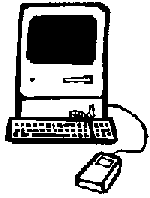
MicroComputers: The smallest of computers consisting of a microprocessor and associated storage and input/output devices. Computers generally used in service industry, shops etc. fall into this category. Personal Computers (PCs) that we use at home or offices are also MicroComputers. They have comparatively slow speed. Examples: IBM PC, Apple Macintosh etc.
IBM was the first manufacturer of Personal Computers. First such computer they introduced was IBM PC with an Intel 8088 processor chip and just 640 KB of memory. (You will learn about memory measurement units later. As of now, it is enough for you to know that 1 MB consists of 1024 KB). Those days have now become history as the PCs we now use generally have memory in the range of 16 to 258 MB that is thousands of times more than their ancestors do!
In Search of Perfection: Generations of IBM PCs
| Personal Computer | Processor chip |
Cycle (MHz)* |
Memory | |||||||
|
IBM PC |
Intel 8088 |
8 |
640 KB |
|||||||
|
IBM PC XT |
Intel 8088 |
18 |
640 KB |
|||||||
|
IBM PC AT/286 |
Intel 80286 |
25 |
1 to 4 MB |
|||||||
|
IBM PC AT/386 |
Intel 80386 |
25,33,40 |
1 -16 MB |
|||||||
|
IBM PC AT/486 |
Intel 80486 |
25,33,66 |
4 -64 MB |
|||||||
|
IBM PC Pentium |
Pentium |
33,66,100,133,166,200, 233,266,300,333,366,400 |
4-256 MB |
|||||||
* Speed at which the Central Processing Unit of a computer (CPU) executes instructions
Relax- you don't need to be skilled in handling all sort of computers; analogue or hybrid, IBM or Mac, Mainframes or Mini Computers. For pursuing your MCSE/MCSD/MCP certification tracks, you will generally deal with digital computers of IBM PC type.
What is a running computer consist of ?
Computers work on the basis of two equally important, inseparable elements:
Hardware represents all the physical equipment that is part of a computer. They include: The Tower that is generally called a CPU (Central Processing Unit), Display Monitor, Keyboard, Mouse, CD-ROM etc. Other important elements of computer hardware are Read Only Memory (ROM), Random Access Memory (RAM, also called Primary Memory) and Hard Disk Drive (Also called Secondary Memory).
As we know, a computer takes data from the user, processes it and then produces some result based on it. Then it stores these results for future use. Naturally, computers would need some mechanism to carry out these tasks.
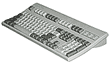
The devices used to input (feed) data into computer are called Input Devices. For Example, a Keyboard, Mouse, Magic Pen (A pen used to write in our own handwriting over the screen), a joystick (used to play games) and so on. You can see all these devices input some data or instructions into the computer in one way or the other.
Once the data is fed into the computer, it is processed and controlled inside the computer's inner mechanism. This task is done by Central Processing Unit that obviously acts as a Processing and Control Device.
After the processing is done, output should be presented in a way that we can see and analyze it. Such processed data is shown on the Monitor or printed on a Printer. Since they deal with the output of data, they are called Output Devices.
Then, if we wish the computer stores the output for future use. For this, it needs something that has the capability to record such data. This task is performed by Storage Devices, such as RAM (used for temporary storage, also called Primary Memory), Hard Disk (used for permanent storage, also called Secondary Memory), Tape Drive, Floppy Drive etc. Among these, RAM and Hard Disk are integral part of the computer and are therefore called non-removable storage devices. Floppy disks and Tape drives are generally used for backup or copy of data and need not always remain attached with the machine. Therefore they are called removable storage devices. Later you will learn what is the difference between Primary and Secondary Memory.
Software means the electronically recorded instructions based on which the computer hardware works. Or you can say software is systematically recorded instructions that make the computer carry out predefined tasks. Let's understand it a bit more.
Just like a car can not run for itself and needs instructions (changing of gear, pressing of clutch and accelerator etc.), computer hardware also needs specific instructions to work. They come in the form of programs or software, which is a sequence of Instructions that the hardware executes to perform computing tasks. Arranging such instructions in a systematic way is called Programming.