Click on the graphic to download the zip file of the stationery and unzip it to a folder
where you want it to go.
Now you must set up Outlook Express before you use these stationeries.
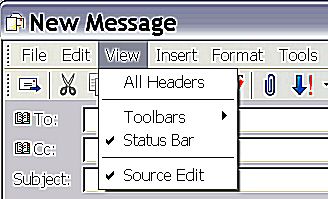
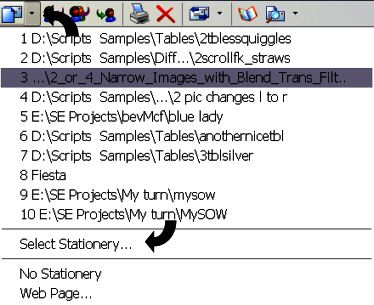
1. Click on New Message and the drop down menu appears
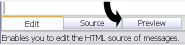
Make sure the Source Edit is ticked.You should now have in the bottom left-hand
corner, three little tags - Edit, Source, and Preview.
Edit - you will have to click on this tag when you are ready to send your Stationery
Source - You will have to click Source to add your text. Scroll down
until you find Text Here. Delete the two words and type in your text.
Preview - Shows you what it looks like.
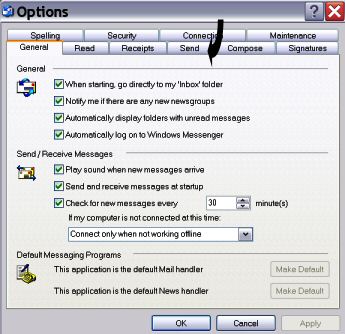
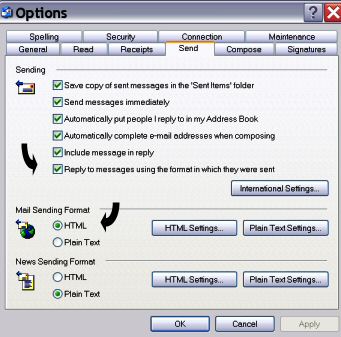
Now go to the Tools - Options and click on Send in drop down menu
When the Send menu appears you must make sure the box beside Reply to message using...... is ticked
and a dot in the box beside HTML, click on Apply and OK.
Having done all that you are now ready to send the stationery. You will see the envelope up in the Task Bar with a little arrow beside it, click
on the arrow and click on Select Stationery - and go to where you have saved the file you downloaded, click on it and it should appear
On your screen.
I hope you get as much pleasure from my stationery as I had making it.