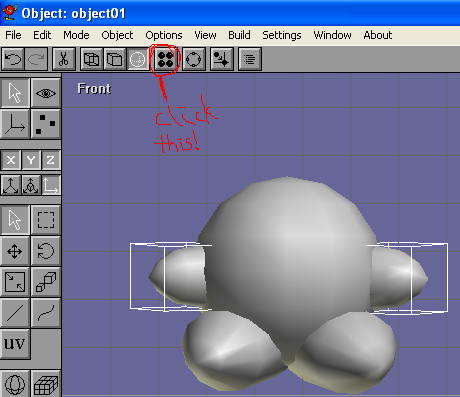
Click the material button  then double-click on �New� then double-click on �New� |
 |
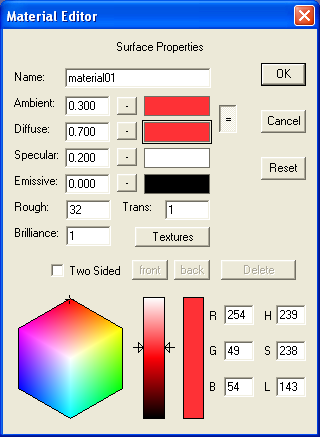
| choose a red color, then click OK |
 |
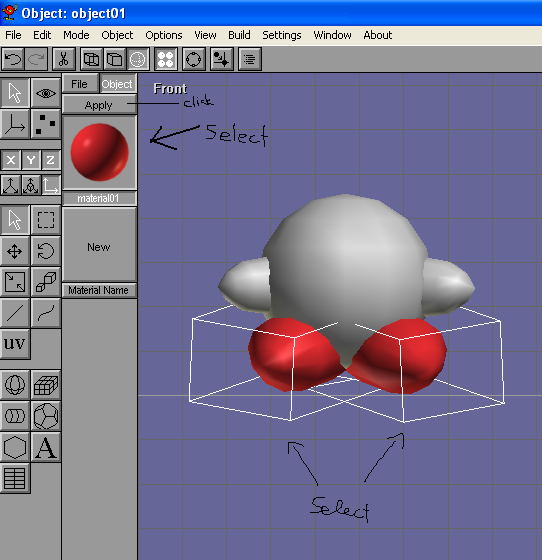
| select the shoes, then click �apply� |
 |
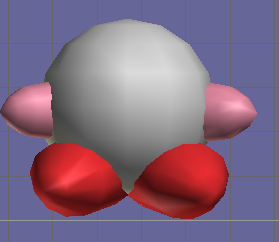
| do the same thing for the hands, with a pink color. |
 |
| Now comes the texture mapping. That means to take a 2D image of Kirby�s face and �wrap� it around the sphere. Right-click this image and click "save image as" to save it on your hard drive, or make your own. There's a nice tutorial on making Kirby in MS Paint right here! Remember to only draw Kirby's eyes and mouth - you've already made his hands and feet! |
 |
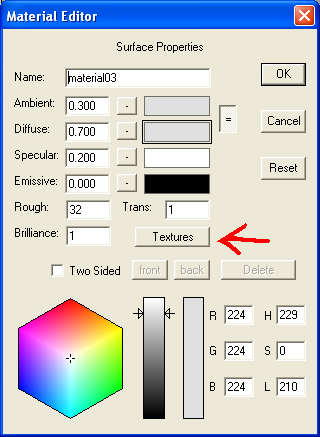
| Add a new material by double-clicking on "New�, then click on "Textures" |
 |
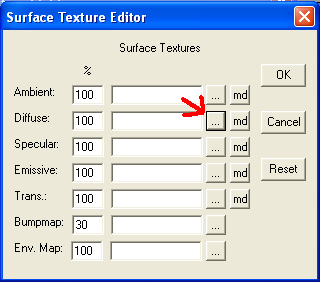
| Click on the �...� next to �diffuse� then on �Load texture� |
 |
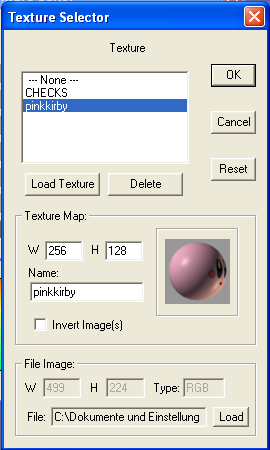
| Browse through your files and double-click the image of Kirby�s eyes and mouth. Select the texture then click OK. |
 |
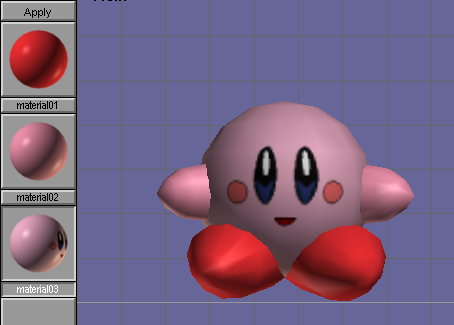
Apply the textured material to the sphere. You might have to rotate  the sphere to get the face in place. the sphere to get the face in place. |
 |
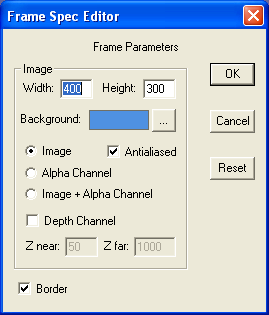
| Finally, you�re ready to render! Click File>Render preview, and choose the background color. Remember to check Anitaliased! |
 |