 |
|
|
|
|
|
|
|
|
|
|
|
|
|
|
|
|
|
|
|
|
|
|
|
|
|
|
|
|
|
|
|
|
|
|
|
|
|
|
|
|
|
|
|
|
|
|
|
|
|
|
|
|
How to Use iShuriken IDE for Developing iAppli Applications |
|
|
|
Unzipping the iShuriken jar file
After Downloading the iShuriken . jar file Unzip it in your desired drive but first make a Directory for it |
|
|
|
To Run the IDE (iShuriken)
Double click the iShuriken . jar file or type the below command in console window
c:\iShuriken> java -jar ishuriken . jar
(supposing your iShuriken . jar file is in iShuriken Directory) |
|
|
|
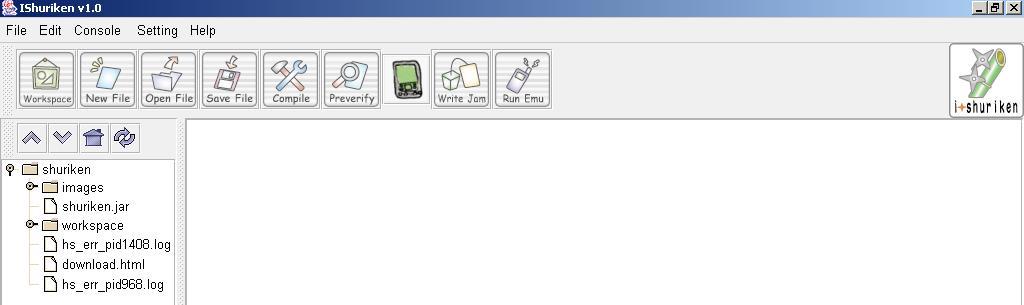
1. iShuriken IDE MainWindow |
|
|
 |
|
|
|
How To Configure the path of iJade and Preverify |
|
|
|
First Download j2me_cldc.zip and J2ME toolkit (j2me_wireless_toolkit-1_0_4-win) and unzip j2me_cldc as well as install J2ME (WTK104) in your system drive where iShuriken have been installed previously. |
|
|
|
Second Download i-jade (Which is necessary to develop iAppli applications) For N503i and F503i series
And unzip this i-jade zipped file in the same drive |
|
|
|
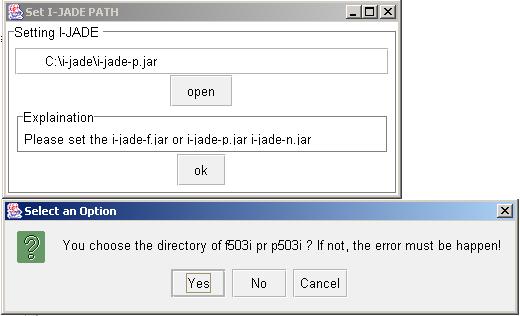
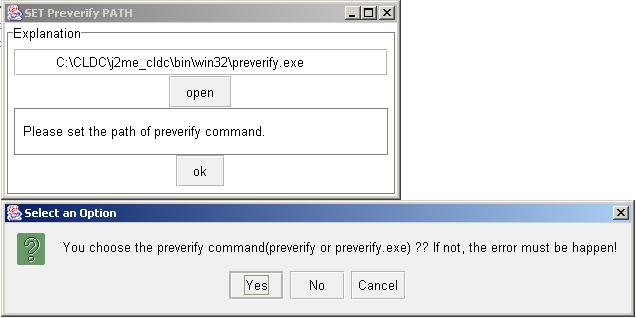
After that go to the setting button of ishuriken IDE and set the path like given below |
|
|
|
 |
|
|
|
 |
|
|
|
|
|
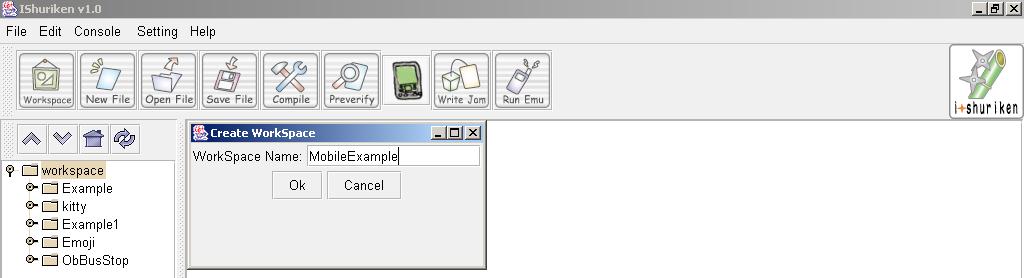
2. Click on Workspace and it will Open a workspace
First make sure that the Workspace name will be your java file name.
For Example , If your workspace is MobileExample than your java file name should also be MobileExample |
|
|
 |
|
|
|
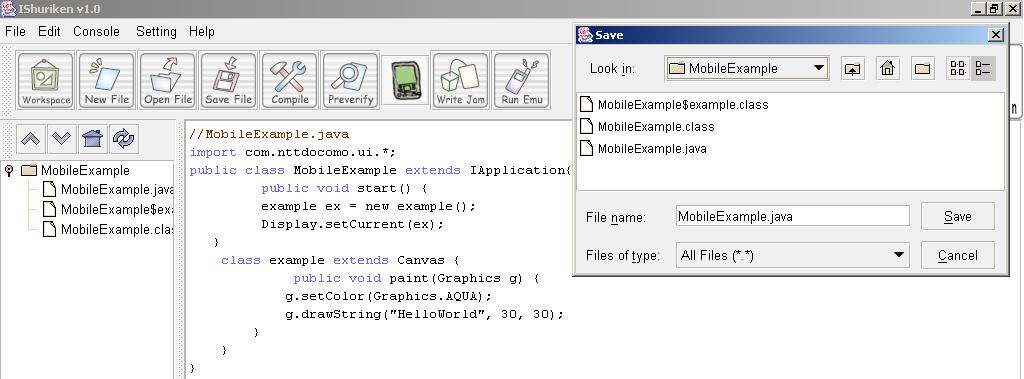
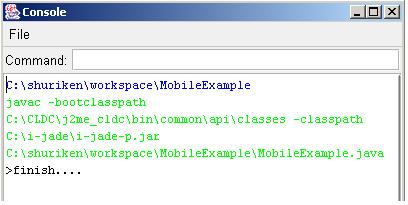
3. Save your java file and compile to press Compile button in toolbar |
|
|
 |
|
|
 |
|
|
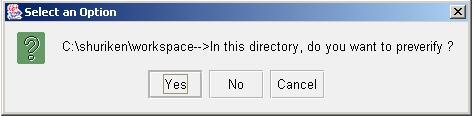
4. Preverify your file (First set the path of preverify and i-jade under console button) |
|
|
|
 |
|
|
|
|
5. Make a jar file |
|
|
|
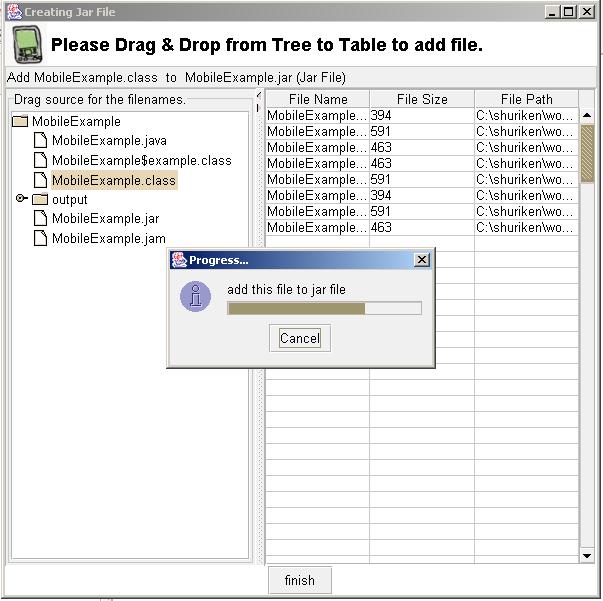
Add all . class files , . java files and . gif or .jpeg or . png or any other format files to your JAR file |
|
|
 |
|
After adding all files click finish to create JAR file |
|
|
|
 |
|
|
|
|
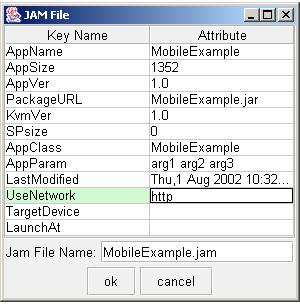
6. Write jam file |
|
|
|
|
|
Here are some tips to write a .jam extension file
AppName = Name of the Application to appear in the iAppli Menu
AppSize = It will automatically taken by jam file after creating jar file
AppVersion = Version of the program (Like version 1.1)
PackageURL = A full or relative path of your . jar file
AppClass = Name of the IApplication class
UseNetwork = You have to specify it as http otherwise your application will not be downloadable from server to your mobile
|
|
|
|
|
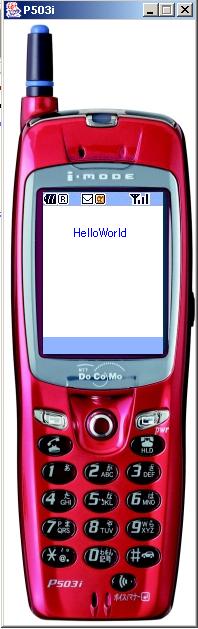
7. At last run your application to click Run Emu button |
|
|
|
 |
|
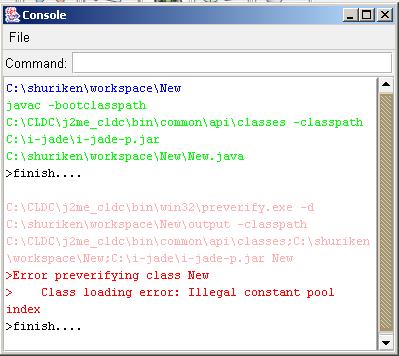
POSSIBLE ERRORS |
|
|
|
|
|
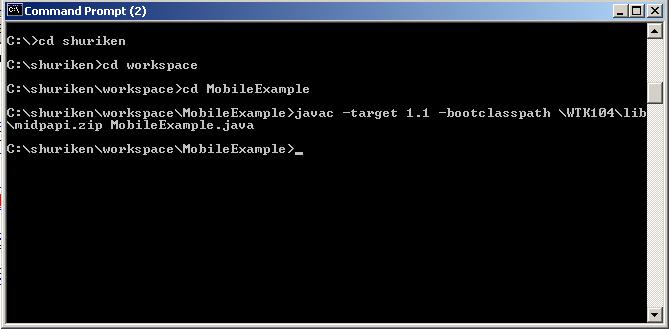
If preverifying error will come during preverifying your file than go to command prompt and then go to your relative directory such as in case of MobileExample go to MobileExample directory and type this command
javac -target 1.1 -bootclasspath \WTK104\lib\midpapi.zip MobileExample.java |
|
|
|
|
|
 |
|
|
|
|
 |
|
|
|
|
|
|
|
|
Please Let me Know If this information is useful for you . Please Contact me on Maneesh Sharma |
|
|
|
|
|
JAVA LINKS |
|
|
|
|
Back To HOME |
|
|
|
|
|
|