| The
first thing we need to do is to
find and go to a site that
offers adoptables. Let's
use the adoptables on my site
just for this tutorial - if
you'd prefer to use a different
site though, that's totally
cool!
So,
open up your browser and type in
the URL of the site you want to
go to or click on a link to an
adoptables site if you have
one... this is the URL of my
adoptables site - just click on
one of the links below (they are
both the same - one is just a
mirror of the other in case one
of them is down) and it'll open
up in a new window.
Mandy's
adoptions
Mandy's
adoptions mirror site
I'm
using Internet Explorer in these
screenshots, so if you're using
a different browser, things may
look slightly different.
OK,
has the page loaded up
now? Good :o)
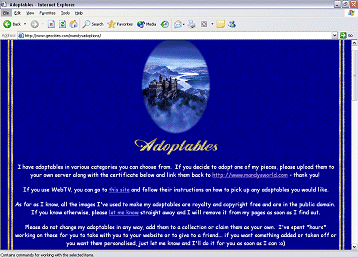
The
top bit or the first page has
usually got a bit of an
introduction and maybe the rules
or a link to the rules for
adopting one of the graphics as
a gift. Make sure you read
the rules so that you can be
sure that you agree to abide by
them.
I'm
assuming that you've read the
rules and you agree with
them? Excellent! Now
let's find the adoptables!
Scroll
down the page until you find a
link that will take you to the
adoptions... on my site the
links are just below the linking
logo's
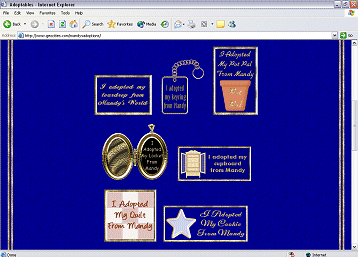
Linking Logo's
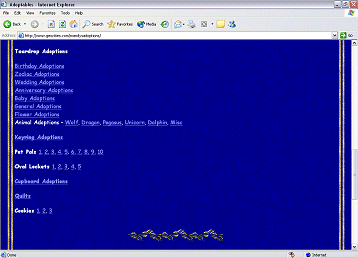
Links To Adoptables
Have
a look through the list until
you find one that you like the
sound of, then follow the
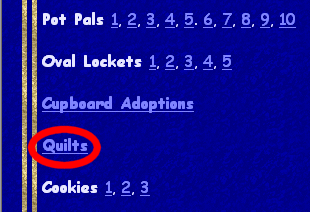
link... I'm going to adopt a
quilt
This
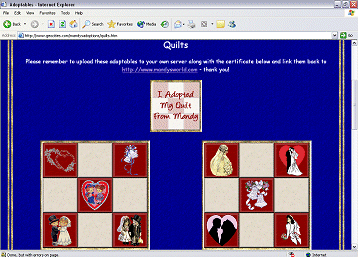
will take you to another page
with all the adoptions in that
category that are
available. There may be a
reminder of the rules at the top
of the page along with a linking
logo although sometimes the
linking logo is at the bottom of
the page. If you can't
find a linking logo, link the
actual adoption back to the
person's website.
Scroll
through all the available
adoptables on that page and
follow any buttons or links to
go on to other pages if you
don't find an adoptable that you
like on the first page.
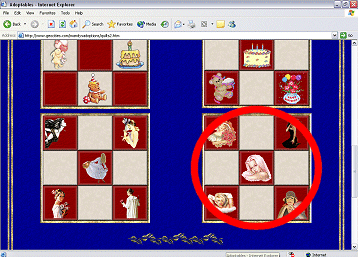
I'm going to adopt the last
quilt on the 2nd page
Now
we're going to make sure we
abide by the first rule I
mentioned at the start of this
tutorial... we're going to save
this gift to our own
server. How do we do
that? Like this! :o)
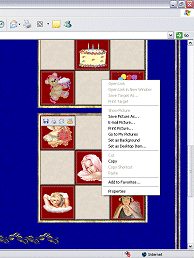
Take
your cursor over to the
adoptable you would like to take
and single right click on
it. You'll get a pop-out
menu come up with lots of
different options available.
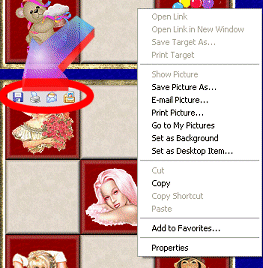
If
you're using Internet Explorer
6, you'll have a small
rectangular box come up in the
top left hand corner of the
adoptable if it's over a certain
size... you can either click on
the first button in that box or
follow these next instructions -
they both do the same
thing! :o)
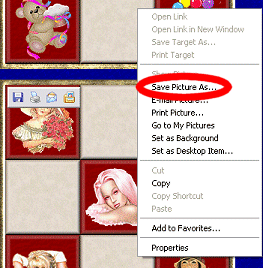
In
the pop-out box, choose the
option that says "Save
Picture As..." (if you're
using Netscape or other browser,
it should say something similar)
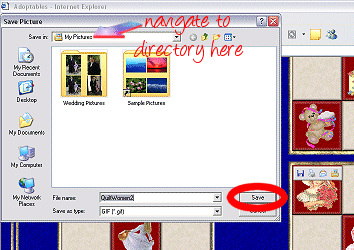
Now
you'll get a dialogue box coming
up that asks you where you want
to save your adoptable to...
navigate to wherever you want to
save it and hit the
"Save" button
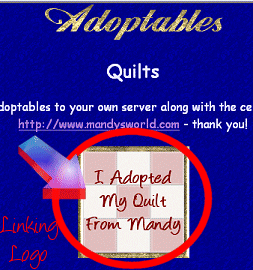
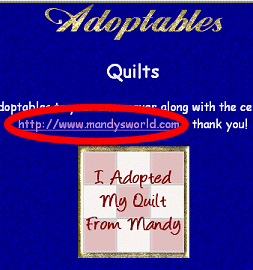
Now
you need to find the linking
logo and do the same again
Now
that we've made sure we've
abided by the first rule, we
need to follow the second
rule. To do this, make a
note of the URL you are asked to
link back to so that when you
give your adoption to your loved
one, you can give them the URL
to link back to too.
Now
that you've followed all the
rules on the site, you have
adopted your gift... now you
just need to give it to your
loved one!! You can either
email the gift, logo and URL to
them or you can make a page for
them and upload the gift and
logo to the page and link the
URL back on the page or you can
send the gift, linking logo and
URL to someone who is making a
page for your loved one... there
are so many things you can do
now that you've adopted your
gift... see how many different
ways you can come up with! |