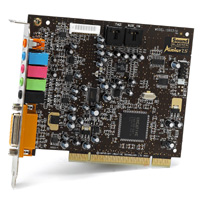
The Sound Card is not essential for the running of a PC but as you need them for listening to music, playing games and watching videos. There are quite a few types of Sounds Cards on the market. Some are built into the Motherboard (onboard) and all of the other cards slot into the PCI slot on the Motherboard. Older sound Cards slot into what’s called an ISA slot but these are obsolete in modern computers.
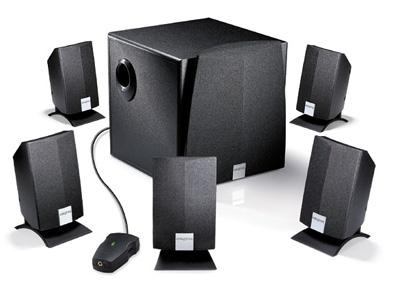
The main types of Sound Card’s are marketed by the number of speakers they can support. Standard speakers consist of a left and right speaker for stereo. These days with PC’s being used for multimedia there’s a range of speaker’s supported, you can get 5.1, 6.1 and 7.1. These numbers stand for the amount of speakers placed around the room and a bass unit. See pic below for a typicle example of a 5.1 speaker set.
To insert the sound card remove the cover from the computer and insert it into a spare PCI slot on the motherboard, then connect the sound wire coming off the CD-ROM drive onto the pins marked CD1 on the Sound Card.