CD-ROM Drive
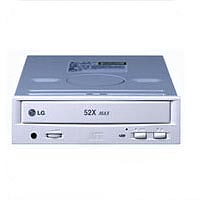
The CD-ROM drive is used to transfer information or programs to the computer. The disc is made of several layers. The laser it self is on a track that is positioned while the disc is spinning so that a laser can read the disc. The disc itself contains millions of micro pits that are read when the laser moves over them.
Connecting CD-ROM drives is almost the same as connecting HDD. Ensure you have your jumpers set correctly (see HDD section), that the power is connected and the IDE cable inserted. You need to connect a small sound cable that has three wires: red, black and white. This cable connects to the CD-ROM at the opposite end to the power cable and is connected to the sound card. Because some Motherboards come with built in sound cards look on the Motherboard and see where it’ll fit, look next to the connection and if it says Sound them you’ve found the right one.