 Has the word ‘Zap’
in computerspeak zapped you? Or maybe you have scratched your
head wondering what exactly is an Accelerated Graphics Port or a
YModem? Fret no more, for help is at hand with Whatis.com. The
site is a knowledge exploration tool about information technology,
especially about the Internet and computers. It contains over 2,000
individual encyclopedic definition and a number of quick-reference
pages. The topics contain about 12,000 hyperlinked cross-references
between definition-topics and to other sites for further
information. So whether you're seeking to probe what Ananova is
all about, or just seeking the meaning of life, it is all here,
listed from A to Z. And if you want to build up your vocabulary
day by day just check out the word of the day, which you can even
receive in your e-mail. And if you think that's all, the site
will return an emphatic 'no' to you for there are 26 ways in
which you can use whatis. So, go get lost.
Has the word ‘Zap’
in computerspeak zapped you? Or maybe you have scratched your
head wondering what exactly is an Accelerated Graphics Port or a
YModem? Fret no more, for help is at hand with Whatis.com. The
site is a knowledge exploration tool about information technology,
especially about the Internet and computers. It contains over 2,000
individual encyclopedic definition and a number of quick-reference
pages. The topics contain about 12,000 hyperlinked cross-references
between definition-topics and to other sites for further
information. So whether you're seeking to probe what Ananova is
all about, or just seeking the meaning of life, it is all here,
listed from A to Z. And if you want to build up your vocabulary
day by day just check out the word of the day, which you can even
receive in your e-mail. And if you think that's all, the site
will return an emphatic 'no' to you for there are 26 ways in
which you can use whatis. So, go get lost.Computer Hope
 Need
help on cleaning your computer hardware components? I did'nt
think how much I did until I read the article on this subject
here. Oh, that's just one small part of the info available on
this site vis-a-vis computers and computing. To begin with, there
is this extensive dictionary of computer terms and language. Then
you can check out help on your hardware or software through the
listings. Links are provided here for virus information, computer
magazines, operating systems and computer games. Information on
the latest virus doing its evil rounds is available on the site
itself. There is a special section devoted to the Internet which
helps you with your HTML, site promotion or Web design.
Need
help on cleaning your computer hardware components? I did'nt
think how much I did until I read the article on this subject
here. Oh, that's just one small part of the info available on
this site vis-a-vis computers and computing. To begin with, there
is this extensive dictionary of computer terms and language. Then
you can check out help on your hardware or software through the
listings. Links are provided here for virus information, computer
magazines, operating systems and computer games. Information on
the latest virus doing its evil rounds is available on the site
itself. There is a special section devoted to the Internet which
helps you with your HTML, site promotion or Web design.PC Tech Guide
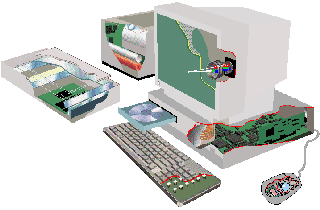 During his working life,
Dave Anderson treated computers just as tools. But, he says,
after he retired, "The astonishing rate of development
fascinated me and the PC soon became a serious hobby." He
made a lot of notes as he delved into the innards of the PC and
the result is the PC Technology Guide launched in 1998 and now
ticking away merrily. The guide is aimed more at the PC hobbyist
than the IT professional. Incorporating a number of graphical
images, the site covers the PC's major internal components and
peripheral devices and, as its name implies, is more concerned
with PC technologies than products - and at present just hardware
technology. In general, specific products feature only in the
context of major technological innovation. There is an integrated
glosary and a search feature. The product reviews section enables
visitors to compare multiple reviews for a given product quickly
and easily, and also link up to the appropriate section of the
relevant manufacturer's Website.
During his working life,
Dave Anderson treated computers just as tools. But, he says,
after he retired, "The astonishing rate of development
fascinated me and the PC soon became a serious hobby." He
made a lot of notes as he delved into the innards of the PC and
the result is the PC Technology Guide launched in 1998 and now
ticking away merrily. The guide is aimed more at the PC hobbyist
than the IT professional. Incorporating a number of graphical
images, the site covers the PC's major internal components and
peripheral devices and, as its name implies, is more concerned
with PC technologies than products - and at present just hardware
technology. In general, specific products feature only in the
context of major technological innovation. There is an integrated
glosary and a search feature. The product reviews section enables
visitors to compare multiple reviews for a given product quickly
and easily, and also link up to the appropriate section of the
relevant manufacturer's Website.Winfiles
 No, this is not something
from Microsoft, but from one of the leading Web publishers, CNET.
As the name implies, the site has everything to do with Windows.
The How-to articles and Tips and Tricks could contain answers to
those irritating problems you suddenly come up with when using
Windows. Then there is a multitude of shareware and freeware for
Windows which you can download. There is an extensive list of
bugs that have been encountered when using Windows and its apps,
solutions for fixing them. And if you got some Windows
application without the proper driver, there is a section
completely devoted to downloading Windows drivers. No, this is
not a site where you can appeal for help and the Webmasters
specifically tell you that if you can't find answers to your
problems, you should try "any of the thousands of technical
support resources on the Web, including Microsoft's own support
site."
No, this is not something
from Microsoft, but from one of the leading Web publishers, CNET.
As the name implies, the site has everything to do with Windows.
The How-to articles and Tips and Tricks could contain answers to
those irritating problems you suddenly come up with when using
Windows. Then there is a multitude of shareware and freeware for
Windows which you can download. There is an extensive list of
bugs that have been encountered when using Windows and its apps,
solutions for fixing them. And if you got some Windows
application without the proper driver, there is a section
completely devoted to downloading Windows drivers. No, this is
not a site where you can appeal for help and the Webmasters
specifically tell you that if you can't find answers to your
problems, you should try "any of the thousands of technical
support resources on the Web, including Microsoft's own support
site."My Help Desk
 The 'My'
is the title of this site is not for nothing, for when you
register you can customise the help features to suit your own
hardware and software setup. The site lists over 1700 of the most
popular software and hardware products, recommends latest tips
and generally keeps you updated on the computers and computing.
The support links are organised into five major help categories
and 30 resource-specific subcategories, with advanced contextual
search capability. Thus, you can sign up for online training
courses and tutorials, keep abreast of the latest support
resources and interact with others through message boards and
live chats. You can search for a product by name or manufacturer
and get your query solved either at this site itself, by using
the technical support phone numbers provided or by following the
suggested links, one of them being to the manufacturer's site.
The 'My'
is the title of this site is not for nothing, for when you
register you can customise the help features to suit your own
hardware and software setup. The site lists over 1700 of the most
popular software and hardware products, recommends latest tips
and generally keeps you updated on the computers and computing.
The support links are organised into five major help categories
and 30 resource-specific subcategories, with advanced contextual
search capability. Thus, you can sign up for online training
courses and tutorials, keep abreast of the latest support
resources and interact with others through message boards and
live chats. You can search for a product by name or manufacturer
and get your query solved either at this site itself, by using
the technical support phone numbers provided or by following the
suggested links, one of them being to the manufacturer's site.Contact: Manuel Fernandes