|

~*~Sweet Things~*~
This tutorial was written for PSP 8 but can
also be done in any other version.
A Good knowledge of PSP is required.
MATERIALS NEEDED:
Yvonne's 8 tubes
and 1 font in the zip.
Download the supplies here.
METHOD.
Open a new transparent canvas, size 500-450 pixels.
Make a gradient:
Style - Sunburst
with these colors:#8E1431 en #E2CED7.
Fill the canvas with the gradient.
Duplicate his layer and resize the duplicate to 75%.
Effects --> Illumination Effects --> Sunburst
100-50-100-100-100-100.
Change the opacity of the layer to 40%.
Apply a drop shadow: 10-10-20-10.
Repeat with V & H on minus 10.
Merge all layers.
Selections --> Select All --> Modify by 5.
Invert the selection.
Apply an inner bevel ( bevel 6 ):
8-13-7-5-0-322-50-30.
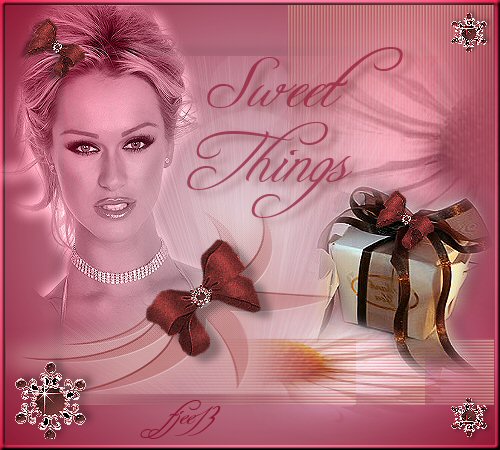
Copy and paste the blonde lady tube.
Position her in the left corner.
Change the Blend mode to Luminance (legacy)
in the Layers palette.
Sharpen 1x.
Copy and paste the points tube.
Position it against the shoulder of the lady.
Layer opacity should change to
80% in the Layers palette.
Shift to the right corner.
The edge should still be visible.
Duplicate this layer
and shift it to the left against the first edge.
Duplicate the layer again to the left against the border.
It should be done three times in total.
Drag the points layer to the top in the Layers palette
and merge the layers.
Copy and paste the 'flowerborder' tube.
Change the Blend mode to 'Luminance (Legacy)'.
Layer opacity on 80%.
Shift it to the right as seen in the example.
Copy and paste the 'kleine flowerborder'- tube.
Position it nicely on the blinded border as seen
in the example.
Change the Blend mode of this layer to 'Overlay'.
Copy and paste the bow- tube.
Arrange it on the shoulder.
Duplicate the layer - mirror - resize to 50%.
Sharpen 1x.
Arrange the bow in the hair.
Duplicate this layer and drag the bow onto the box.
Copy and paste the 'gem'- tube.
Drag it to the bottom left corner.
Duplicate this layer.
Resize to 50%.
Arrange it in the top right corner.
Sharpen 1x.
Duplicate this layer.
Flip it so that it is positioned in the bottom right corner.
Merge all layers.
Find the 'Freebooter'- font with the Text Tool.
Add a nice text and your name.
You're finished! :-)
Have fun!
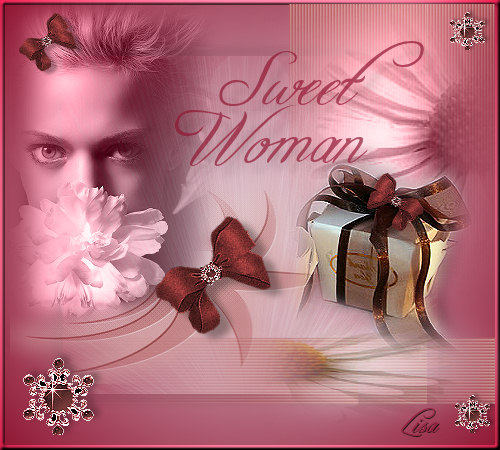
Here is another example:
Back to Index
Click on the banner
to go to Yvonne's Dutch Tutorials
Yvonne Email
***
Updated 13th May 2007
�Magstags2005 - 2007
Home | Filter
links |
Email
|