|
*~* Golden Mask *~*
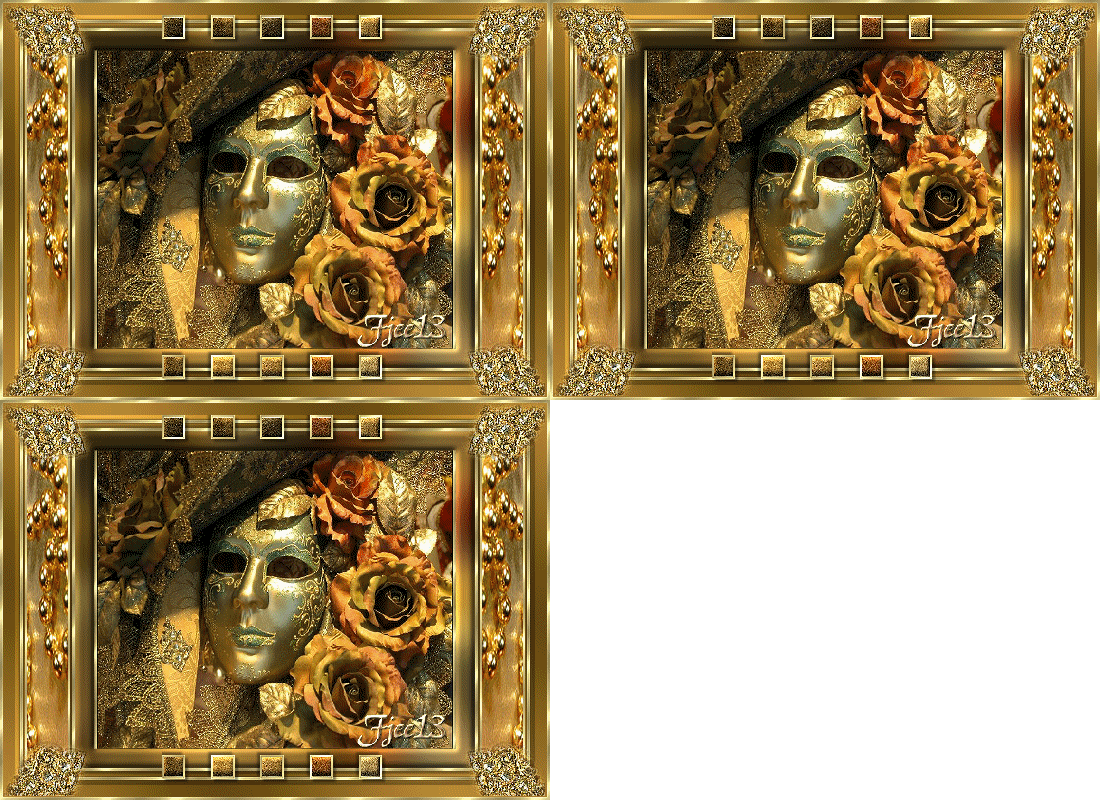
This tutorial was written for PSP 8 but
can be done in any other version.
A good knowledge of PSP is required.
MATERIALS NEEDED:
3 tubes of Yvonne.
1 image of your choice.
Download the supplies here
METHOD.
Open a new transparent image, size 550-400 pixels.
Change the foreground to #C6943B,
background to #5A4109.
Gradient:
Style - linear
Angle - 45
Repeats - 3.
Fill the canvas with the gradient.
Adjust --> Blur --> Gaussian Blur - 30.
Add a new raster layer.
Fill with a gold pattern.
Select All.
Contract by 3 and press the delete key.
Sharpen 1x.
Merge all layers.
Selections --> Select All.
Modify by 15.
Apply an inner bevel of your choice.
Keep selected !
Contact the selection by 5 again.
Add a new raster layer.
Fill with a gold pattern.
Contract by 3 again.
Press the delete key.
Deselect.
Sharpen 1x.
Apply a drop shadow: 0-0-100-3.
Merge all layers.
Minimize this image for now.
Open the golden mask image.
Add a 1 pixel black border.
Copy the image.
Add a border - 'Symmetric' not checked -
Top and bottom values 0
left and right - 3.
Select the two borders and fill with the gold pattern.
Sharpen 1x.
Add another 20 pixel black border,
but this time 'symmetric' should be checked.
Select the border with the Magic Wand.
Paste your image into the selection.
Adjust --> Blur --> Gaussian Blur - 15.
Apply the same inner bevel as before.
Repeat 1x.
Add a 3 pixel border and fill with the gold pattern.
Sharpen 1x.
Deselect.
Copy and paste as a new layer onto the first image.
Apply a drop shadow: 3-3-40-3.
Repeat with minus 3.
Reduce the layer size to 95%
Merge all layers.
Copy and paste the 'blokjes' tube onto the canvas.
Add a new raster layer.
Use the Selection Tool to draw a selection
in the left border.
Copy the 'goude kralen' image
and paste into the selection!
Keep selected!
Add a new layer and fill with the gold pattern.
Contract the selection by 2 and press the delete key.
There's a nice border around the beads now.
Merge these two layers.
Do not merge the background with it! :)
Duplicate the beads layer.
Mirror it.
Copy and paste the 'gouden knop' tube.
Duplicate and position each copy in a corner.
4 corners.
Merge all layers.
Add your name.
Resize your image.
You're finished!
You can add an animation of your choice as well.
Have fun !!
Back to Index
Click on the banner
to go to Yvonne's Dutch Tutorials
Yvonne Email
***
Updated 13th May 2007
�Magstags2005 - 2007
Home | Filter
links |
Email
|