|

*~* Elegance *~*
This tutorial was written for PSP 8,
but can also be done in other versions.
MATERIALS NEEDED:
6 tubes from Yvonne.
1 image or one of your own is fine.
1 font.
Download the supplies here
METHOD:
Open a new transparent canvas, size 600 x 450 pixels.
Fill with white.
Copy and paste the 'vertical hand' - tube.
Position it in the top right corner.
Sharpen 1x.
Copy and paste the 'elegance'- tube as a new layer.
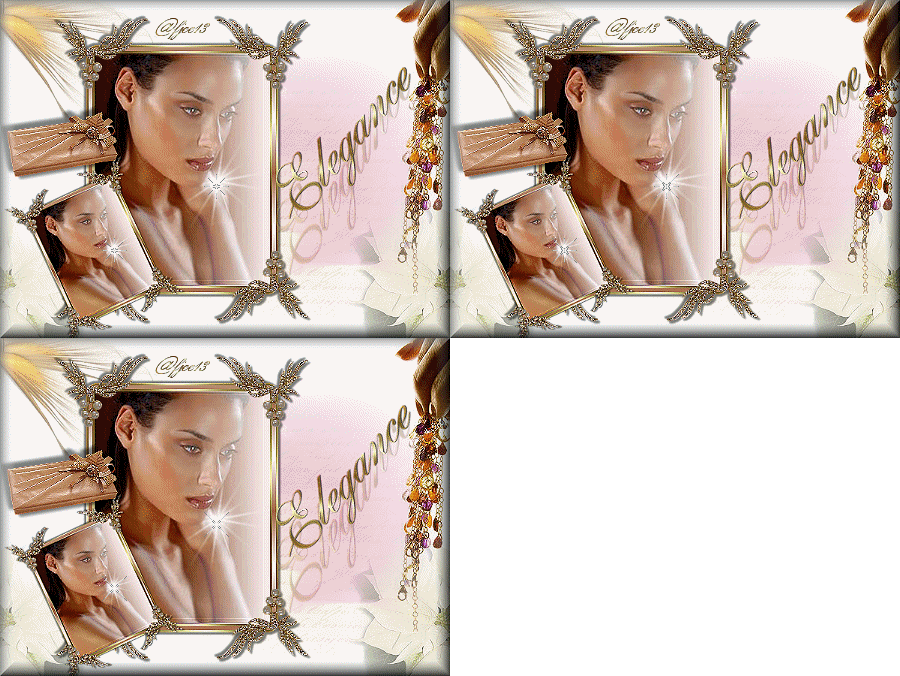
Position it in the top left corner as seen in the tag example.
Reduce the opacity of this layer to 60% in the Layers palette.
Copy and paste the 'letters'- tube as a new layer.
Reduce the opacity to 24% in the Layers palette.
Shift it a bit to the right.
Sharpen 1x.
Merge all layers.
Copy and paste 'de witte bloem'- tube as a new layer.
Drag it to the bottom right corner.
Duplicate and mirror this layer.
Reduce the opacity of the left layer to 60% and that of
the right layer to 70% in the Layers palette.
Merge all layers.
Copy and paste the
'women elegance'-tube as a new layer.
Leave it as it is.
Included in the zip is a frame, made by Yvonne that will be
added to this layer.
Sweet, huh? :-))
Merge these two layers (do not include the background layer!!)
Apply a drop shadow: 3 / 3 / 50 / 3.
Repeat with -3 / -3 / 50 / 3.
Copy and paste the frame as a new layer.
Shift it somewhat to the left.
Copy the frame and paste as a new layer.
Reduce the top frame's size to 50%.
Rotate the smaller frame 25 degrees to the left.
Position it nicely in the bottom left corner of the bigger frame.
Sharpen 1x.
Copy and paste the 'present'- tube as a new layer.
Position it to the left, as seen in the example.
Merge all layers.
Add a new raster layer!
Find your font 'Sheer Grace', size 72.
Type your text in a nice gold pattern.
Sharpen 1x.
Apply a drop shadow: 1 / 1 /70 / 1.
Position it between the frame and the chain.
Duplicate this layer.
Activate raster layer 1.
Drag the letters a bit down with the Deformation Tool.
Reduce the opacity of this layer to 30%.
Merge all layers.
Effects --> 3D Effects --> Buttonize - standard.
Add your name.
Your tag is finished.
Now you can add some animation to it if you want to :)
Have Fun !!
Back to Index
Click on the banner
to go to Yvonne's Dutch Tutorials
Yvonne Email
***

Updated 13th May 2007
�Magstags2005 - 2007
Home | Filter
links |
Email
|