|
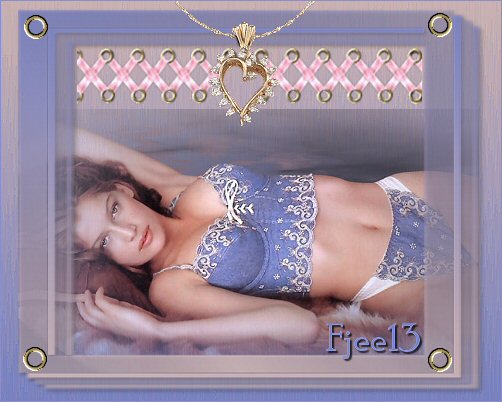
*~* Blue Girl *~*
This tutorials was written for PSP 9.
No filters were used.
MATERIALS NEEDED:
Animation Shop.
The bow tubes comes from the
Tube's Place.
1 of Yvonne's tubes.
If you want to use your own tubes,
use a horizontal one on which the 20/20 mask was applied.
2 other tubes including the bows.
1 mask.
Download the supplies here
METHOD.
Open all the tubes and minimize them
Save the mask in your Mask folder.
Open a new transparent canvas, size 500 x 400 pixels.
Choose 2 colors from the tube and make a gradient:
Style - Linear
Angle - 0
Repeats - 0
Fill the canvas with the gradient.
Effects --> Texture Effects --> Fur
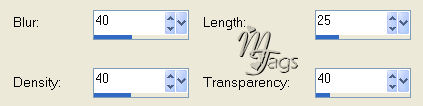
Effects --> Edge Effects --> Enhance 1x.
Copy the girl tube and paste it as a new layer.
Add a new raster layer.
Fill with the gradient.
Image --> Mirror this layer.
Layers --> Load/Save Mask --> Load Mask From Disk:
Load ' CATS 120'and apply.
Layers --> Merge --> Merge Group.
Only a fraction of the girl is visible on the right.
Erase it as seen in the tag example.
Apply a drop shadow:
2 / 2/ 45/ 5 color black.
Copy the 'gouden rondje'- tube.
Paste as a new layer.
Position it in the top left.
Duplicate this layer and drag it into position in the other corner.
Duplicate and place one on each bottom corner as well.
Select a rectangle.
Copy the 'strikjes' tube and paste it into the selection
as seen in the example.
Sharpen 1x.
Copy the 'hangertje'tube ( necklace)
Paste as a new layer.
NOTE:
Use your lasso tool (freehand) to select the area INSIDE the necklace.
Activate the layer below the necklace ( the bows layer)
and press delete.
The bows were removed from this area.
Merge the layers if you are happy with the results.
You're finished.
Resize to 400 pixels in width if you like.
Have Fun !!
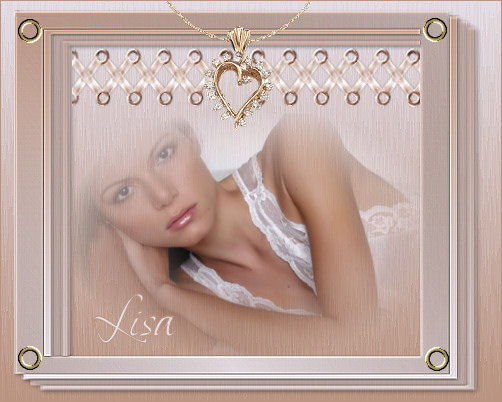
Another example
Back to Index
Click on the banner
to go to Yvonne's Dutch Tutorials
Yvonne Email
***
Updated 13th May 2007
�Magstags2005 - 2007
Home | Filter
links |
Email
|