|
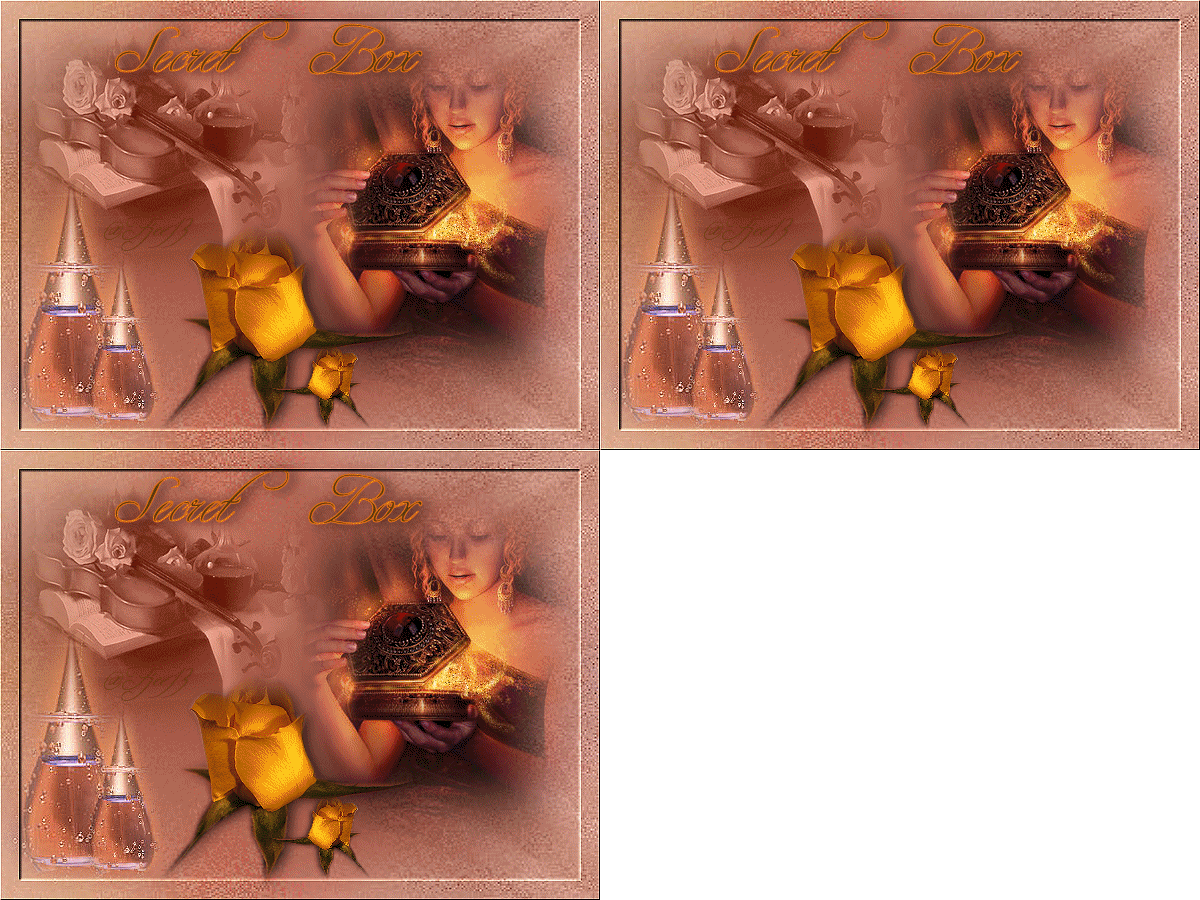
Secret Box
***
The
tutorial can be done in any version of
PSP. An average knowledge of
PSP is required.
This tutorial was done in PSP 8
***
MATERIALS NEEDED:
4 tubes supplied by Yvonne
Download here
***
METHOD.
Open a new transparent canvas, size 600-450.
Fill with the color #B16452.
Add a new raster layer.
Selections --> Select All.
Copy the 'textpattern' image
and paste into the selection.
Sharpen 2x.
Apply the 20-20 mask with 'invert' = checked.
Merge the group.
Set the layer opacity on 70%.
Copy the tube 'box' and
paste as a new layer onto the canvas.
Position it to the right of the canvas
but not against the edge.
Copy the tube 'violin' and
paste as a new layer onto the canvas.
Drag it to the top left.
Set the layer opacity on 80%.
Set the blend mode on 'Luminance Old'
in the Layers palette.
Merge all layers
(Layers --> Merge--> Merge All).
Copy the tube 'bottle' and
paste as a new layer onto the canvas.
Drag it to the left corner.
Duplicate this layer and resize to
67% 'all layers' should be unchecked.
Position it to the right of the other flask.
Copy the tube 'rose' and
paste as a new layer onto the canvas.
Position it next to the flask.
Duplicate this layer.
Resize to 40% and mirror.
Position it next to the bigger rose.
Merge all layers.
Selections --> Select All
Selections --> Modify --> Contract by 20.
Selections --> Invert.
Apply an outer bevel
with the standard settings.
Sharpen 2x.
Add a nice text.
Add your name
and you are finished :)
Back to Index
Click on the banner
to go to Yvonne's Dutch Tutorials
Yvonne's tutorials is available on Lisa's website.
Yvonne Email
***
Updated 13th May 2007
�Magstags2005 - 2007
Home |
Filter links |
PSP Goodies
|