|

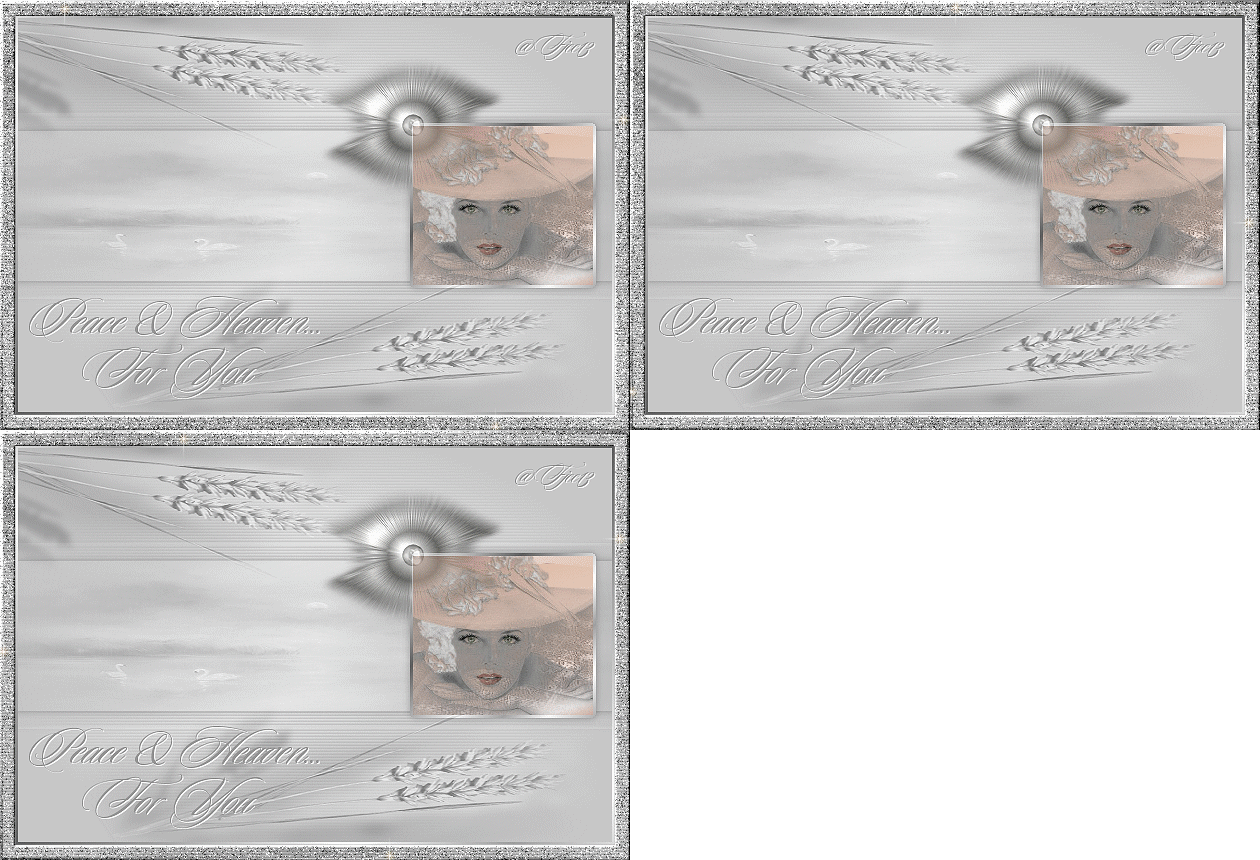
Peace And Heaven
***
The
tutorial can be done in any version of
PSP. An average knowledge of
PSP is required.
This tutorial was done in PSP 8
***
MATERIALS NEEDED:
4 tubes supplied by Yvonne
Download here
***
METHOD.
Open a new transparent canvas, size 600-400.
Fill with the color #C8C8C8.
Add a new raster layer and fill with white.
Apply the 20-20 mask.
Make sure the white is in the center.
Merge the group.
Effects --> Texture Effects --> Blinds.
3-15- color black, all settings = checked.
Reduce the layer opacity to 80%.
Merge all layers
(Layers --> Merge--> Merge All).
Activate the Selection tool
and choose the ' Custom Selection' - option
in the top selection toolbar.
Change the values as follows:
Left - 0
Top - 116
Right - 600
Bottom - 266.
Add a new raster layer.
Make a gradient: Sunburst = 0, colors #C8C8C8 and white.
Apply a drop shadow with these settings: 0-0-28-11.
Selections --> Select All
Selections --> Modify --> Expand by 15.
Add a new raster layer.
Copy the tube 'misted morning'
and paste into the selection.
Change the layer opacity to 40%
Blende mode to 'Luminance Legacy'
Apply a drop shadow.
Sharpen 1x.
Keep selected!
Activate the background layer.
Add a new raster layer.
Selections --> Invert.
Fill with the gradient.
Press the delete key.
Merge all layers
(Layers --> Merge--> Merge All).
Copy the tube 'feather-tube' and
paste as a new layer onto the canvas.
Position it as seen in the example tag.
Copy the tube 'koren' and
paste as a new layer onto the canvas.
Drag it to the bottom as seen in the example.
Change the layer opacity to 40%
and the blend mode to 'Luminance Legacy'.
Duplicate and flip.
Drag it to the top left corner.
Merge all layers.
Copy the tube 'peace' and
paste as a new layer onto the canvas.
Drag it into position as seen in the
tag example.
Selections --> Select All
Selections --> Modify --> Contract by 3.
Fill with the silver pattern.
Copy.
Add a 15 pixel border.
Select.
Paste into selection.
Apply the same Blinds effects.
Apply a nice bevel.
Add your name.
Tge tag is finished ! :-)
Back to Index
Click on the banner
to go to Yvonne's Dutch Tutorials
Yvonne Email
***

Updated 13th May 2007
�Magstags2005 - 2007
Home | Filter
links |
Email
|