|
*~* Watch Over You *~*

Lisa's original Dutch tutorial can be viewed
here.
Kitty made
the brushes.
The tubes come from the internet..
This tutorial was written for PSP X.
MATERIALS NEEDED:
2 tubes
Brush - save in your PSP Brushes folder.
Download the supplies
here.
METHOD:
Open the tubes and choose 2 colors:
dark foreground: #8B6B54
ligh background:
#F6E9E1
Make a gradient:
Style - Linear
Angle - 85
Repeats - 0
Invert - unchecked.
Open a new transparent canvas, size 500 - 400.
Fill with the dark color.
Add a new raster layer and fill with the gradient.
Effects --> Texture Effects --> Blinds: 200 / 60, dark color.
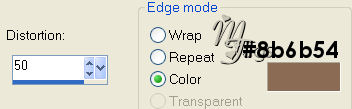
Effects --> Geometric Effects --> Perspective Horizontal:
Make a gradient::
Style - Linear
Angle - 0
Repeats - 1
Dark foreground
Light background.
Add a new raster layer.
Fill with the gradient.
Layer opacity on 36%.
Merge layers visible.
Effects --> Texture Effects --> Blinds: 2-60-H dark color.
Add a new layer.
Load selection from disk: 'lisa088.'
Fill with the gradient.
Effects --> Texture Effects --> Weave.
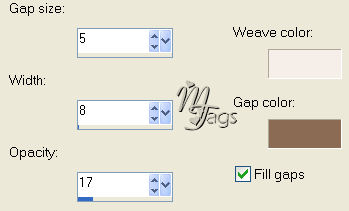
Layer opacity on 80%
Deselect.
Apply a drop shadow: 5 / 5 / 65 / 15.
Repeat with V & H on -5.
Copy and paste the face tube as a new layer.
Drag it to the left.
Activate the weave - layer.
Clean the face up with the eraser.
Keep the layer activated.
Copy and paste the 'bloementube' as a new layer.
Clean it up with the eraser(weave layer still active).
Activate the facetube layer.
Add a new layer.
Find the
'kitty203'- brush and apply 1 or 2x times with the dark color to the canvas.
Apply a drop shadow: 0-0-100-1.
Merge all layers.
Selections --> Select All --> Modify by 3.
Effects -- 3D Effects --> Cutout.
Resize your image.
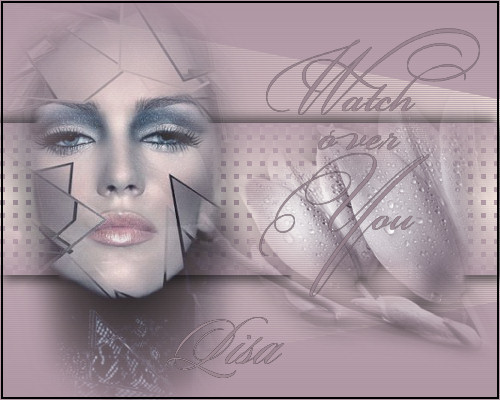
You're finished :)
Have fun!
Here's another example.
|