FILERS NEEDED:
Filter VM Natural.
Filter Border Mania.
Selectie.
Een Lettertype.
METHOD:
Choose 2 colors from your image:
Foreground - Light
Background - dark.
Make a gradient:
Angle - 45
Repeats - 0
Invert - not checked.
Style - Linear
Open a new transaprent canvas, size 450 x 350 pixels.
Fill with the gradient.
Effects --> Filter Effects --> VM Natural - Weave No Distortion
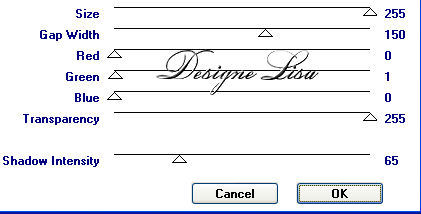
with these settings:
Selections --> Load/Save Selections --> Load From Disk:
Find the 'lisa71'- selection and load.
Add a new raster layer.
Fill with the gradient.
You can colorize your tube to blend in with your background colors.
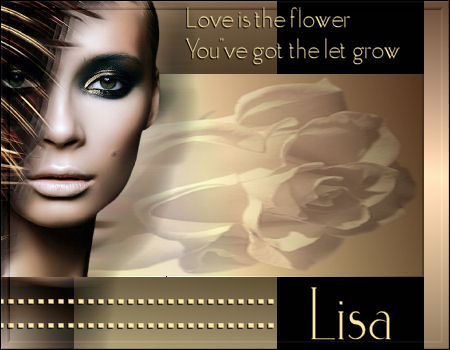
Activate the flower tube.
Edit - Copy.
Edit Paste into Selection.
Set the layer opacity on 40% in the Layers palette.
Deselect.
Activate your other tube.
Resize to 350 pixels in height.
Copy and paste as a new layer onto the canvas.
Move it to the left.
Duplicate this layer and lock it in the Layers palette.
Activate layer 3 in the Layers palette.
Effects --> Distortion Effects --> Wind: 100 / Right.
Activate the locked layer (copy of layer 3) and unlock it.
Image --> Resize to 80% - 'Resize All Layers' = unchecked.
Move this image somewhat to the top, below the edge.
You can change layer opacity to 85%.
Add a new raster layer.
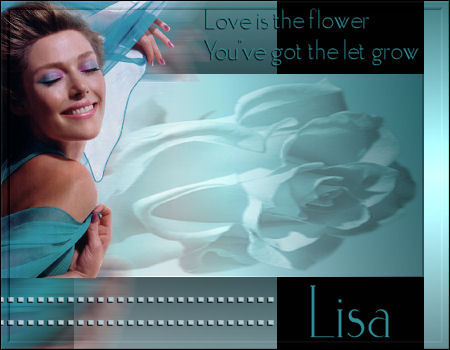
Add a quote of your choice in the top right corner.
You can use the font included in the zip, size 30.
Apply a drop shadow: -1-1-100-1.
Activate the Pen Tool - Width 5.
Press the Sift key down while
dropping the square 2x as seen in the example.
Convert Vector layer to Raster layer in the Layers palette.
Apply the same drop shadow as before.
Layers - Merge - Merge All.
Effects --> Filter Effects --> Border Mania - Frame2:
top two slidebars on 6.
Add your name in the font.