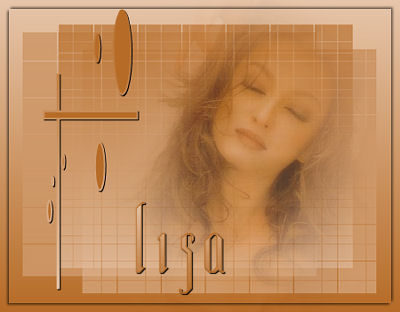
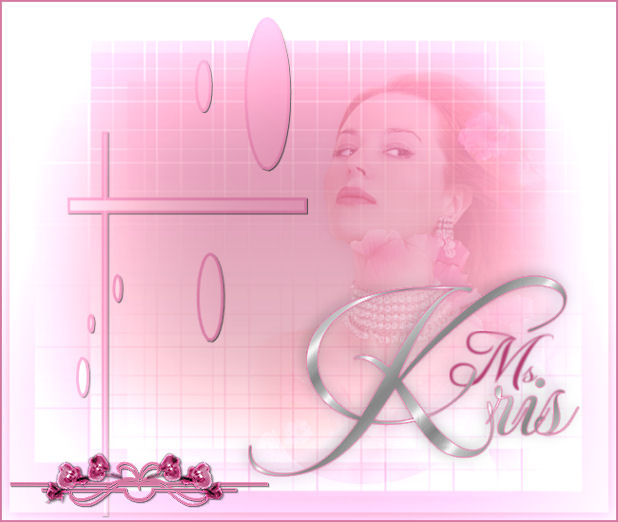
1. A tube of your choice.
2. A font of your choice.
3. Mask
1 is from MSKris, thank you for allowing me to
use it.
4. Preset Shape ( included in the zip file)
is from Marije.
File in in your Preset Shape folder.
5.
Supplies
-
Open
a new transparent canvas 450-350.
Choose two
colors from your tube.
Make a gradient with the two colors:
Angle 0;
Repeats 0; Invert checked.
Fill the canvas with the gradient.
-
Layers--> New Raster Layer.
Invert the
gradient, and fill the layer with the gradient.
-
Layers--Load/Save Mask--> Load Mask from
Disk. Find 186-kris and apply.
Merge Mask group.
-
Activate your tube and reduce the size if
necessary.
Paste as new layer onto the cavas.
Position it where you want it.
Shift it a bit to
the right and change the Blend Mode of this
layer to Soft light, with the Opacity on 70%.
-
Layers--> New Raster Layer.
Activate your
Preset Shape Tool and find marije10.
Set the gradient as foreground color.
Start
at the top and draw the shape to the bottom
as in the Tag example above .
Convert the
vector layer to a raster layer in
your Layers Palette.
-
Effects--3D
Effects--> Drop Shadow, with these settings:
1 / 1 / 100 / 1 / black.

-
Activate the layer with the mask on and
reduce the size to 90% - Remember the "resize all
layers"-option must be unchecked :-)
-
Layers--> Merge--> Merge All.
-
Selections-->Select All.
Selections--> Modify--> Contract by 10.
Keep selected.
Effects--3D Effects--Drop
Shadow, with these settings:
-2 / -2 / 55 / 4.00 / black

Repeat the Drop Shadow but invert the Horizontal
and Vertical settings.
Deselect.
-
Add your name in a font of your choice.
-
Reduce the size of the image to 400 pixels
wide(width)