MATERIALS NEEDED
Download
the
supplies.

METHOD
No filters was used in this tutorial.
Open your tube and choose 2 colors.
Foreground - dark.
Background - light.
Make a gradient with it.
Angle - 90
Repeats - 0
Invert - not checked
Style - Linear.
Open a new transparent canvas, size 450 x 350.
Flood fill with the gradient.
Add a new raster layer.
Selections -- Select All.
Copy the 'ko-cloth' image
and paste into the selection.
Adjust -- Hue and Saturation- Colorize.
Deselect.
Duplicate layer 2.
Image -- Resize --80%
'Resize All Layers' should be unchecked.
Repeat it another 2x.
Image -- Mirror.
Apply Effects -- 3D Effects -- Drop Shadow.
with these settings: -1, -1, 100,1
Repeat but change the V& H settings to 1.
Activate layer 2.
Change the Blende mode of this layer to 'Soft Light'
in your Layers palette.
Selections -- Select All.
Copy and paste your tube into the selection.
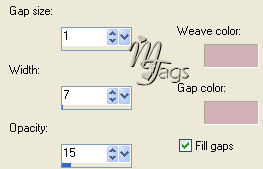
Effects -- Texture Effects -- Weave.
Apply with these settings:
Deselect ( Ctrl +D)
Highlight (activate) the copy of
layer 2.
Reduce the image size of your tube and
paste as a new layer.
Lock layers 1 and 2.
Merge the 2 top layers visible.
Duplicate the merged layers and lock.
Activate the merged layer.
Effects -- Distortion Effects -- Wind: 100, left.
Shifit it with your Mover Tool to the right.
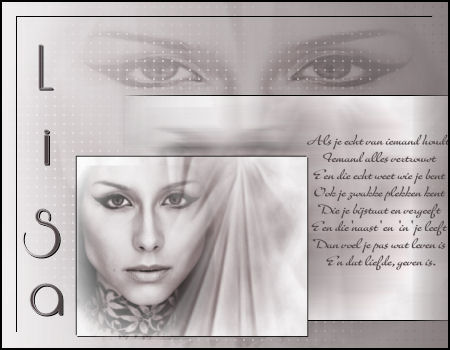
See example.
Activate the top layer now in the Layers palette.
Unlock.
Reduce the image size to 80%.
Shift it into position as well
as seen in the example.
Open the poem tube.
Go file -- Export -- Export as Tube.
Give it a name and press OK.
Activate your Brush tool.
Find the poem
and apply with a size 210.
Change the colors around in your color palette.
The dark color must be the foreground color (top color)
Click on your canvas.
See example.
Layers -- Merge -- Merge All.
Selections -- Select All .
Selections -- Modify -- Contract by 10 px.
Go to Effects -- 3D Effects -- Chisel
and apply with these settings: 2, black.
Keep selected.
Selections -- Modify -- Contract by 15.
Apply Effects -- 3D Effects -- Drop Shadow.
with these settings: H-1,V-1, 100, 1.
Deselect (Ctrl+D)
Add your name in a font of your choice.
Your tag is finished.
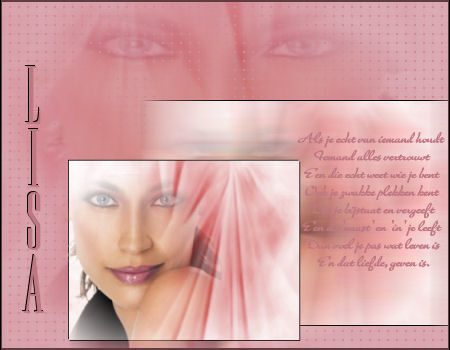
Here is a nother example: