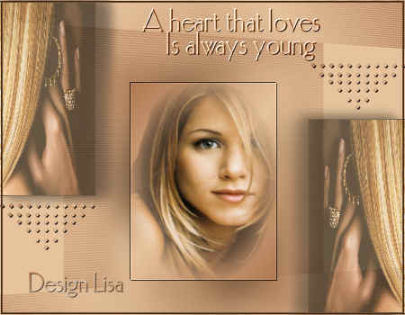
A woman tube
and one other complimentary image.
Extra tubes.
FILTERS NEEDED:
Hier te downloaden
Filter VM Toolbox.
Filter Andromeda.

METHOD:
Open your tube and choose two colors.
Foreground - light
Background - dark.
Make a gradient with it:
Angle - 132
Repeats - 1
Invert - checked
Style - Linear
Open a new transparent canvas, size 450 x 350px.
Flood fill with the gradient.
Effects -- Texture Effects -- Weave.
Apply with these settings below:
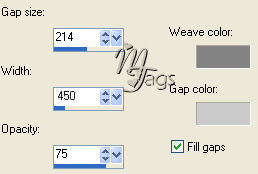
Effects -- VM Toolbox -- Instant Tile
with the slidebars on 71, 31.
Add a new raster layer.
Selections -- Load/Save Selections --
Load Selection from Disk.
Find the 'lisa0276' and apply.
Activate one of your images.
Copy and paste into the selection.
Effects -- 3D Effects -- Drop Shadow.
Apply with these settings:
Vertical = 0
Horizontal = 13
Opacity = 60
Blur = 20
Color = black.
Reduce the opacity of this layer to
60%
in your Layers palette.
Duplicate this layer.
Image -- Mirror.
Activate layer 1.
Go to Effects -- Texture -- Blinds.
Apply with the settings:
2, 65 / light color / horizontal.
Activate the copy of layer 2
(it should
be your 3rd layer).
Add a new raster layer.
Selections -- Load/Save Selections --
Load Selection from Disk.
Find --lisa0376-- and flood fill
with the gradient.
Activate your tubes.
Copy and paste into the selection.
Apply Effects -- 3D Effects -- Drop Shadow.
with these settings:
1,1,100,1
Repeat with -1,-1,100,1.
Duplicate this layer and lock it
in your Layers palette.
Activate layer 4.
Adjust -- Blur -- Gaussian Blur. 15.
Activate the copy layer.
Image -- Resize to 80%
with 'Resize all Layers' checked.
Activate layer 2 in the Layers
Palette.
Drag it to the top in the layers
palette.
Drag the others to the bottom.
See example.
Activate the 'lisa76' - tube.
Copy and paste as a new layer.
Position it.
You can now colorize it.
Duplicate this layer and drag it into position.
Activate the ' lisa076'tube.
Reduce the image size to 90%.
Activate layer 1.
Effects -- Filters Effects --
Andromedia -- Perspective - standard.
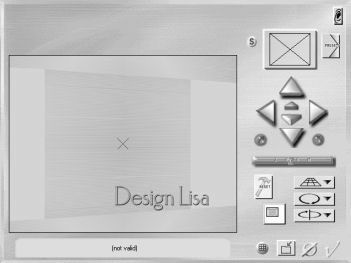
Layers -- Merge -- Merge All.
Selections -- Select All .
Selections -- Modify -- Contract by 3 px.
Apply Effects -- 3D Effects -- Chisel: 3, black.
Add your text in a font of your choice.
Your tag is finished.
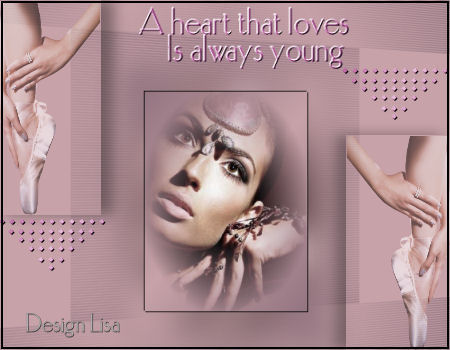
Here is another example.