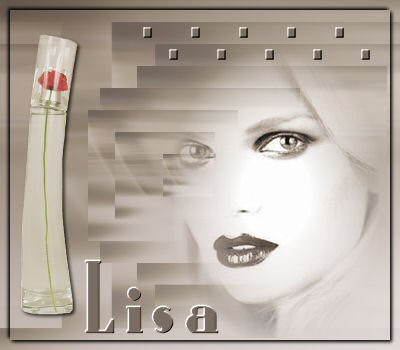
-
Open
a new canvas 400x350 pixels.
Choose two
colors from your tube and make a
gradient with
the dark color at the top.
Settings should be:
Angle - 125
Repeat - 0
Invert - not checked.
Open your pattern and tubes as well.
-
Fill
the canvas with the gradient.
Layers --> New Raster Layer. Select All.
Activate the pattern.
Edit - Copy.
Edit - Paste into the
selection on the canvas.
Change the Blende
Mode of this layer to 36
and deselect ( Ctrl+D)
-
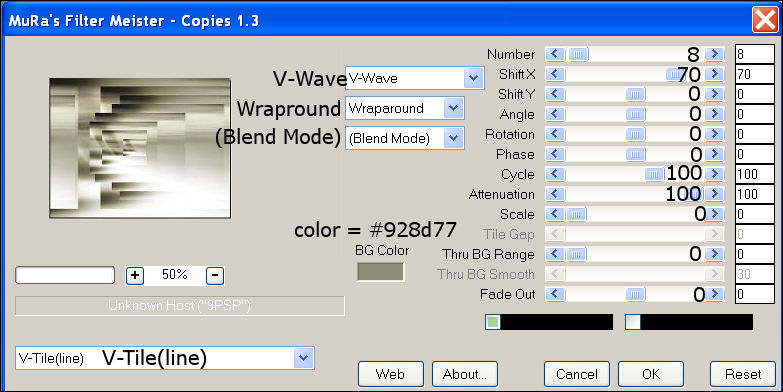
Effects
--> Filter Effects-->
Filter Mura Meister's--Copies 1.3,
with these
settings:
-
Activate your tubes
[first apply the 20-20
mask to your image/tube
before you use it on the
canvas]
Reduce the size and paste it as new
layer onto the canvas.
Position it where you
like it and change
the Blende Mode of this layer
to 90%.
-
Activate your perfume tube and reduce the
size if necessary.
Copy and Paste as a new
layer.
Change the Blende Mode of this layer to
70%.
Effects--3D
Effects--Drop Shadow 1-1-100-2.
-
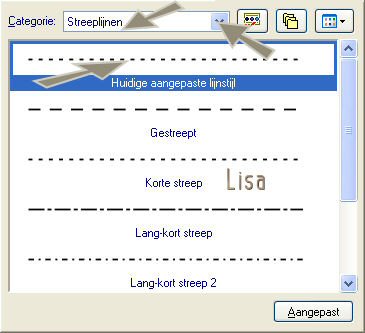
Activate your Pen Tool--size 10 as seen
below:
-
Draw a line from left to right - 5 squares.
Convert the vector layer to raster layer.
-
Effects--> Filter Effects--> Mura's Seamles--Emboss at Alpha
standard.
-
Duplicate this layer and drag it to the
bottom.
-
Select All --> Modify --> Contract by 10.
Effects--> 3D
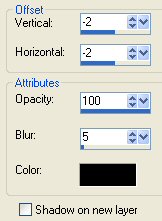
Effects --> Drop Shadow,
with these settings below:
-
Repeat the Drop Shadow,
but this time with the
Horizontal and Vertical settings on 2
Add your name and apply the Mura Meister
Seamless effect to it as well.
Your Desiree Tag is finished.
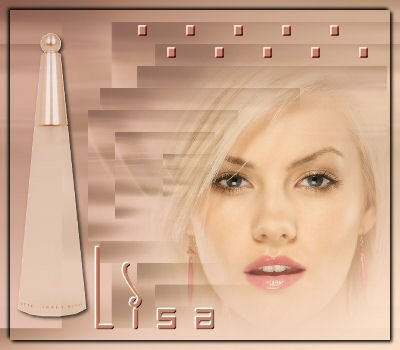
Here is another example: