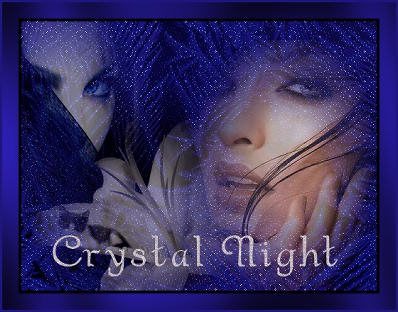
Materials needed:
A background image of 500-380 pixels,
or a wallpaper with an
icey effect.
Three tubes of your own choice.
Font Gaheris Demo or one of your own.
Mask 20-20.
Supplies:
download here
FILTERS NEEDED:
Filter Graphics Plus
Tramage -
Atomic filter.
It is the filter " At the atomic level"
which is included in the Tramages
filters -
save it in it's own
folder,
then import it into Filter Unlimited 2.0

A Christmas template tutorial.
Open the wallpaper or image.
Open a new white canvas of 500-380 pixels and select all.
Copy your wallpaper or image and paste into
the selection on the
canvas.
Effects Tramage Filter--At the atomic level--it will turn blue
with these settings:

Deselect and minimize.
Open a new canvas and promote the background to layer
in your
layers palette.
Layers-- Load / Save Mask -- Load Mask from disk,
find the mask 20-20
and apply.
Layers -- Merge -- Merge Group
Merge all
layers.
Repeat this step with your second tube/image.
Reduce the size of the images if they are too big
and
minimize them for now.
Activate your canvas.
Copy the masked image and paste as new layer onto the canvas.
Drag it into place where you like it and change the
opacity of this layer
to 80%.
Activate the second masked image.
Copy and paste as new layer
onto the canvas.
Drag it it into position and
change the opacity of this layer
to 50%
in your
layers palette.
Do the
same with the third image.
Arrange them where you like them
and merge all layers.
Add a 2
pixel black border.
Add a 25
pixel border in a color of your choice.
Select
with your Magic Wand.
Effects--Filter Graphics Plus-- Cross Shadow,
with the standard
settings
Selections -- Invert
Effects --
3D Effects --Chisel, with these settings:
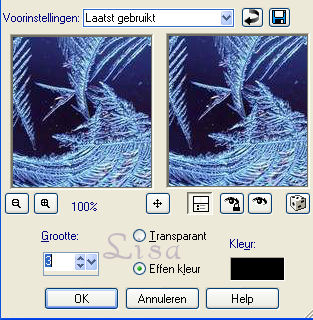
Deselect.
Add a 3 pixel black border.
Layers-- New Raster Layer--add your text or name.
I named it
"Crystal Night"
Adjust --
Add Remove Noise -- 25
Reduce the size of your image to 350 of 400 pixels.
The tag is done! :)