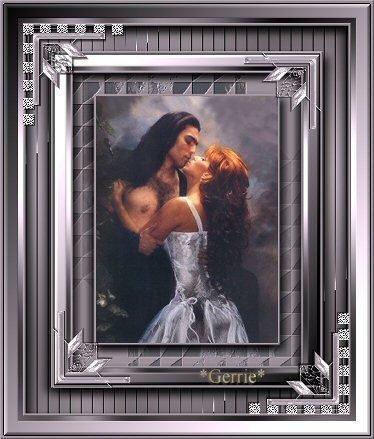
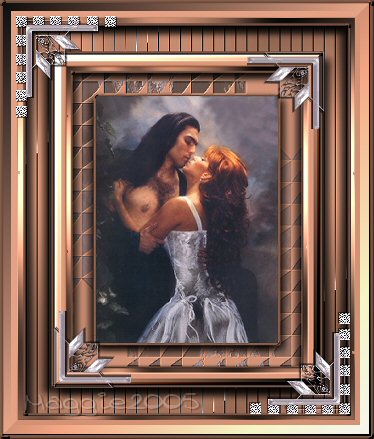
Materials
needed:
Supplied Download here
Andrews
Filter Download here
Filter: Andrew's
Vol8
Download
here
Filter: RCS filter
pak1.0
Filter: Eye Candy 4000
Filter: NVR Bordermania
Filter: Graphics
Plus
Filter: Filter FM Tile Tools
Filter: Mock Download
here
Open your image and
reduce its size to
350 pixels in height
We are going to
work with one color.
I used
#A397A1
Add a 3 pixel border, select with your
Magic Wand and fill
with your color
Effects / 3D Effects
/ Inner Bevel / Soft Edge preset
Add a 30 pixel border
with your oclor,
select with your
Magic Wand
Effects / Plugins / RCS Filter / Digi-Lens Wedges -
standard
Keep selected
Edit / Copy
Paste as New Layer
Image /
Mirror
Image / Flip
Selections / Select None
Reduce the opacity of this
layer to 60% in your Layers Palette
Selections / Select
All
Selections / Modify / Contract by 30 pixels
Selections /
Invert
Layers / Merge All
Keep selected
Effects / Plugins /
FM Tile Tools / Blend Emboss
Effects / Plugins / Eye Candy 4000/ Cutout -
with these settings below. Repeat but change the Direction-setting to 215
then
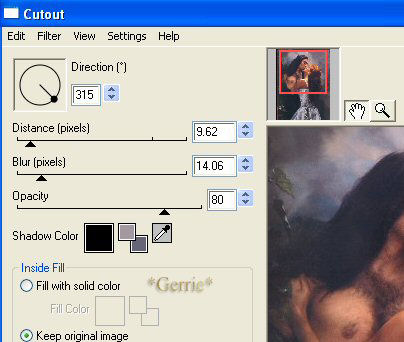
Selections / Select
None
Add a 3 pixel border and select.
Effects / 3D Effects
/ Inner Bevel - with the Soft Edge preset
Reduce your image to
350 pixels high, otherwise it will become too big;)
Add a 5 pixel
border and select.
Effects / Plugins / Graphics Plus / Cross shadow -
standard
Selections / Select None
Add a 15 pixel border
and select.
Effects/ Plugins / Mock / Bevel on 50
Effects / Plugins
/ Bordermania / Frame #2 -
with the two top
settings on 13
Add a 3 pixel border and select
Effects /
3D Effects /Inner Bevel with the Soft Edge - preset
Add a 30
pixel border and select
Effects / Plugins / Graphics Plus / Cross shadow
-
with the bottom to
settings on 40 and 110
Effects /
Plugins / Andrews filters 8 / Tow the line -
with these
settings
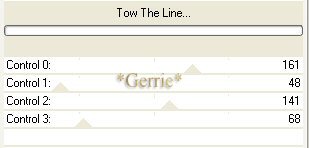
Effects / Plugins / Eye Candy 4000 /
Cutout-
with the same
settings.
Repeat this effect but this time
change the Direction
to 215
Selections / Select None
Add a 3
pixel border and select
Repeat the Inner Bevel with the same settings as
before
Reduce the image size to 85%
Add a 5 pixel border
and select
Effects / Plugins / Graphics Plus / Cross shadow-
standard
Selections / Select None
Add a 15 pixel border
and select
Effects / Plugins / Mock/Bevel - on 50
Image /
Mirror
Image /
Flip
Effects / Plugins /
Bordermania - Frame#2-
with the bottom 2
settings on 13
Add a 3 pixel border and select
Apply the
same Inner Bevel settings as before.
Open the corner tubes and
position them.
Merge all layers and
you're done ;)
©Gerrie©
9-02-2004