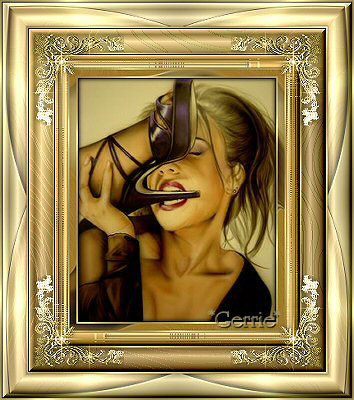
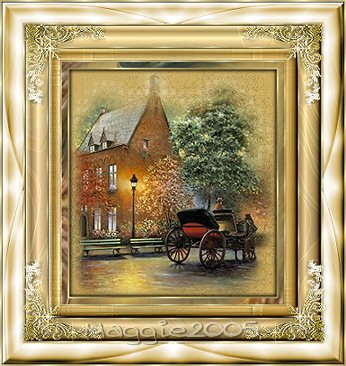
Materials
Needed:
Supplies Download
here
The corners were made by Nadia
Thank you Nadia ;)
Filter: Funhouse
Filter: Eye Candy
3.1
Filter: Filter DSB Flux
Filter: I.C.Software's Filters Unlimited
2.0
Download here
Open
your tube
Choose a foreground color from your tube
I used #A07A27
A
gold pattern Schale250 Angle0
Background on
white
Add a 2 pixel border and fill with the gold
pattern
Selections / Invert
Effects / 3D Effects / Cut Out with these
settings.
Repeat with H & V on -1

Deselect ( Ctrl
+D)
Add a 10 pixel border / select / and fill with your
color
Effects / Plugins /
Eye candy 3.1 / Swirl
with these
settings
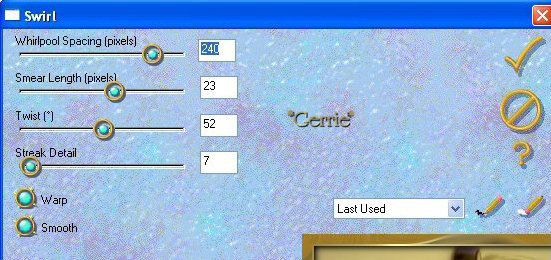
Add a 2 pixel border and fill with
gold
Add a 20 pixel border, select and fill with color
Effects / Plugins /
Funhouse/ Streak Mirror
with these
settings
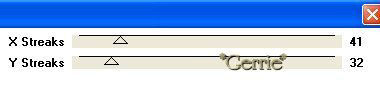
Keep selected
Edit / Copy
Edit
/ Paste as New Layer
Image / Mirror
Deselect ( Ctrl +D
)
Reduce the Opacity to 50% on your Layers Palette

Image / Flip
Layers / Merge /
Merge Visible
Selections / Select All
Selections / Modify
/ Contract by 19 pixels
Selections /
Invert
Adjust / Sharpness / Sharpen
Effects / Plugins / Filters Unlimited
/Buttons & Frames /
3D Glass /
Frame 1 standard
Add a 2 pixel white border, select and fill
with the gold pattern
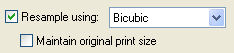
Reduce the size of
your image now to 85%
otherwise it will
become too big ;)
If you use a bicubic reduction you don't
have to sharpen your
image
Add a 30 pixel border and fill with
color
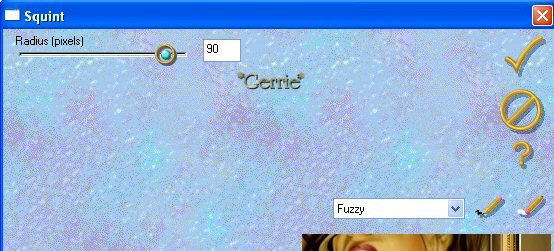
Effects / Plugins /
Eye Candy 3.1/ Squint
with these
settings:
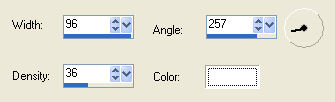
Effects /Artistic Effects / Topography
with these
settings
Effects / Plugins / Filters Unlimited
/ Buttons & Frames /
3D Glass/Frame
1 standard
Add a 2 pixel white border and fill with the gold
pattern
Add a 30 pixel border and fill with gold
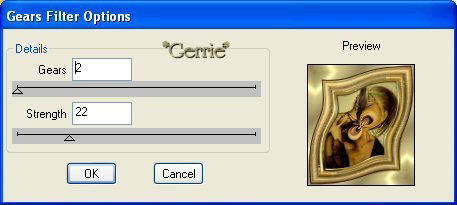
Effects /
Plugins / Dsb Flux / Gears
with these
settings
Go to your Layers Palette and
duplicate this layer.
Image / Mirror
Deselect
Reduce the Opacity
of this layer
to 50% on your
Layers Palette
Layers / Merge /
Merge Visible
Selections / Select
All
Selections / Modify / Contract by 29 pixels
Selections
/ Invert
Effects / Plugins / Filters Unlimited / Buttons & Frames
/
3D Glass/Frame
1 standard
Add a 2 pixel border, select and fill with the
gold pattern
Open the Corner tube
which is included in the zip
Edit / Copy
and
Edit / Paste as New
Layer onto the canvas
Duplicate this
layer
Image /
Mirror
Duplicate this layer
Image /
Flip
Duplicate this layer
Image / Mirror
And that's it,
you're done ;-)
©Gerrie© 29-10-2003

Translated
by Maggie_za February 2005