|

~*~ Relaxed ~*~

Kyra's original Dutch tutorial can be viewed
here
Download the supplies
here
FILTERS NEEDED
Penta-com - Color Dot
New transparent canvas: 750 x 550 pixels.
Light color: #F93534
Dark color: #1C002
1: Fill the canvas with the dark color.
Activate the Selection tool and draw
a rectangular selection as seen below:
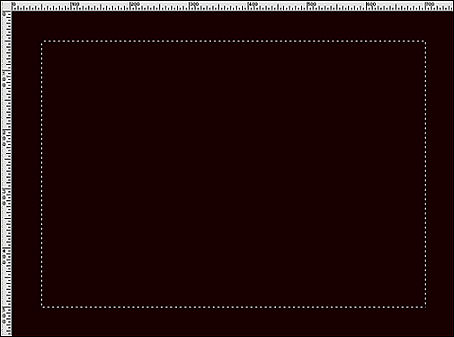
2: Add a new layer. Fill with the dark color.
Add a new layer. Fill with the light color.
Layers - Load/Save Mask from Disk - Load Mask: '0(1)161
Wicked'
Apply.
Merge group.
Layers - Merge - Merge Down.
3: Effects - 3D Effects - Drop shadow:
3 / 3 / 70 / 3 / color - light color (#F93534).
Repeat with V & H -3.
Repeat the same drop shadow
but change the color to a contrasting light color.
4: Activate the Selection tool again
and draw another selection as seen below:
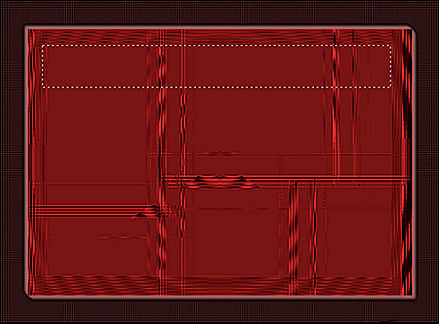
5: Add a new layer.
Make a gradient:
Angle 0
Repeats 1
Invert - checked.
Fill the selection.
Keep selected!
6: Effects - Texture Effects - Blinds,
with these settings:
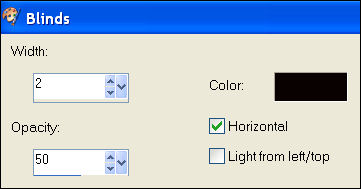
Deselect.
Repeat the same drop shadow with the same
settings as before, but this time with the dark color
Merge layers visible.
7: Copy and paste the woman tube as a new layer.
Image - Resize: 85%
Image - Resize: 95%.
8: Adjust - Hue/Saturation - Colorize:
Hue 255 / Saturation 98.
Move the woman tube to the bottom and erase
the white areas that is covering the mask layer.
9: Copy and paste the 'LD relaxed'- tube as a new layer.
Image - Rotate - Free Rotate: 90 / Right.
Drag it over the blinds-area.
Use the Deformation tool to drag it out
as seen in the example tag.
Colorize it with the same settings as before.
Repeat the same drop shadow.
10: Copy and paste the corner as a new layer.
Duplicate and mirror the copy.
Layers - Merge - Merge Down.
Blend mode: Luminance(Legacy)
Merge layers visible.
11: Use the Magic Wand to select the dark border.
Effects - Filter Effects - Penta-com: color dot.
Apply with these settings:

Deselect.
Add your name or watermark
and you're done! :-)
~***~
Kyra's
Guestbook
Email Kyra
Email Maggie
~***~
Back to Index
©Copyright
registered at


Translated 14th July 2007

| Home
|
Filter Links |
Email |
|