|

No's
SHADOWS
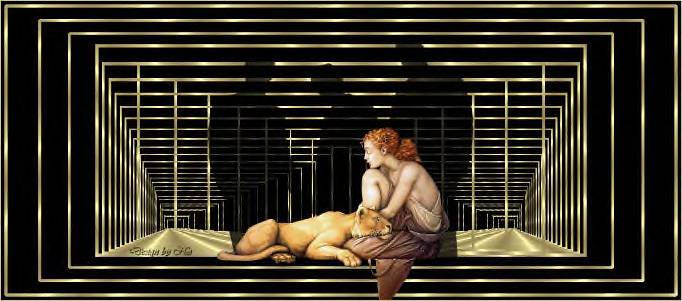
Supplies:
2 tubes;
a gold pattern
Download here
****
Open a new transparent canvas, size 1024/450 pixels
Fill with black.
Set your foreground on the gold pattern.
Selections -- Select All.
Selections -- Modify -- Contract by 10 .
Selections -- Invert.
Fill the selection with the gold pattern..
Selections -- Invert.
Selections --
Modify -- Expand by 5.
Selections -- Invert -- and press delete.
Selections -- Select None.
.
1. Go to your Layers palette and duplicate raster 2.
2. Go to Image -- Resize -- 90%,
"reduce all
layers not checked".
Repeat step 1 and 2 another two times.
Go to
Effects -- Refletion Effects --Feedback,
with these settings:
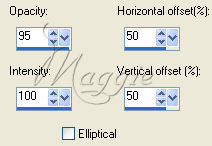
Duplicate this effect until you find a gold pattern
you prefer.
It should look something like this:

I
duplicated it 25 times :-)))
Go to your Layers palette and lock the bottom 4 layers
( by clicking on the eye).
Go to Layers -- Merge -- Merge visible.
Unlock the 4 bottom layers again.
Duplicate the merged layer.
Go to
Image -- Mirror
Go to Image -- Merge -- Merge All.
Open your men tube.
Copy and close the original.
Go to Image -- Resize to 350 pixels in height.
Copy and Paste as new layer.
Go to you Layers palette
and reduce the opacity
of this layer to 76@
Open you second tube.
Copy and close the originial.
Copy and paste and position it
nicely in the center.
Go to
Layers -- New Raster layer.
Add your name or watermark.
Zo, your tag is finished.
Enjoy!!
No.
Here you can find the lovely image and script of
Annemarie.

Translate 2nd September
2005

©Magstags2005
|