|
No's
GOLD
***
Materials needed
A tube of your choice
The mask 'maskno special10
A
Gold pattern
download
here
***
Open a new canvas 1024/450.
Change your foreground color to a dark color
and the background color to the gold pattern.
Fill the canvas with the gold pattern - Angle 0, Scale 100
Add a new raster layer and fill this layer with the dark color.
Go to Layers --> Load/Save Mask --> Load Mask From Disk and find
the maskno
special10.
Go to Layers-->
Merge --> Merge All
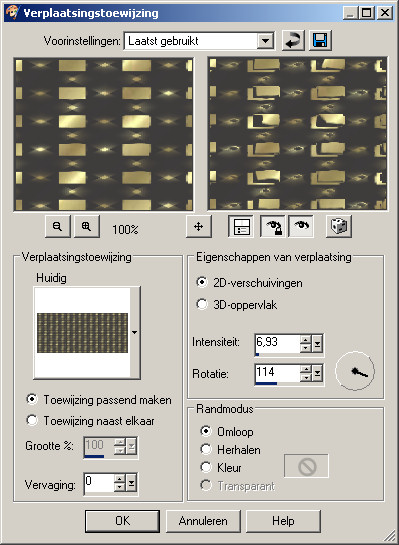
Go to Effects --> Distortion Effects --> Displacement map,
with these settings:
- Stretch map to fit image - checked
- Blur - 0
- 2D Offset - checked
- Edge Mode - Wrap
|
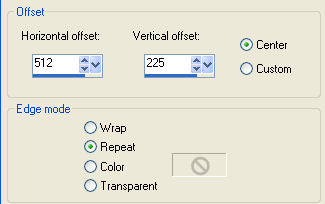
Go to Effects --> Image Effects -->
Offset, with these settings:
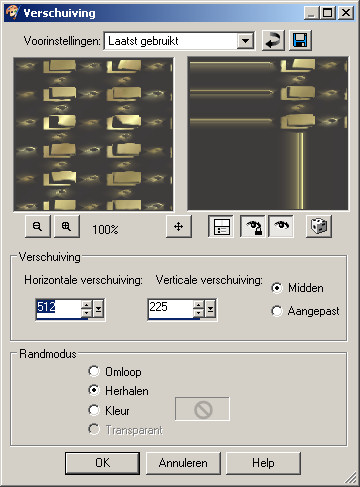
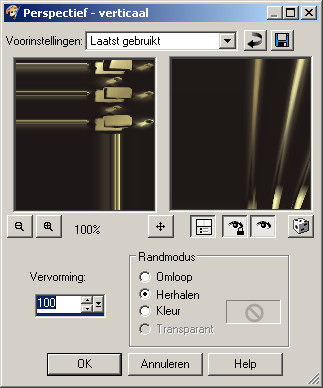
Go to Effects --> Geometric Effects
Perspective Vertical, with these settings:
- Distortion = 45
- Edge Mode = Repeat
|
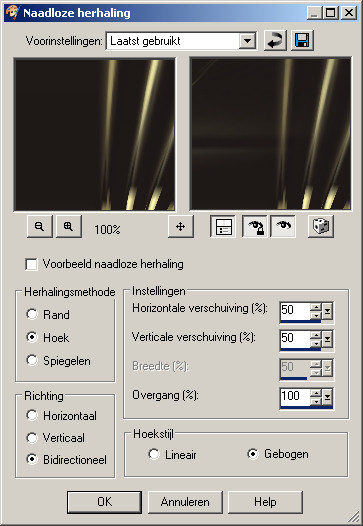
Go to Effects--> Image Effects --> Seamless Tiling,
with these settings:
- Tiling method - Corner
- Direction - Bidirectional
- Settings: Horizontal 50
Vertical = 50
- Transition = 100
- Corner Style = Curved
|
Open your tube, copy, and close the
original
Reduce the size to 250 pixels.
Go to layers --> New Raster Layer.
Drag it below the tube layer and fill with gold
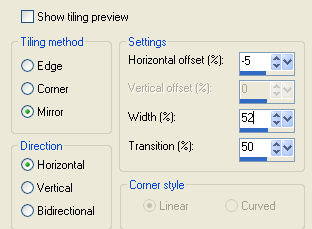
Go to Effects --> Image Effects --> Seamless Tiling,
with these settings:
Go to layers --> Merge --> Merge All.
Copy and Paste as new layer onto the canvas
Drag it to the right side.
Paste the image again ( it is still in the memory)
and shift it to the left side.
Go to Effects--> Distortion Effects--> Twirl 720
Shift it a bit to the right where you
like it.
Change the Blende Mode of this layer to "Soft Light", or
whatever you prefer.
Go to Layers --> Merge --> Merge All
Go to Layers --> New Raster Layer-->
Add your text or watermark.
I
added my name with the gold pattern as
background color,
the foreground color locked
and in a font of choice.
Go to Layers --> Merge --> Merge All.
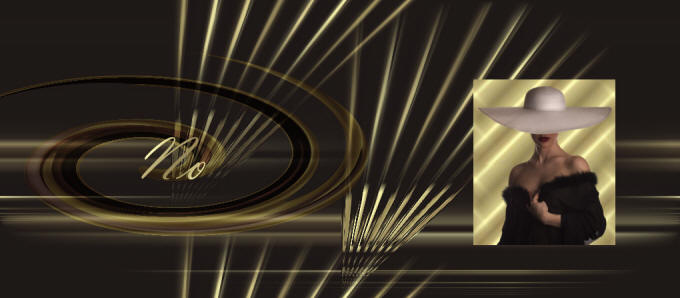
Ziezo, your work is finished :))
Now we add everything to this beautiful
script of
Annemarie
Enjoy!!!
©No2005.
Here is an
example of the image
in Annemarie's script
Translated 4 th July 2005


©Magstags2005
|