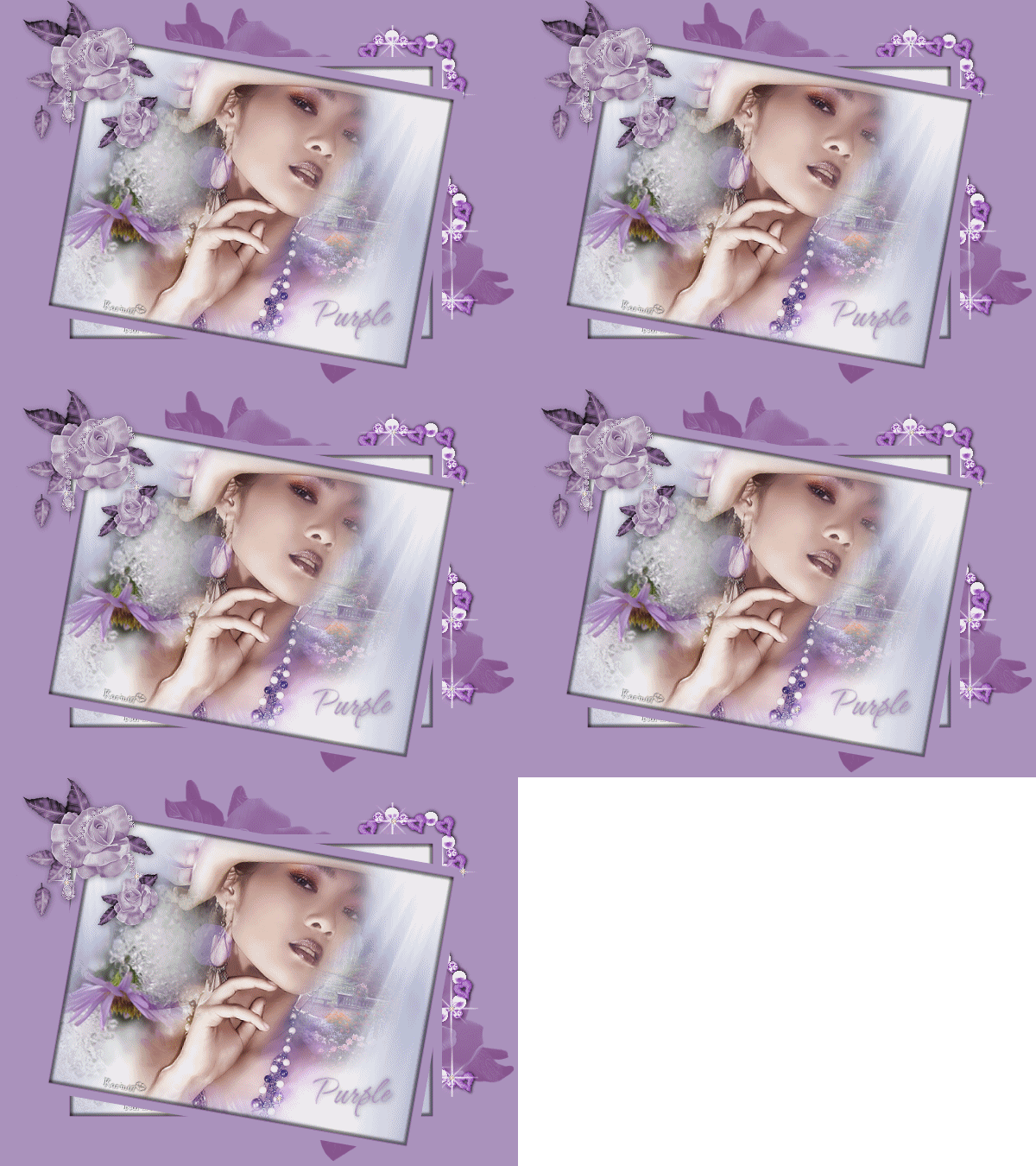
~*~ Purple ~*~
Karins's original Dutch
tutorial can be viewed here
MATERIALS NEEDED:
Download the supplies here.
The tubes were made by Marif and Silvie.
Don't open the 'White156' in PSP - it is to be
opened in
Animation Shop
Import the brushes into PSP.
FILTERS NEEDED:
None
Open a new transparent canvas, size 650 x 450 pixels.
The Color palette:
Foreground color: #f5f0ea
Background color: #041d78.
Make a gradient of the background color:
Style - Sunburst:
horizontal - 50 / Vertical - 100
Repeats - 2
Invert - checked.
Fill the canvas with the gradient.
Change the layer opacity to 40 %
in the Layers palette.
Fill the canvas with the light color.
Change the Blend mode to 'Burn'
Open the tube 'Romanticsee'.
Copy and paste as a new layer onto the canvas.
Change the layer opacity to 70%
in the Layers palette.
Open the tube 'ksunbeam2'
Copy and paste as a new layer onto the canvas.
Move it to the left.
Layers - Duplicate.
Image - Mirror.
Open the tube 'face0265'.
Copy and paste as a new layer onto the canvas.
Open the tube 'marif decor'.
Copy and paste as a new layer onto the canvas
Image - Resize: 80%.
Move it to the left of the woman.
Layers - Arrange - Move Down.
Layers - Merge - Merge All.
Add borders:
1 pixel - #86538c
15 pixels - #ab92bd.
Select the border with the Magic Wand.
Effects - 3D Effects - Drop shadow:
5 / 5 / 50 / 5 / black.
Repeat the drop shadow with V & H on -5.
Deselect (Ctrl+D).
Add your name or watermark .
Copy the image and leave for now.
Open a new transparent canvas, size 650 x 450
pixels.
Change the foreground color to #86538c.
Activate the Brush tool and find the
brush 'fly22.
Apply the brush 1x at the top of the canvas
and 1x at the bottom right.
Edit - Paste as a new layer onto the canvas
(still in memory.)
Image - Resize: 70%
Layers - Duplicate.
Image - Rotate - Free Rotate: Left / 10.
In the Layers palette:
lock the bottom layer.
Activate one of the other layers.
Layers - Merge - Merge visible.
Unlock the bottom layer again.
Activate the top layer.
Open the tube 'mylilangel'
Copy and paste as a new layer onto the canvas.
Move it to the right.
Layers - Arrange - Move Down.
Activate the top layer.
Open the tube 'magical rose purple'.
Copy and paste as a new layer onto the canvas.
Image - Resize: 55.
Adjust - Hue and Saturation:
207 / 65.
Adjust - Brightness and Contrast:
-28 / -9.
Effects - 3D Effects - Drop shadow:
1 / 1 / 40 / 10 / color black.
Add your text
and apply the same drop shadow.
Layers - Merge - Merge All.
Save the image.
It is assumed that you know how to add
animation accents to an image.
You can use the 'white.156'- gif
to enhance the image.
Resize the 'white.156'- gif
before you use it.
You're finished :)
Back to Index

Magstags |
Filter Links |
Email |