~*~ Halloween Frame ~*~
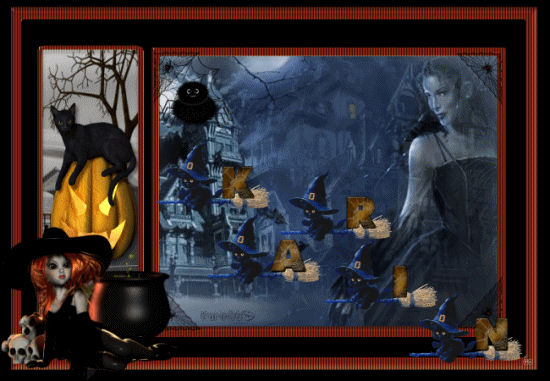
Karins's original Dutch
tutorial can be viewed
here
Materials Needed:
Download the supplies
here.
Don't open the cat font in PSP (AS)
Save the picture frame in the programs
picture frames folder.
FILTERS NEEDED:
None
Open a new transparent canvas, size 650x450
pixels.
Go to View - Ruler
and enable the ruler.
Choose a light color(background)
and dark color(foreground) from your tube.
Change the foreground color to gradient:
Style - Sunburt
Repeat 9
'Link center and focul points = unchecked.
Center point: Horizontal 100, vertical 50.
Focul point: Horizontal 50, vertical 100.
Fill the canvas with the gradient.
Open the 'haunted house'-tube.
Copy and paste it as a new layer onto the
canvas.
Move it a bit to the right to 600
and a little bit to the bottom (30 on the
ruler)
Copy and paste the 'raven misted'-tube
onto the canvas.
Move the lady to the right of the house
and a bit to the bottom.
Change the layer opacity to 80%
in the Layers palette.
Image - Picture Frame.
Find the 'frame-halloween':
The options:
'Frame Canvas'
and
'Frame Inside of the Image'
= both checked.
Decide if you are happy with the lady's
position.
Open the pin tube.
Copy and paste onto the canvas.
Move it to the web at the top left.
Arrange everything as you like it.
Merge all layers.
Save.
Edit - Copy.
------------------------------------------------
Open Animation Shop.
Edit - Paste as New Animation.
Click 2x on 'Paste after the current frame'.
You must have 3 Halloween frames now.
Activate the first frame.
Edit - Select All.
Put aside.
Find the letters that you want to use.
The first letter: resize - 60.
It depends on the size of your text.
Edit - Select All.
Edit Copy.
Go back to your animation and paste into the
selected frame.
Repeat the step with all your letters.
You can undo if you are not happy and start
all over.
You can also now resize your animation to
550 wide.
File - Save As...
give it a name and click on 'next' 5x.
The horror is done ! :-))
Back to Index


Magstags |
Filter Links |
Email |