|

*~*
Tag
Tutorial*~*
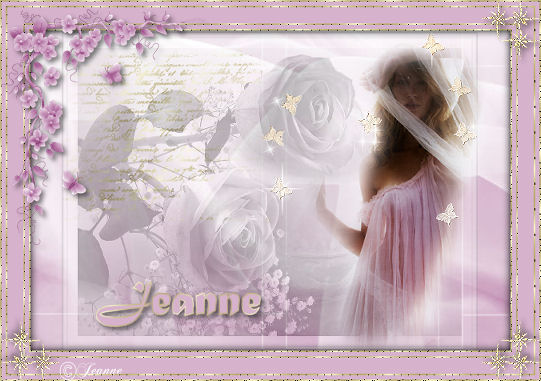
Jeanne's original Dutch
tutorial can be found
here.
MATERIALS NEEDED:
Download the supplies
here.
(File size - 1,761 kb)
Save it in a folder of
your choice
or open it in PSP and
minimize it.
FILTERS NEEDED
Filter Screenworks - Lace
Screen
THE COLOR PALETTE
Change the foreground
color to a gold pattern.
Background on #d6b2cc.
Open a transparent canvas,
600 x 400 pixels.
Selections --> Select All.
Copy the image 'MD_voille'
and paste it into the
selection on the new
canvas.
Selections --> Select
None.
Add a new layer.
Fill with the background
color.
Copy and paste the text
tube onto the canvas.
Move it to the top left.
Copy and paste the '
jeanne_template1 - image
onto the canvas.
Reduce the opacity of this
layer to 68% in the Layers
palette.
Copy and paste the '
PatryMists_06_Beauty'
image onto the canvas.
Resize to 75%.
Shift it to the right (
see example)
Copy and paste the tube
'Butterflyecru1' onto the
canvas.
Move it to the top right.
Layers --> Merge --> Merge
All.
Selections --> Select All.
Effects --> 3D Effects -->
Cutout:
H & V - 0
Opacity - 100
Blur - 15.00
Color black
Selections --> Select
None.
*Image --> Add Borders : 2
pixels white.
Select with the Magic Wand
and fill with the gold
pattern.
Filter screenwork - Lace
screen
Selections --> Select
None.
Image --> Add Borders: 5
pixels in background
color.
Image --> Add Borders 2
pixels in white.
Select with the Magic Wand
and fill with the gold
pattern.
Filter screenwork - Lace
screen
Selections --> Select
None.*
Image --> Add Borders: 20
pixels in background
color.
Repeat from * to *
Image --> resize to 80%
Copy and paste the
'corner13' - tube onto the
canvas.
Apply a drop shadow:
H & V 1
Opacity 50
Blur 7
Color Black
Copy and paste the tube '
corner 5' onto the canvas.
Image --> Mirror
Drag it to the top right.
Apply the same drop shadow
as before.
Layers --> Duplicate.
Image --> Flip.
Image --> Mirror.
Add a new layer.
Activate the Text tool and
find a nice font.
Add some text.
Apply a drop shadow.
Layers --> Merge --> Merge
All.
Add your watermark and
save your image.
Have fun !!
Please take a few
minutes to write
a message in
Jeanne's Guestbook.
Thank you kindly.
Back to Index

translated on the 30th
December 2006

The graphic
design of this page is
copyrighted to
©Magstags - All Rights
Reserved.
Home |
Filter Links |
Email |
Terms Of Use |