|

SPRING IN ROME
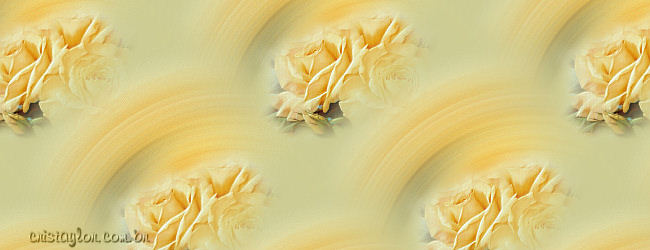
original tutorial:
http://www.cristaylor.com.br/free/g186/arquivo.asp
***
Materials needed:
Program PSP 9
Mask:
nevoa
A Tube
***
1 - Open
your tube in PSP and resize to 290 pixel in height.
Edit > Copy
and minimize.
2 -Open a
new transparent canvas of 300 x 300 pixels
Flood fill with a color from your tube.
3 -
Selection > Selection All
Edit > Paste Into Selection
Selection > Selection None.
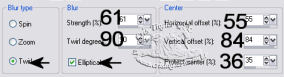
3 - Adjust >
Blur > Radial Blur, with these settings:
4 - Effects > User Defined Filter > Emboss 3
.
5 - Effects >
Image Effects > Seamless Tiling > Factory Defaults.
6 - Change your foreground color
to pattern and find this image you have just made.
Select it as the pattern.
7 - Open a new transparent canvas of
800 x 300px or 1024 x 300px
Floodfill with the pattern.
Minimize it.
Optional:
8 -
Activate the minimized tube.
Layers > Mask>
Load From Disk -
Mask Nevoa > Apply
Layers > Delete
Layer > Merge Group
Edit > Copy, minimize
9 - Activate the
background canvas again
Edit > Paste as New Layer
Position the tube where you like it.
10 - Add your name
or watermark
Layer > Merge All
Another example:

***
Tutorial was
written by Lena Esposito
translated on the
9th July 2005
Copyright- 2003 2005.
All Rights Reserved By Cris Taylor

Copyright - Magstags2005
Home |
Filter Links |
PSP Goodies
|