|

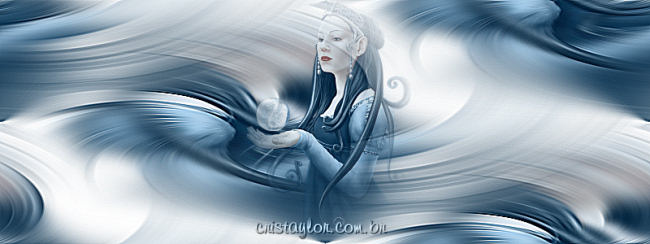
Le Monique (Moon) Background
Materials :
Program PSP 9
A tube HERE
A Mask: HERE
***
1. Open your tube and resize it to a maximum height of 290
pixels.
Edit – Copy – minimize the tube.
2. Open a new transparent canvas of 800 x 300 or
1024 x 300 pixels and fill with a color
that compliments your tube.
3. Selections – Select All
Edit – Paste Into Selection.
Selections - Select None (Ctrl +D).
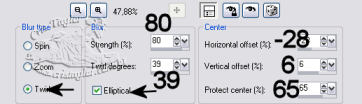
4. Adjust – Blur – Radial Blur, with these settings:
5. Effects – Image Effects – Seamless Tiling,
with the default settings.
Effects – Edge Effects – Enhance
Minimize the canvas for now.
6. Activate your tube again.
Layers – Load/Save Mask – Load Mask From Disk.
Find the mask Nevoa – load.
Delete the mask layer,
and reply "yes" to the question.
Layers – Merge – Merge Group.
Edit – Copy.
7. Go to your canvas
Edit – paste as new layer.
Move the tube into a position of your choice.
8. Add your watermark.
Layers – Merge All.
This tutorial was specially written for Moon.
Written by Cris Taylor
***
Translated 6th July 2005
Copyright- 2003 2005.
All Rights Reserved By Cris Taylor

Copyright - Magstags2005
Home |
Filter Links |
PSP Goodies
|