
 Back
Back
Replay File Enter Moves
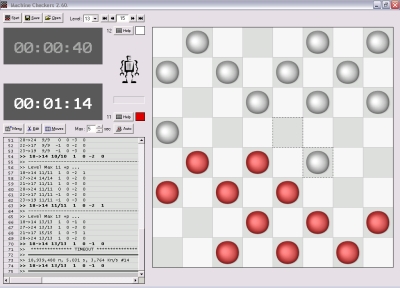
Move
Click and hold the piece and
drag it to the next square.

Jump
Click and hold the
piece and drag it across to the next
square.

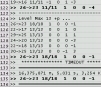
Analysis Log
Analysis of all the
best moves in evaluation numbers.
Negative numbers denotes disadvantage
game.
Save the current
game into file. The replay file folder is at :-
"C:\Program Files\Machine Checkers\Machine
Checkers Version\Log"

Replay Nagivation
Click these buttons or press key "Ctrl-Left" or "Ctrl-Right", or enter the
replay frame number to navigate to a particular move.

 +
+ Replay Nagivation with Mouse
1. Click on the replay frame number,
2. Scroll the mouse wheel
up/down.
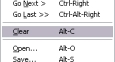
Replay Clear
Click "Menu -> Replay -> Clear" to delete the
current replay.

Edit
Click "Edit" to
start editing
on the board.
Press 1 for Man
A, Press 11 for King A. Press 2 for Man B, Press
22 for
King B.
Press Space
to delete.

Click Start to setup the board for a new game.
Then click this button to enter the moves notations.
The program recognizes moves in the format of [Cell
A]-[Cell B]. It is also able to exclude text and
comments, example :-
1.
10-15 23-18
2. 6-10 27-23 (comment
comment comment)
3. 1-6
32-27
Enter jump in the format [Cell A]-[Cell
E], the first cell, to the last cell.
10-26
10-10
10-1
Enter a
specific
jump in the format [Cell A]-[Cell B]-[Cell C]-[Cell
D]-[Cell E]
10-19-26
10-19-26-17-1
10-19-26-17-10

Change
Turn
Click
on the time of the player to change the turn
to.

Change
Turn
Another way to change the
turn.
Double-Click Double-Click
(2 times) on the desired color
piece to
change the turn
to.
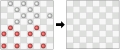
Board Copy
This function copies
positions from one board to another.
1. At the first board,
Click Menu->Board->Copy (or F12)
2. At the second
board, Click Menu->Board->Paste (or
Ctrl-F12 or Shift-F12).

Board
Numberings
Press Alt-N or click "Menu->Board->Numberings
Show"
to label each position with number. Press
Alt-N again to turn it
off.

Support
Contact Machine Power
[email protected]
Copyright (C) 2006 Machine Power, All rights reserved