
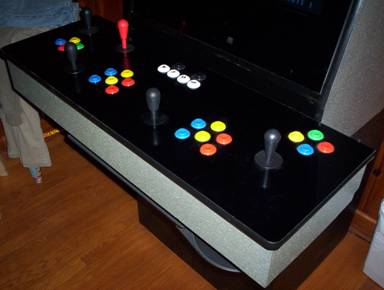
This was an
initial worry of mine. How do I get the
controls to work for the game? Most of
the games only require simple digital, off-on buttons. This is great because your keyboard is just
such a device. You can also plug in any
controller and the emulator should work with it as long as it simulates simple
keystrokes. The HAPP controls are the genuine devices that went into the
original arcade machines. They have the
switches that connect to the IPAC device.
Don’t buy Directly from HAPP because they are expensive. Go to EBay and enter
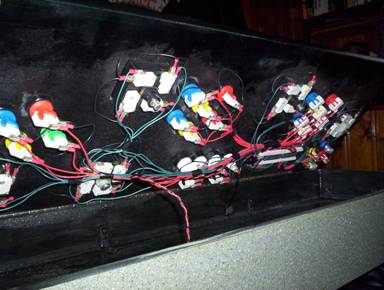
I wanted the Authentic
Arcade Experience…So I went with an I-PAC 4 controller input and HAPP genuine
arcade controls. The I-PAC 4 is the only way to go if you are making a MAME
machine! Trust me on this one…If you are
going to make a MAME Machine…Buy an I-PAC controller for your build. You will save much time and money by doing
this. The 2 controller setup is around
$40 and the 4 controller setup is around $80.
It uses USB interface, Flash EEPROMS, and is hands down the best video
game device ever made for classic video games.
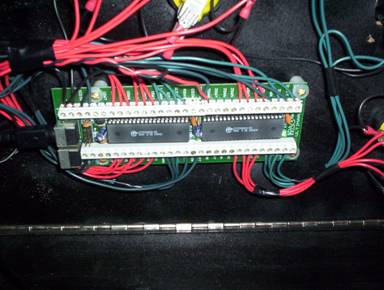
Here is the
website for the IPAC device.
This was the
part of the project that worried me the most.
Ironically I had the most fun with it!