





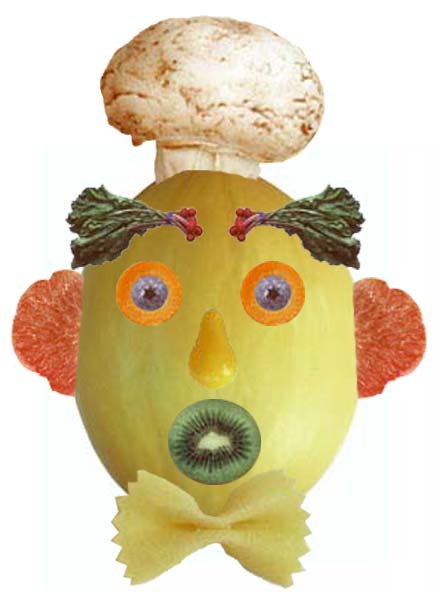
 FRUIT AND VEGETABLE FACE

STEPS ON PHOTOSHOP
1. Select the Lasoo Tool. Starting up the upper corner of me to create a freehand outline across the curves at the top of me.Continue holding down the mouse button.
2.Drag the Lasoo Tool around the area you want to add to the selection. Then release the mouse button. The area is added to the current selection.
3.Select the move tool and position the pointer within the selection.Hold down Shift + Alt and drag a copy to the right side of the photo.
4. Select layer style then choose pattern stroke
5.Select the type tool.Choose a font from from the font menu in the tool options bar, ad enter a point size in the size text box.
6.Type WELCOME
7.Choose File > Save

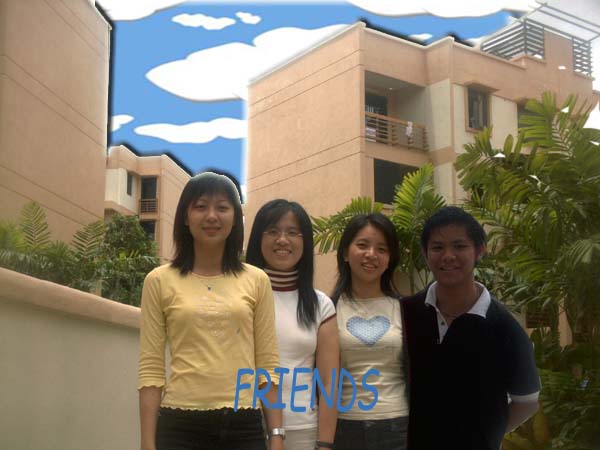
STEPS ON PHOTOSHOP
1. Select the Lasoo Tool. Starting up the upper corner of me to create a freehand outline across the curves at the top of me.Continue holding down the mouse button.
2.Drag the Lasoo Tool around the area you want to add to the selection. Then release the mouse button. The area is added to the current selection.
3.Select the move tool and position the pointer within the selection.Hold down Shift + Alt and drag a copy to the right side of the photo.
4.Select the Magic wand tool.Click to select part of the sky. Then hold down Shift and click the rest of the sky to select it.
5.Choose File > Open and open the file Clouds
6.Choose Select > Alt and choose Edit > Copy to copy to the selection to the clipboard.Close the Clouds file.
7. In the photo, choose Edit > Paste Into to paste the clouds into the current selection.
8.Select move tool and drag the clouds to the postition you want.
9..Select the type tool.Choose a font from from the font menu in the tool options bar, ad enter a point size in the size text box.
10.Type FRIENDS.
11. Choose File > Save