 |
 |
 |
 |
 |
 |
 |
 |
 |
 |
 |
 |
 |
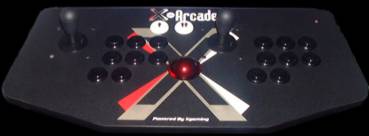
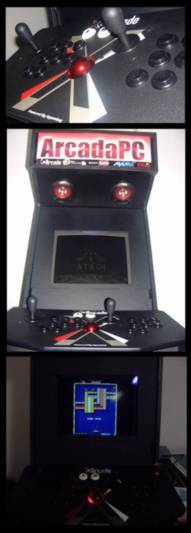
| A Trackball added to the X-arcade control Table. |
| In the arcade games emulator MAME exists many games that for a decent gameplay needs a trackball or a spinner, games like Arkanoid or Missile Command, the problem with the x-arcade is that there isn�t many space to install a conventional arcade trackball, so I decided to use a regular PC trackball the Microsoft explorer, a desk optical trackball, with a USB connection. I acquired it at a cheap price from an action in the internet. It�s small enough to fit inside the X-arcade and big enough to get a good control for the games. |
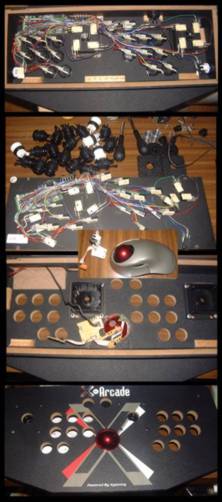
| Before I started to remove the X-arcade buttons, I tested the cuts, the hole size and the placement of the trackball in a wood plate similar to X-arcade Of course when I opened a new hole in the X-arcade i lost the warranty, but its so easy to replace a button or a joystick for a new one that I didn�t mind. Removing the X-arcade insides is easy, just disconnect all the micro- switches from the buttons, there�s no need to unplug the cables, its a good idea to mark the micro-switches with the respective number or letter to an easy replacement..The cut of the trackball hole should be made from inside, so you get a cleaner cut outside of the X-arcade. No need of a new hole for the USB cable, it fits perfectly on the side of the original X-arcade keyboard connection. The support of the Trackball it�s in a transparent red plastic, when it�s on gets a red light effect, that combines perfectly with the X-arcade control table. |