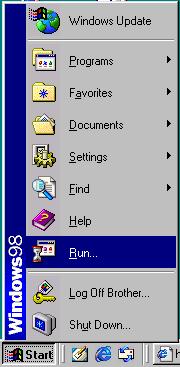
1. Go to Start->Run as shown.
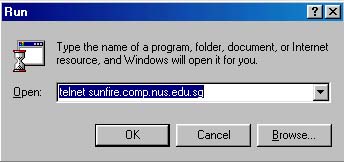
2. Type "telnet <hostname>" in the field whereby <hostname> is any host that you know of. I.E.: "telnet sun450.comp.nus.edu.sg". If you are connecting from non-SoC dialup or any other broadband services, you must use the NUS VPN which is located at here.
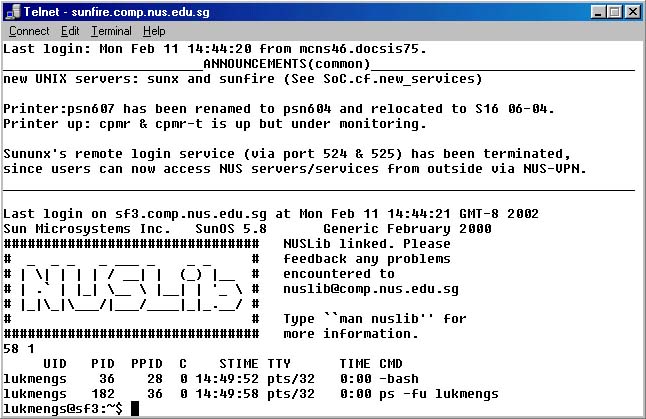
3. If you are using Windows 98, you will get something like the below. You will see something a bit different if you are using Windows 2000.
Note:
You won't be able to see the password you typed. Make sure you typed
your "Unix" userid and password, not the "isc" one.