INF01046
Fundamentos de Processamento de Imagens
Prof. Manuel M. Oliveira
Aluno: Lucas Enrique Guaycochea
1 Trabalho de Implementa o
OBJETIVO
O objetivo deste trabalho familiarizar-se com
algumas opera es importantes envolvendo imagens. Mais especificamente, ao
completar este trabalho se ter aprendido a:
a) Ler e gravar arquivos de imagens;
b) Exibir o conte do de um arquivo de imagem;
c) Converter uma imagem colorida em uma imagem em tons
de cinza;
d) Aplicar um esquema simples para quantiza o de
imagens;
e) Usar a biblioteca GLUT para gerenciar os servi os
de janela.
Parte I
Leitura e Grava o de Arquivos de Imagens
Pra esta
primeira parte do trabalho eu escriv o seguinte c digo de C++ :
#include
<imagems/jconfig.h>
#include
<imagems/jmorecfg.h>
#include
<imagems/jpeg_api.h>
int main(int
argc, char* argv[]){
int height, width, channels;
unsigned char *pixels;
if (!ReadJPEG(argv[1],
&pixels, &width, &height, &channels)){
WriteJPEG(argv[2], resultado, width,
height, channels);
}else
exit(-1);
return 0;
}
Este programa receve como par metros
os nomes dos arquivos de entrada e de sa da que se quer obter.
O programa foi testedo e seu
resultado foi correto.
[Discu ao sobre a diferen a ou n o
dos tamanhos dos arquivos: Pendiente]
Parte II Leitura, Exibi o e Opera es sobre Imagens
Fun es feitas pra o programa:
Espelhamentos
Horizontal:
unsigned char*
espejar_horizontal(unsigned char* pixels, int height, int widht, int channels){
int
totalbytes=height*widht*channels;
int
bytesFila=widht*channels;
unsigned
char* resultado=(unsigned char*)malloc(totalbytes*sizeof(unsigned char));
for(int
i=0;i<height;i++)
for(int
j=0;j<widht;j++)
for(int
k=0;k<channels;k++)
resultado[(i+1)*bytesFila-(j+1)*channels+k]=pixels[i*bytesFila+j*channels+k];
return
resultado;
}
Vertical:
unsigned char*
espejar_vertical(unsigned char* pixels, int height, int widht, int channels){
int
totalbytes=height*widht*channels;
int
bytesFila=widht*channels;
unsigned
char* resultado=(unsigned char*)malloc(totalbytes*sizeof(unsigned char));
for(int
i=0;i<height;i++){
memcpy(resultado+(totalbytes-bytesFila*(i+1))*sizeof(unsigned
char),pixels+sizeof(unsigned char)*(i*bytesFila),bytesFila);
}
return
resultado;
}
Exemplos dos resultados das fun es
s o:
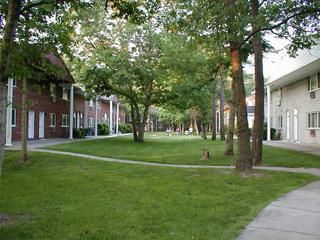
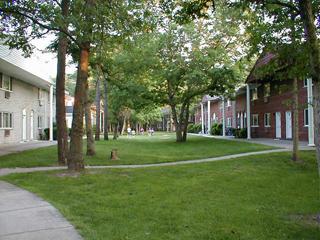
Original Horizontal
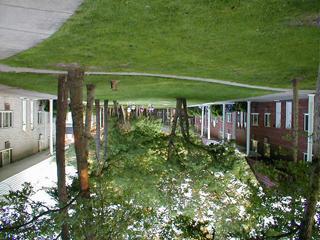
Vertical
Conver o de imagem
colorida a tons de cinza:
Utiliza-se a seguinte f rmula de lumin ncia a partir da imagem RGB: L =
0.299*R + 0.587*G + 0.114*B
Na imagen resultante
vamos ter Ri=Gi=Bi=Li
unsigned char* obter_tons_cinza(unsigned char* pixels,
int height, int widht, int channels){
int totalbytes=height*widht*channels;
int bytesFila=widht*channels;
unsigned char* resultado=(unsigned
char*)malloc(totalbytes*sizeof(unsigned char));
for(int i=0;i<height;i++)
for(int j=0;j<widht;j++){
unsigned char ton_cinza=(unsigned
char)(0.299*pixels[i*bytesFila+j*channels+0]
+ 0.587*pixels[i*bytesFila+j*channels+1]
+ 0.114*pixels[i*bytesFila+j*channels+2]);
for(int k=0;k<channels;k++)
resultado[i*bytesFila+j*channels+k]=ton_cinza;
}
return resultado;
}
Os resultados podem-se olhar aqu :
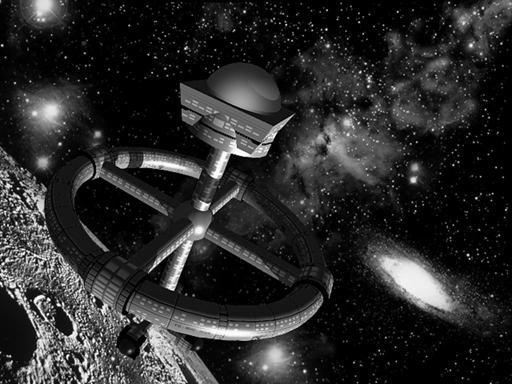
Original
Tons de Cinza
Observa o: O qu acontece se o algoritmo de passagem a tons de cinza aplicado repetidas
vezes? A resposta f cil, olhe os pesos dos cores R, G e B para o c lculo da
lumin ncia, eles somam 1. Ent o ao aplicar repetidas vezes o algoritmo voce vai
ter sempre a mesma imagem em tons de cinza.
Quantiza o:
O algoritmo de quantiza o receve a quantidade de tons
em que voce quer quantizar (q), ent o divide o intervalo de 256 cores em esa
quantidade e temos intervalor de tamanho T=256/q.
Pra quantizar, o algoritmo pega o tons de cinza
original do pixels, olha a que intervalo pertenece e lhe asigna o valor m dio
desse intervalo. Esto :
Ton_quantizado=floor(Ton_original
/ T) * T + floor( T / 2)
unsigned char* cuantizacion(int cantTons,unsigned
char* pixels, int height, int widht, int channels){
int
totalbytes=height*widht*channels;
int
bytesFila=widht*channels;
unsigned
char* resultado=(unsigned char*)malloc(totalbytes*sizeof(unsigned char));
int
tamInt=(int)(256/cantTons);
for(int
i=0;i<height;i++)
for(int
j=0;j<widht;j++)
for(int
k=0;k<channels;k++)
resultado[i*bytesFila+j*channels+k]=(unsigned
char)((int)(pixels[i*bytesFila+j*channels+k]/tamInt)*tamInt+(int)(tamInt/2));
return
resultado;
}
Distintos resultados podem-se ver a continua o:
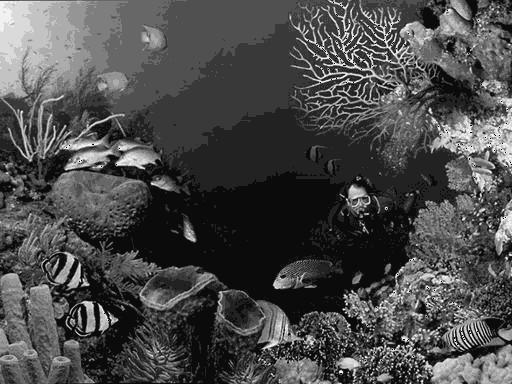
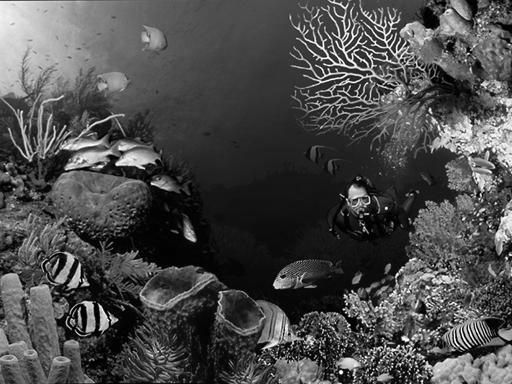
Tons de Cinza Quantizado
com q=11
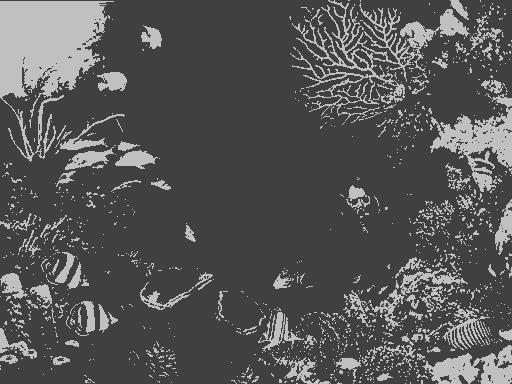
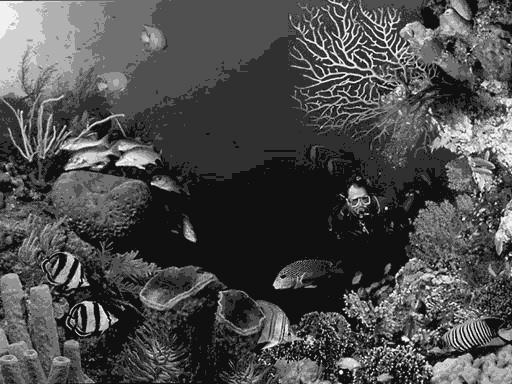
Quantizado
com q=8 Quantizado
com q=2
Salvamento dos
resultados:
Pra salvar o resultado eu fiz uso da
fun o WriteJPEG dada obtida da p gina
da disciplina.
Por exemplo: WriteJPEG(nomeSaida,resultado,
width, height, channels);
Uso de GLUT pra a
ger ncia das janelas
Como foi
sugerido, o programa usa a livrer a GLUT para a administra o das janelas. Um
dos inconvenientes do trabalho foi achado aqui, pois a imagem era mostrada na
janela como se estivese espelhada verticalmente. Depois de procurar alguma
solu o na WEB, agente ach que o origem pra o rastering fica abaixo esquerda (quando o primer pixel da imagem
o que fica arriba esquerda), ent o tive que fazer isto:
void
sourceDisplay(void)
{
glClear(GL_COLOR_BUFFER_BIT);
glRasterPos2i(0, height);
glPixelZoom(1,-1);
glDrawPixels(width, height, GL_RGB,
GL_UNSIGNED_BYTE,pixels);
glutSwapBuffers();
}
Uso de GLUI pra a
intera o com o usu rio
O
programa usa a livrer a GLUI que trabalha sobre GLUT como tamb m foi sugerido. O
disenho do men b sico porque tinha problemas pra compilar. O linker tinha
problemas com redefini es de fun es em distintas bibliotecas de Microsoft.
Por
exemplo n o pude usar um spinner pra
a ele o da quantidade de tons pra fazer a quantiza o. Voce pode mudar a
quantidade original de tons (16), dobrando ou dividendo por 2 com os
respectivos bot es.
O programa
Finalmente,
vemos uma imagem (screenshot) do
programa rodando:
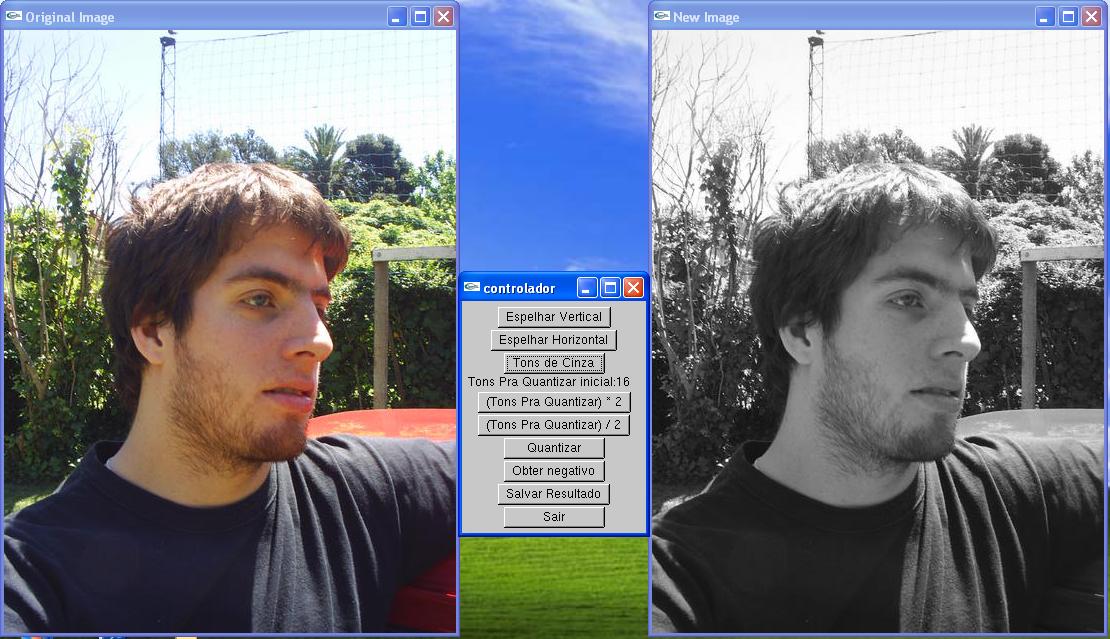
A continua o o c digo fonte dos
arquivos do programa: main.cpp, funciones.h e funciones.cpp.
/*
Universidade
Federal do Rio Grande do Sul
Engenharia
da Computa o
INF01046 -
Fundamentos de Processamento de Imagens
Prof.
Manuel M. Oliveira
1er
Trabalho de Implementa o
Data:
5/9/2007
Autor:
Lucas Enrique Guaycochea
arquivo:
main.cpp
descrip o:
Arquivo Principal do programa, administra as janelas e o menu
*/
#include "funciones.h"
#include <GL/glut.h>
#include <GL/glui.h>
#define SOURCE 0
#define TARGET 1
#define ESPELHAR_VERTICAL 1
#define ESPELHAR_HORIZONTAL 2
#define TONS_CINZA 3
#define QUANTIZAR 4
#define NEGATIVO 5
#define SALVAR 6
#define DOBRAR_TONS 7
#define DISM_TONS 8
int win_id[2];
unsigned char* resultado;
int height, width, channels;
unsigned char *pixels;
int qTons=16;
char* nomeSaida;
//*****************************************************
// Display function for SOURCE
//*****************************************************
void sourceDisplay(void)
{
glClear(GL_COLOR_BUFFER_BIT);
glRasterPos2i(0, height);
glPixelZoom(1,-1);
glDrawPixels(width, height,
GL_RGB, GL_UNSIGNED_BYTE,pixels);
glutSwapBuffers();
}
//*******************************************************************************
// Reshape function for SOURCE
//*******************************************************************************
void sourceReshape(int w, int h)
{
glViewport(0, 0, (GLsizei) w,
(GLsizei) h);
glMatrixMode(GL_PROJECTION);
glLoadIdentity();
gluOrtho2D(0.0, w, 0.0, h);
glMatrixMode(GL_MODELVIEW);
glLoadIdentity();
}
//*****************************************************
// Display function for TARGET
//*****************************************************
void targetDisplay(void)
{
glClear(GL_COLOR_BUFFER_BIT);
glRasterPos2i(0, height);
glPixelZoom(1,-1);
glDrawPixels(width, height,
GL_RGB, GL_UNSIGNED_BYTE,resultado);
glutSwapBuffers();
}
//*******************************************************************************
// Reshape function for TARGET
//*******************************************************************************
void targetReshape(int w, int h)
{
glViewport(0, 0, (GLsizei) w,
(GLsizei) h);
glMatrixMode(GL_PROJECTION);
glLoadIdentity();
gluOrtho2D(0.0, w, 0.0, h);
glMatrixMode(GL_MODELVIEW);
glLoadIdentity();
}
/***************************************** myGlutIdle() ***********/
void myGlutIdle( void )
{
/* According to the GLUT
specification, the current window is
undefined during an idle
callback. So we need to explicitly
change
it if necessary */
for (int i=0; i<2; i++) {
glutSetWindow(win_id[i]);
// seleciona a janela
glutPostRedisplay(); //
for a a atualiza o do conte do da janela
}
}
// Callback de menu
void TrataMenu ( int valor )
{
unsigned char* aux;
switch(valor)
{
case ESPELHAR_VERTICAL:
aux=pixels;
pixels=espejar_vertical(pixels,
height, width,channels);
free(aux);
break;
case
ESPELHAR_HORIZONTAL:
aux=pixels;
pixels=espejar_horizontal(pixels,
height, width,channels);
free(aux);
break;
case TONS_CINZA:
free(resultado);
resultado=obter_tons_cinza(pixels,
height, width,channels);
break;
case QUANTIZAR:
free(resultado);
aux=obter_tons_cinza(pixels,
height, width,channels);
resultado=cuantizacion(qTons,aux,
height, width,channels);
free(aux);
break;
case NEGATIVO:
negative(pixels,
height, width,channels);
break;
case SALVAR:
WriteJPEG(nomeSaida,resultado,
width, height, channels);
break;
case DOBRAR_TONS:
qTons*=2;
break;
case DISM_TONS:
qTons/=2;
break;
default:
break;
}
for (int i=0; i<2; i++) {
glutSetWindow(win_id[i]);
// seleciona a janela
glutPostRedisplay(); //
for a a atualiza o do conte do da janela
}
}
int main(int argc, char* argv[]){
nomeSaida=argv[2];
if (ReadJPEG(argv[1],
&pixels, &width, &height, &channels)){
//algun error
perror("Problema
ao tentar ler a imagem de entrada");
exit(-1);
}
resultado=(unsigned
char*)malloc(height*width*channels*sizeof(unsigned char));
memcpy(resultado,
pixels,width*height*channels);
//
// First, initialize
source window
//
glutInitDisplayMode(GLUT_DOUBLE
| GLUT_RGB);
glutInitWindowPosition(0,
0);
glutInitWindowSize(width,
height);
win_id[SOURCE] =
glutCreateWindow("Original Image");
glutDisplayFunc(sourceDisplay);
glutReshapeFunc(sourceReshape);
glPixelStorei(GL_UNPACK_ALIGNMENT,
1);
glClearColor(0.0, 0.0,
0.0, 0);
//
// Now, initialize
target window
//
glutInitDisplayMode(GLUT_DOUBLE
| GLUT_RGB);
glutInitWindowPosition(width+200,
0);
glutInitWindowSize(width,
height);
win_id[TARGET] =
glutCreateWindow("New Image");
glutDisplayFunc(targetDisplay);
glutReshapeFunc(targetReshape);
glPixelStorei(GL_UNPACK_ALIGNMENT,
1);
glClearColor(0.0, 0.0,
0.0, 0);
//MENU
/*int sourceMenu;
sourceMenu =
glutCreateMenu(TrataMenu);
glutAddMenuEntry("espelhar
vertical",ESPELHAR_VERTICAL);
glutAddMenuEntry("espelhar
horizontal",ESPELHAR_HORIZONTAL);
glutAddMenuEntry("tons de cinza",TONS_CINZA);
glutAddMenuEntry("quantizar
a dois tons",QUANTIZAR);
glutAddMenuEntry("negativo",NEGATIVO);
glutAddMenuEntry("salvar
resultado",SALVAR);
glutSetWindow(win_id[SOURCE]);
glutAttachMenu(GLUT_RIGHT_BUTTON);
*/
GLUI *glui =
GLUI_Master.create_glui( "controlador",0,width+10,height/2 );
new GLUI_Button(glui,
"Espelhar Vertical",ESPELHAR_VERTICAL ,TrataMenu );
new GLUI_Button(glui,
"Espelhar Horizontal",ESPELHAR_HORIZONTAL ,TrataMenu );
new GLUI_Button(glui,
"Tons de Cinza",TONS_CINZA ,TrataMenu );
//(new GLUI_Spinner(
glui, "Tons Pra Quantizar", &qTons ))->set_int_limits( 2, 256
);
char texto[50];
sprintf(texto,"Tons
Pra Quantizar inicial:%d ",qTons);
new GLUI_StaticText(
glui, texto );
new GLUI_Button(glui,
"(Tons Pra Quantizar) * 2",DOBRAR_TONS ,TrataMenu );
new GLUI_Button(glui,
"(Tons Pra Quantizar) / 2",DISM_TONS ,TrataMenu );
new GLUI_Button(glui,
"Quantizar",QUANTIZAR ,TrataMenu );
new GLUI_Button(glui,
"Obter negativo",NEGATIVO ,TrataMenu );
new GLUI_Button(glui,
"Salvar Resultado",SALVAR ,TrataMenu );
new GLUI_Button(glui,
"Sair", 0,(GLUI_Update_CB)exit );
glui->set_main_gfx_window(
win_id[SOURCE] );
/* We register the idle
callback with GLUI, *not* with GLUT */
GLUI_Master.set_glutIdleFunc(
myGlutIdle );
glutMainLoop();
free(resultado);
free(pixels);
return 0;
}
/*
Universidade
Federal do Rio Grande do Sul
Engenharia
da Computa o
INF01046 -
Fundamentos de Processamento de Imagens
Prof.
Manuel M. Oliveira
1er
Trabalho de Implementa o
Data:
5/9/2007
Autor:
Lucas Enrique Guaycochea
arquivo:
funciones.h
descrip o:
Arquivo Header com as fun es de opera es sobre imagens
*/
#ifndef _FUNCIONES_H__
#define _FUNCIONES_H__
#include <imagems/jconfig.h>
#include <imagems/jmorecfg.h>
#include <imagems/jpeg_api.h>
#include <string.h>
#include <stdlib.h>
void negative(unsigned char* pixels, int height, int widht, int
channels);
unsigned char* espejar_vertical(unsigned char* pixels, int height, int
widht, int channels);
unsigned char* espejar_horizontal(unsigned char* pixels, int height, int
widht, int channels);
unsigned char* obter_tons_cinza(unsigned char* pixels, int height, int
widht, int channels);
unsigned char* cuantizacion(int cantTons,unsigned char* pixels, int
height, int widht, int channels);
#endif
/*
Universidade
Federal do Rio Grande do Sul
Engenharia
da Computa o
INF01046 -
Fundamentos de Processamento de Imagens
Prof.
Manuel M. Oliveira
1er
Trabalho de Implementa o
Data: 5/9/2007
Autor:
Lucas Enrique Guaycochea
arquivo:
funciones.cpp
descrip o:
Arquivo com as fun es de opera es sobre imagens
*/
#include "funciones.h"
unsigned char* cuantizacion(int cantTons,unsigned char* pixels, int
height, int widht, int channels){
int
totalbytes=height*widht*channels;
int bytesFila=widht*channels;
unsigned char*
resultado=(unsigned char*)malloc(totalbytes*sizeof(unsigned char));
int
tamInt=(int)(256/cantTons);
for(int i=0;i<height;i++)
for(int
j=0;j<widht;j++)
for(int
k=0;k<channels;k++)
resultado[i*bytesFila+j*channels+k]=(unsigned
char)((int)(pixels[i*bytesFila+j*channels+k]/tamInt)*tamInt+(int)(tamInt/2));
return resultado;
}
unsigned char* obter_tons_cinza(unsigned char* pixels, int height, int
widht, int channels){
int
totalbytes=height*widht*channels;
int bytesFila=widht*channels;
unsigned char*
resultado=(unsigned char*)malloc(totalbytes*sizeof(unsigned char));
for(int i=0;i<height;i++)
for(int
j=0;j<widht;j++){
unsigned char
ton_cinza=(unsigned char)(0.299*pixels[i*bytesFila+j*channels+0] +
0.587*pixels[i*bytesFila+j*channels+1] +
0.114*pixels[i*bytesFila+j*channels+2]);
for(int
k=0;k<channels;k++)
resultado[i*bytesFila+j*channels+k]=ton_cinza;
}
return resultado;
}
unsigned char* espejar_horizontal(unsigned char* pixels, int height, int
widht, int channels){
int
totalbytes=height*widht*channels;
int bytesFila=widht*channels;
unsigned char*
resultado=(unsigned char*)malloc(totalbytes*sizeof(unsigned char));
for(int i=0;i<height;i++)
for(int
j=0;j<widht;j++)
for(int
k=0;k<channels;k++)
resultado[(i+1)*bytesFila-(j+1)*channels+k]=pixels[i*bytesFila+j*channels+k];
return resultado;
}
unsigned char* espejar_vertical(unsigned char* pixels, int height, int
widht, int channels){
int
totalbytes=height*widht*channels;
int bytesFila=widht*channels;
unsigned char*
resultado=(unsigned char*)malloc(totalbytes*sizeof(unsigned char));
for(int i=0;i<height;i++){
memcpy(resultado+(totalbytes-bytesFila*(i+1))*sizeof(unsigned
char),pixels+sizeof(unsigned char)*(i*bytesFila),bytesFila);
}
return resultado;
}
void negative(unsigned char* pixels, int height, int widht, int channels){
int aux=0;
for(int i=0;i<widht;i++)
for(int
j=0;j<height;j++)
for(int
k=0;k<channels;k++){
pixels[aux]=255-pixels[aux];
aux++;
}
}
Miscel nea:
Como se pode observar tamb m se
implement uma fun o pra obter o negativo da imagem. Um exemplo de seu
resultado :
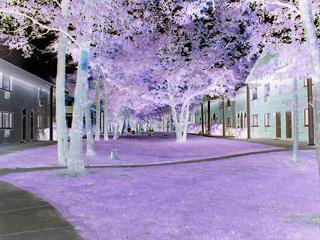
05/09/2007
- Lucas Enrique Guaycochea