Akasa The BIG Review
Well first of all i would like to say "THANKS MATE"to adrian at akasa for donating these products i will be reviewing today.
Well all the goods i was going to review come though the post in a nice big box.
Im going to go though and review every product i can in turn.
Akasa Nebula Case Fans
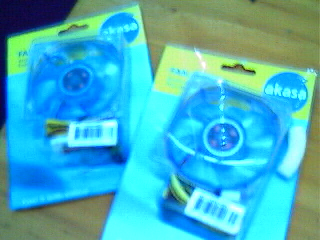
Well they come in a small little packet with everything your need to light your case up with colour and keep it cool. i opened up the packet.
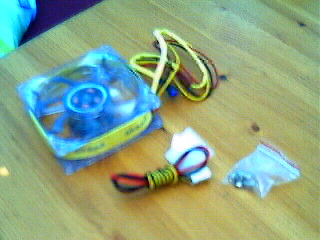
It comes with a 3 pin motherboard connection and also a wire to change it into a 4 pin power connector.
-Dimension 80x80x25
-Speed 2000-300 RPM
-Air flow 25.6-46.11 CFM
-Noise 20.05-37.15 dB (A)
-Bearing type: Ball Bearing
Well my pc gets very hot, i had no system fans and i usally had to open the side to let air in when i played games. so i can really see if these fans work. i plugged them in onto the motherboard and booted up. Now something a noticed here was the noise, very noisey makes me pc sound like a hoover. but no problem, for any case modder you should have a baybus lying around so you can bring your fans down to 7volts.......right. well i didnt have a baybus so i cant tell you how quieter this makes it.
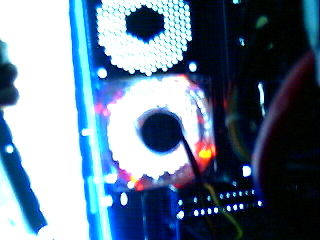
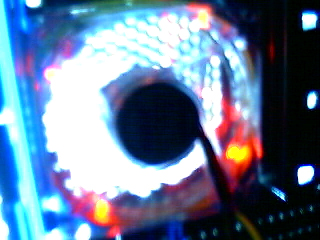
I used a red one but akasa do sell Blue, Green, and Red, and also a Tri colour Fan.
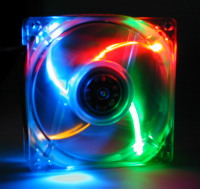
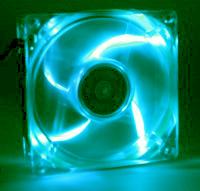
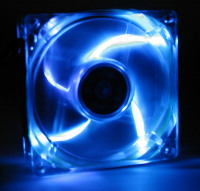
Very nice colour wise, they can jazz up any old case.
Well i had a look at how using one fan and using 2 fans effected the tempreture of my case and cpu. This is my findings.
| Temp 1 Fan CPU | Temp 1 Fan Sys | Temp 2 Fans CPU | Temp 2 Fans Sys | |
| Idle | 42 | 32 | 42.5 | 30 |
| Loading | 48 | 36 | 47 | 33 |
As you can see having one fan does make your tempreture drop and having two will not make it drop much more but having it cool means its very loud, after having two fans in I got sick of it after about an hour and took one out.
My conclusion of these fans is they are great, apart from sound which is copable if you have a baybus or a way to drop the voltage.
Pros: Very very nice looking,
Keep your pc very cool.
Cons: Very noisey
Having 1 and 2 fans offers Little tempreture Differnce.
Score: 9/10
Note: i think akasa should introduce new colours like maybe a fan with 2 Blue Leds and 2 Red Leds for people who want to keep to a colour scheme.
Ak 824Cu Heat Sink
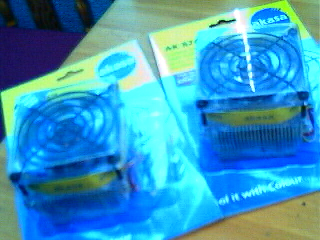
The Ak824cu Heat Sink is akasa most popualr LED heat sink. I recived A blue and a Green one. And i put them to the test.
This is what they consist of. A heat Sink, A LED fan A Fan cover And 3 Screws.
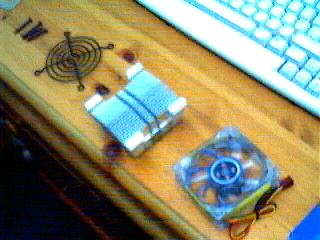
-Fan Dimentions 80x80x25mm
-Heat Sink Dimentions 80x80x36mm
-Rated Speed 2500 RPM
-Air Flow 32.37 CFM
-Noise Level 27.85 dB (A)
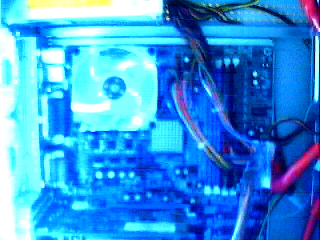
At the moment i use a Ak785Cu Heat Sink and i noticed that the only differnce between the 824cu and the 785cu is that the fans are differnce and i noticed as well the fan is the same as the nebular Akasa LED fans, I wonder if the LED fan would fit onto the heat sink i have now, this would save time and i could choose from lots of colours. I also found that any Fan will fit onto the AK785 Heat sink so if you have UV fan lying around it will fit on. Any 80mm Fan fits.
After fitting the fan onto my 2100+ athlon i cheaked the tempreture and it had changed from my orignal tempretures. It stood a 46 Idle and 51 Loads which beats my Last Akasa Heat Sink which was 49 Idle and 55 Load.
Talking about fitting may be a good place to mention about another product akasa sent me. The Thermal Interface Pads akasa sent me are great, after removing the old pat from my old heat sink, i used a pad on it and placed it on an old Duron i had and booted it up and it worked a charm, so i recoment Them over any other pads.
Well sound wise it is very quiet 27dB beats the 34dB Fan i had and now i can sleep with it on, I can bearly hear it. so for people who want a 24/7 pc but dont want to get a flower cooler, get this because its great.
With the heat sink running fine and tempreture down from what it was before my case lit up blue and very quiet. I think its time for a conclusion.
I would recoment this to people who A) want a cool pc with out extra fans B) Case Modders C) People who want a 24/7 pc that is very quiet.
I think if your an over clocker you should look for a more powerfull fan but this probably could go up to the job of over clocking.
Pros: Nice Colours,
Very Cool
Quiet
Cons: None At all
Score: 10/10
Cold Cathode Lights
-3 Watts of Power (less that a Hard Drive)
- 30cm (12inch) Long
- Width and Height 1.2cm-1 Inverter.
Akasa didnt Supply this but u had one before. So i thought i would add it to this section (sorry for lack of pictures)
Akasas Cold cathode lights are good quality and come in several Colours
The cathode Light Has an easy installation. just put the 4 pin plug in and it fills your case with light and will go great with fans.
It comes with sticky pads so u can place it anywhere in your case.
They are fairly strong but i have heard storys of them smashing as soon as they are opened so make sure you open it carefully.
Cathode lights are compatable with baybuses. So you can turn them off as well as your fans, at night.
Conclusion: Very nice, a lot better than Neon lights which get hotter are bigger and give out less light.
Pros: Nice colours
Not Hot at all
Very Small not take up lots of room in case
Not much power consumption
Cons:
None!
Score 9/10
Note: they could get an extra point if akasa made more colours like purple and Yellow. This would give people a chance to experiment with colour scemes.
Akasa Rounded Floopy and IDE cables
Akasa sent me 2 rounded IDE cables and 2 Rouned Floopy Cables. First looks was good
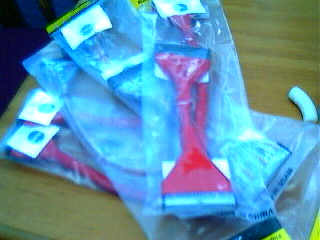
1 floopy cable and 1 IDE cable was Red plastic and 1 IDE cable and 1 Floopy cable that was a coppery Colour.
Well looks wise they are a lot better than the boring grey Ribbons most people have.
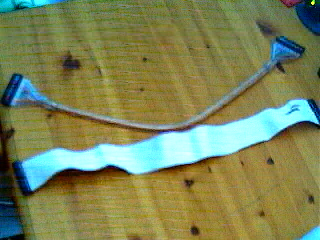
Now people who are not familyer with rounded cables, they are basicly normal IDE and Floopy cables bunched together instead of in a ribon. this can help airflow though out your case and also looks great, but have we thought about aspecs such as Data transfer rates.
There has been talk about Lost data and Problems Burning Cds. So i wil Be looking into these problems and if they excists.
Well rounded cables coming in 30cm, 45cm, 60cm, and 90cm, Akasa sent me 45cm Cables so i cant really go by my research but i have hunted around and found this infomation.
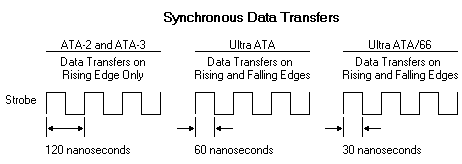
The rounding of ATA 100 cables Is not as simple as most people thinks it is. other wise wouldnt it have been designed ages ago as most normal wires are rounded. The Change from ATA-2 And 3 to UltraATA Worked basicly the same as DDR ram does sending data on the Start and fall.,The Change to Ultra ATA-66/100 however and its increased frequency pushed beyond the limit of the standard 40 wires IDE cable, and in a attempt to ensure reliable efficentcy and safe transfer of data, a new cable was designed that added an additional 40 ground wires.
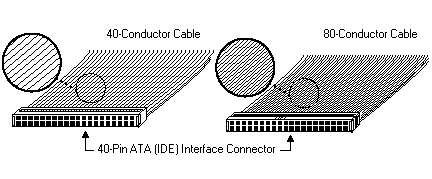
The 80 Conductor Cable has 40 more wires in the same area. Most people would argue that rounded a IDE cable would lower effectiveness of the cable. There is another side though. some of data loss it caused by Electro Magnetic Interference (EMI) This is made by things such as floopy drives, hard drive, and PSUs. Around 75% of errors are caused by EMI. Rounding the cable may lower data cross effectiveness but it will lower the chances of data loss and error caused by EMI. Having a lower surface area of the cable will lower effetive hits by EMI (if that makes sence) so in theory 90cm Cables should be slower than 45cm Cables and Rounded cables will give less data loss and errors that Ribbon Cables. Lets put it to the test. In the Red Corner we have the Akasa Rounded Cable and in the Grey Corner we have the IDE 133 Cable.
Test Setup.
-Maxtor 20 Gb Hard Drive
- AMD 2100+
- 350 Watt PSU
- CD-Rw
-Floopy Drive
-584 Mb SDram
-Lex BN790E Mainboard
Lets get Testing.
This test was done on Sisoft Sandra. (Higher better)
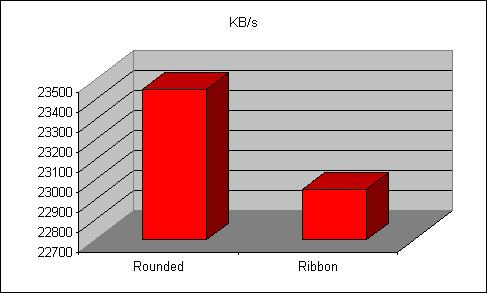
The results prove the theory about the EMI Being reduced when using rounded Cables.
I also looked at heat change after using these cables and it shows a 2 degrees differnce which if you think about it is a fair bit for something cables can do. they also look better than Ribbon cables so yet more reason to use them.
Conclusion: Well after all them results it proves it is a Win Win situation. or rather a WIN WIN WIN. A) you get a cool case B) you get a cool Case (heat wise) and C) you get slightly fast data transfer rates.
So im all with rounded, come to the 21st Century and USE rounded IDE cables. Specialy if your a case modder.
Pros: Colder Case
Cooler looking case
Faster Data Transfer Rates
Cons: NONE!
Score 10/10
Note: if you can make do with 45cm Cables then use them as 90cm has the same data transer rates as the ribbon cables.
Akasa Conclusion
If your a case modder, And you want quality get akasa, i cant say many bad things about any of there products. The only main thing i didnt like was how noisey there case fans are but that i can live with. Akasa you do a great job and keep on doing it.
If you live in The Uk And want akasa products CHEAP then goto
