When you download and open the e.g. zip file from the website, a window should pop up with the downloaded files. Select these and move them to a folder such as 'My Documents'.
Go to 'Start', 'Control Panel', 'Fonts', 'File', and 'Install new font'.
You should get something that looks like this: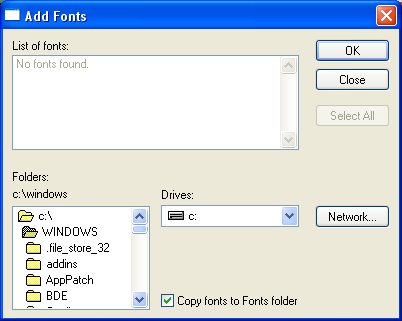
Open the folders until you get to the one where you moved the files to. I clicked on 'c:\' 'Documents and Settings', 'My Documents', and 'My Pictures'. When opened, the font(s) should appear like this: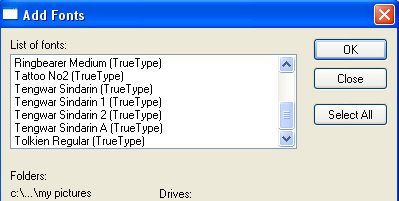
Click on the font you want to install, and then 'ok'.
If the font was 'tolkien', you should now be able to see the difference in font on my website :-)